Notifications
Clear all

Limited Support

Our support team is currently on holiday from December 25, 2025 to January 7, 2026, and replies may be delayed during this period.

We appreciate your patience and understanding while our team is away. Thank you for being part of the gVectors community!

Merry Christmas and Happy Holidays! 🎄

[Solved] Margins seems not respected

5 Posts
2 Users
0 Reactions
3,208 Views
Posts: 27
Customer
Topic starter
(@henrimatthijssen)
Member
Joined: 8 years ago

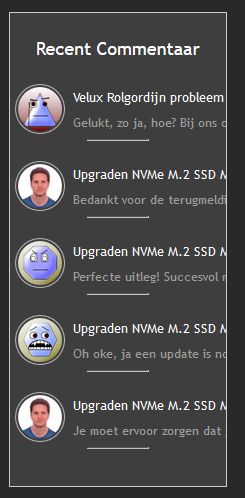
I just installed the latest update of the wpdiscuz-widgets plugin and now the right margin seems not to be used. I would expect that I have at least 5 pixels space at the right side and sentence to be wordwrapped.

See attached screenshot and settings.
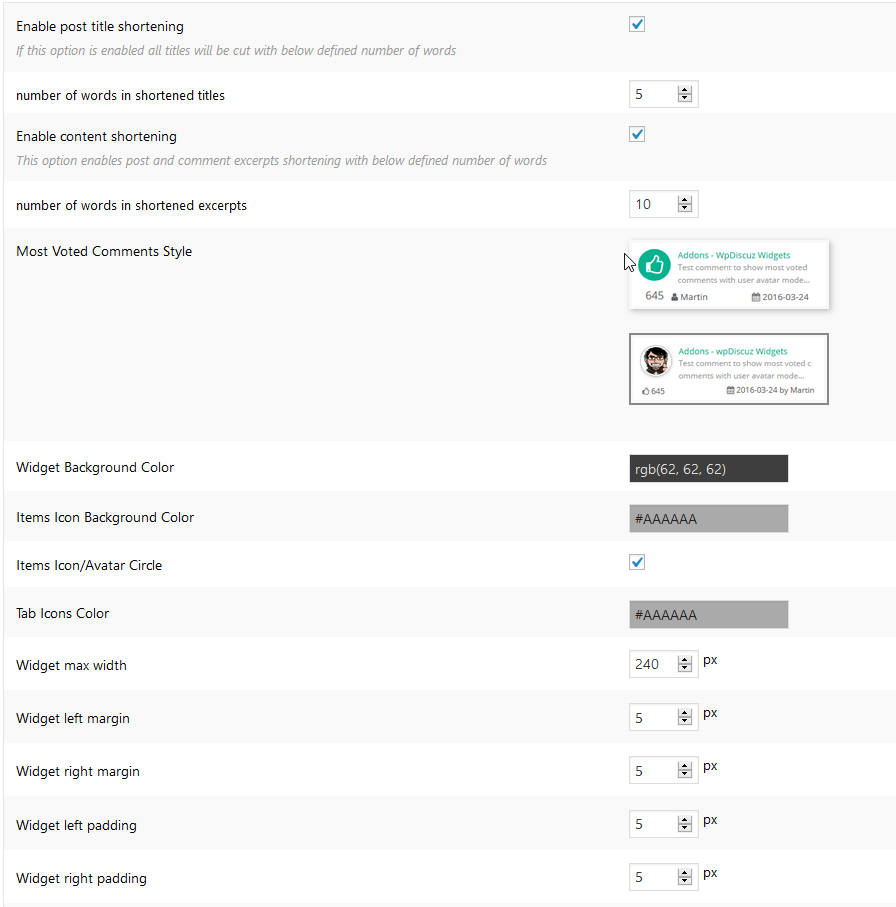
widget settings
widget

4 Replies
Astghik
Posts: 6581
Admin
(@astgh)
Illustrious Member
Joined: 8 years ago

Hi  HenriMatthijssen,

This can be a CSS conflict with your current active theme. Could you please leave an example URL to allow us to check it? 


Reply
1 Reply
Customer
(@henrimatthijssen)
Joined: 8 years ago

Member
Posts: 27

https://eye-vision.homeip.net

I use the Avada Theme and have adapted wpdiscuz.css file to have some colors better.


Reply
Astghik
Posts: 6581
Admin
(@astgh)
Illustrious Member
Joined: 8 years ago

Hi @henrimatthijssen,

Your widget area is narrow, and that's why the wpDiscuz Widgets is narrow as well. 

Please navigate to Dashboard > Comments > Settings > Addons > Widgets admin page, add the following CSS code in "Widget custom CSS" textarea, save it, delete all caches, and check again. 

#widget-comments-container .wpdiscuz-widget-popular-comment-author .popular-comment-author-body{
max-width: 70% !important;
}

Reply
Posts: 27
Customer
Topic starter
(@henrimatthijssen)
Member
Joined: 8 years ago

The custom CSS fixed the issue. Thank you very much for your prompt help and solution.


Reply
Share:
Scroll to top