Notifications
Clear all

[Solved] Blog Cross Posting Button box

9 Posts
2 Users
1 Reactions
348 Views
radiostv
Posts: 127
Customer
Topic starter
(@radiostv)
Member
Joined: 9 years ago
[#14492]

Hi,

Would anyone be able to advise some way to change the background of the button box as I've no idea. See attachment. 

Many Thanks.
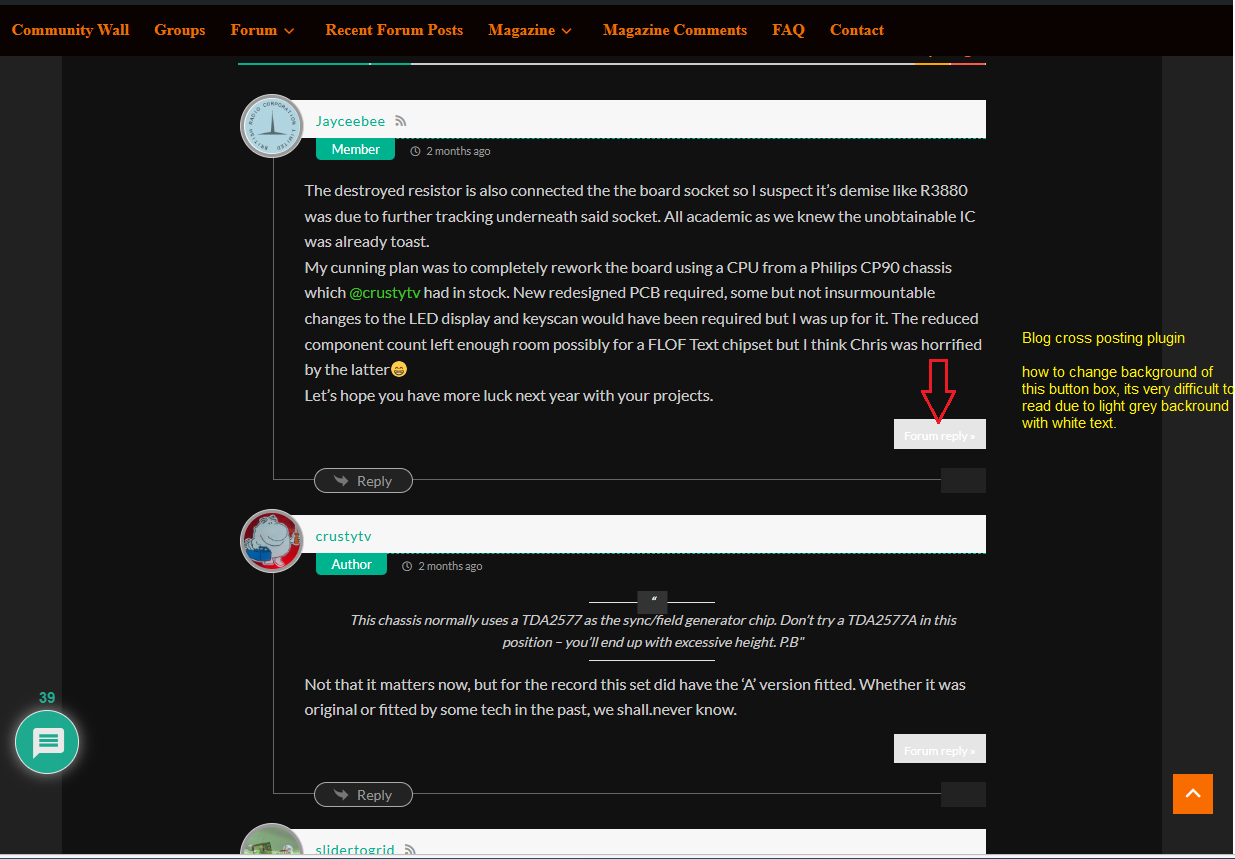
crosspostplug

8 Replies
Astghik
Posts: 6661
Admin
(@astgh)
Illustrious Member
Joined: 8 years ago

Hi,

Please try the CSS code provided below:

 
/* Buttons background color */
.wpfcp-comment-info {
   background-color: grey !important;
}

/* Change the text color if necessary */
.wpfcp-comment-info a {
   color: #000 !important;
}
 
Change the red-marked values as you like.

Insert the code in Top Admin Bar > Customize > Additional CSS, paste it into the “Additional CSS” textarea, save the changes, clear all caches, and check again.

If the code doesn’t help, please provide the direct URL where we can check the CSS conflict.


Reply
1 Reply
radiostv
Customer
(@radiostv)
Joined: 9 years ago

Member
Posts: 127

@astgh 

Wonderful that has resolved the problem, thank you so much for your very fast assistance.


Reply
radiostv
Posts: 127
Customer
Topic starter
(@radiostv)
Member
Joined: 9 years ago

I've encountered another problem with this. Can anyone help? I need the white box on the forum to be dark so the green text is readable.
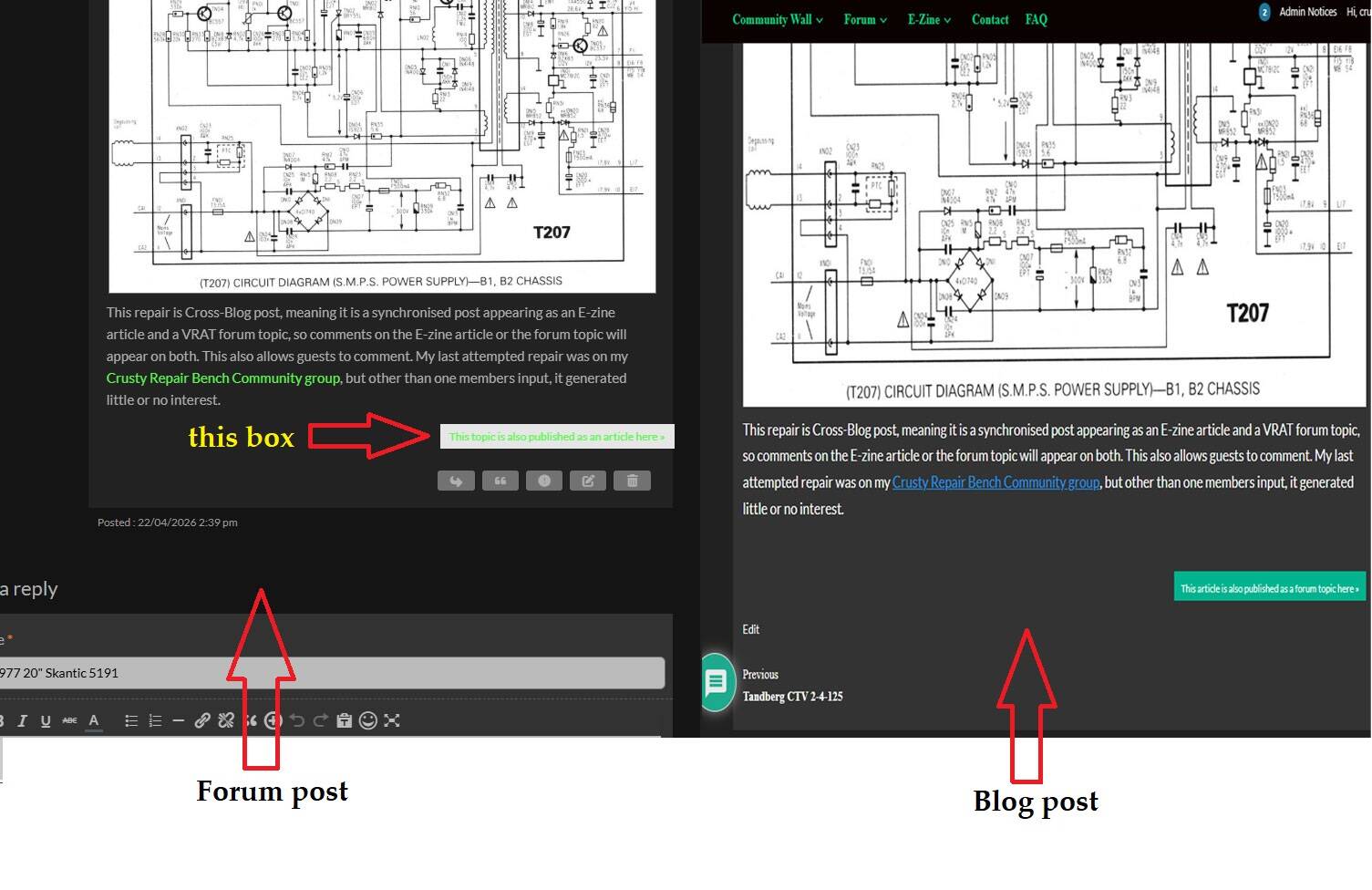
crosspost

Reply
5 Replies
Astghik
Admin
(@astgh)
Joined: 8 years ago

Illustrious Member
Posts: 6661

@radiostv 

Please insert this CSS code as well: 

#wpforo #wpforo-wrap .wpfcp-topic-info {
    background-color: #726063
}
#wpforo #wpforo-wrap .wpfcp-topic-info a {
    color: #dbcccf
}

Reply
radiostv
Customer
(@radiostv)
Joined: 9 years ago

Member
Posts: 127

@astgh once again, thank you.


Reply
radiostv
Customer
(@radiostv)
Joined: 9 years ago

Member
Posts: 127

@astgh 

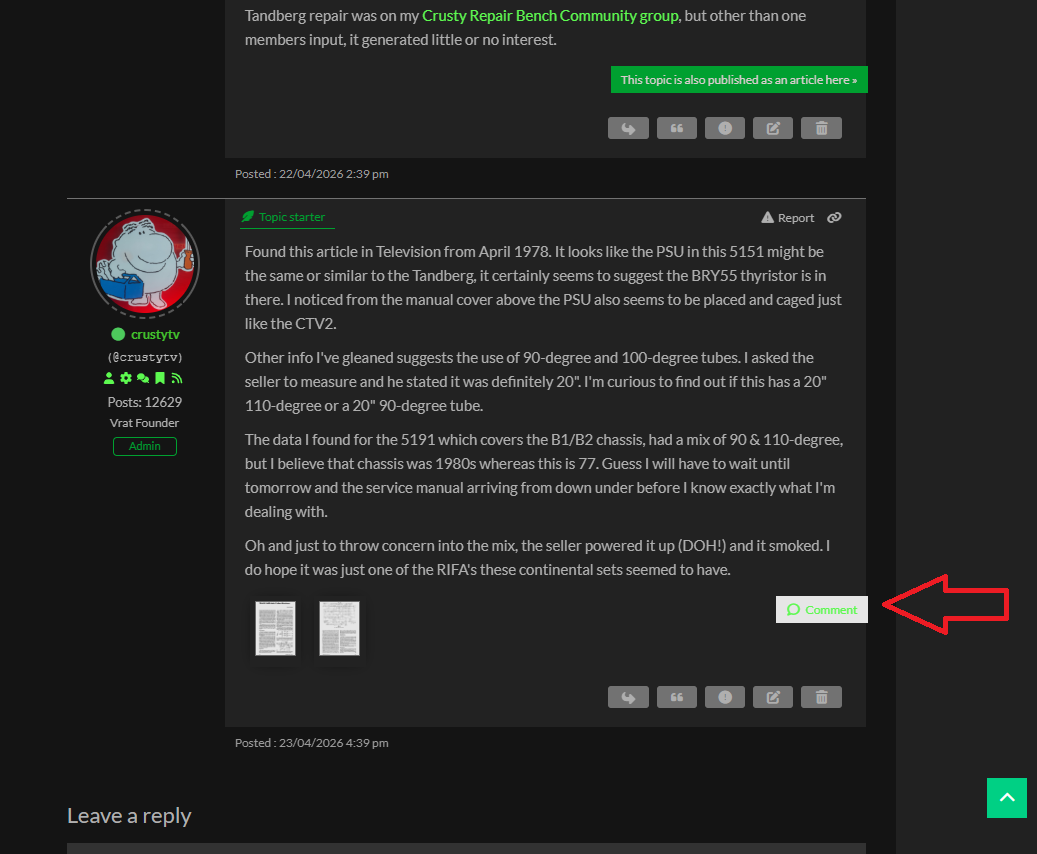
Sorry to be a pain but that css code fixed the colour of the box and text informing the forum reader there is a blog copy, but it does not apply to the box informing the forum reader there reply is also a comment on the blog, see pic attached.

example

Reply
radiostv
Customer
(@radiostv)
Joined: 9 years ago

Member
Posts: 127

@astgh 

Ignore the request above, using your example, I used inspect & search in the console and figured it out 

#wpforo #wpforo-wrap .wpfcp-post-info {
    background-color: #00A030
}
#wpforo #wpforo-wrap .wpfcp-post-info a {
    color: #dbcccf
}

Reply
Astghik
Admin
(@astgh)
Joined: 8 years ago

Illustrious Member
Posts: 6661

@radiostv 

Thank you for letting us know. We're glad to hear that the issue has been resolved.


Reply
Share:
Scroll to top