Search
Close
AI Search
Classic Search
 Search Phrase:
 Search Type:
Advanced search options
 Search in Forums:
 Search in date period:

 Sort Search Results by:

AI Assistant
Notifications
Clear all

[Solved] Attachment button is not visible

3 Posts
2 Users
0 Reactions
2,048 Views
Posts: 2
Customer
Topic starter
Translate
English
Spanish
French
German
Italian
Portuguese
Russian
Chinese
Japanese
Korean
Arabic
Hindi
Dutch
Polish
Turkish
Vietnamese
Thai
Swedish
Danish
Finnish
Norwegian
Czech
Hungarian
Romanian
Greek
Hebrew
Indonesian
Malay
Ukrainian
Bulgarian
Croatian
Slovak
Slovenian
Serbian
Lithuanian
Latvian
Estonian
(@tsdesignstudio)
Member
Joined: 7 years ago
[#3815]

I installed wpForo Advanced Attachments to my WP Forum, but when I go to add a Topic I do not see the Attach File tab on my ToolBox editor.  What am I doing wrong
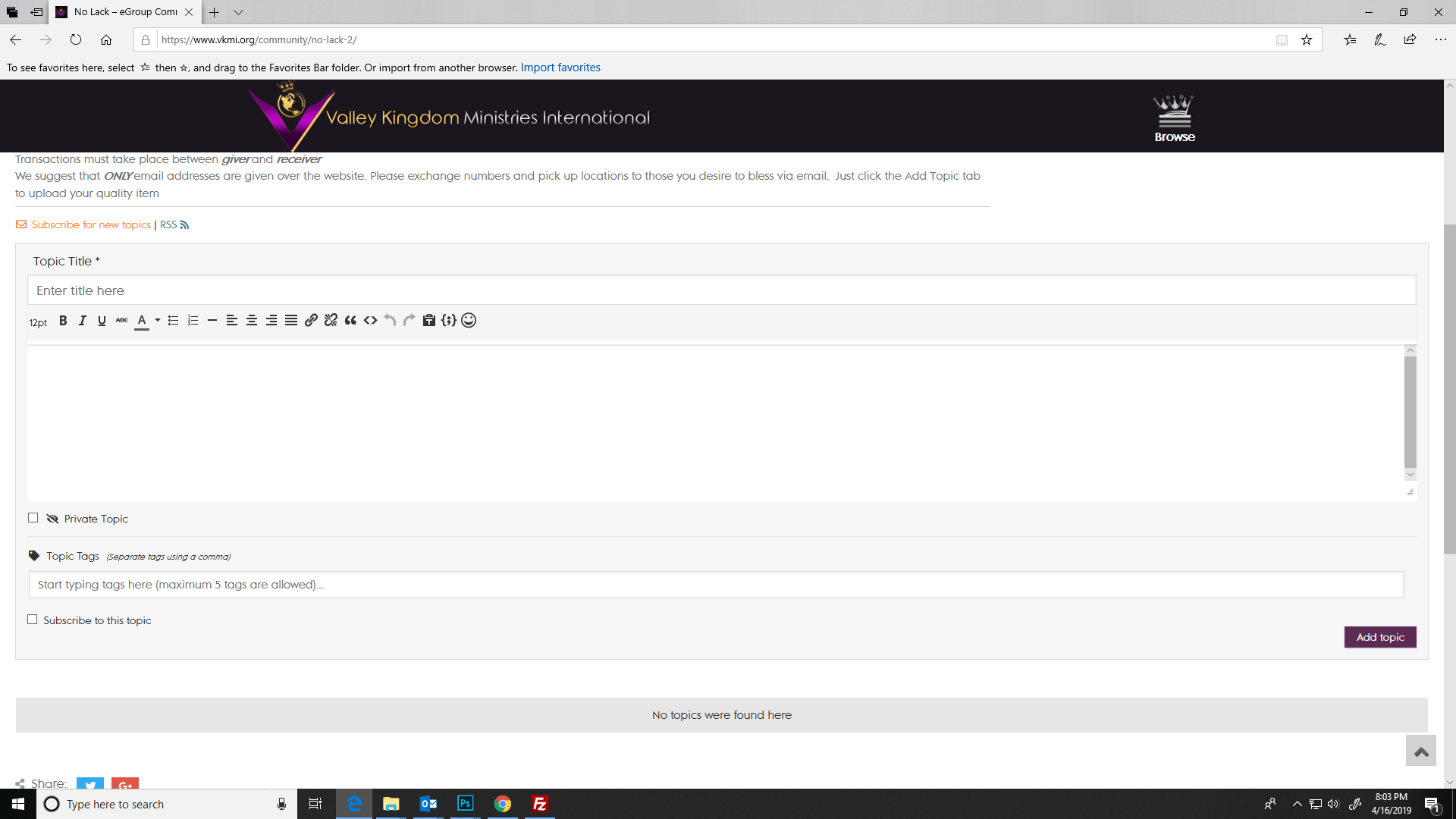
2019 04 16 (11)

2 Replies
Astghik
Posts: 6645
Admin
Translate
English
Spanish
French
German
Italian
Portuguese
Russian
Chinese
Japanese
Korean
Arabic
Hindi
Dutch
Polish
Turkish
Vietnamese
Thai
Swedish
Danish
Finnish
Norwegian
Czech
Hungarian
Romanian
Greek
Hebrew
Indonesian
Malay
Ukrainian
Bulgarian
Croatian
Slovak
Slovenian
Serbian
Lithuanian
Latvian
Estonian
(@astgh)
Illustrious Member
Joined: 8 years ago

Hi @tsdesignstudio,

First of all, thank you for using wpForo and wpFporo add-ons. 

Attach file button is only available for Usergroups who have “Can attach file” permissions in granted forum access. Please check this permission and make sure it's already checked. 

More info here: https://wpforo.com/docs/root/topics-posts/atatch-file-to-post/#access

wpForo has a built-in spam control system. It controls newly registered users and allows to attach a file when a user has X number of approved posts. You can manage this setting in Dashboard > Forums > Tools > Antispam > New Registered user section.
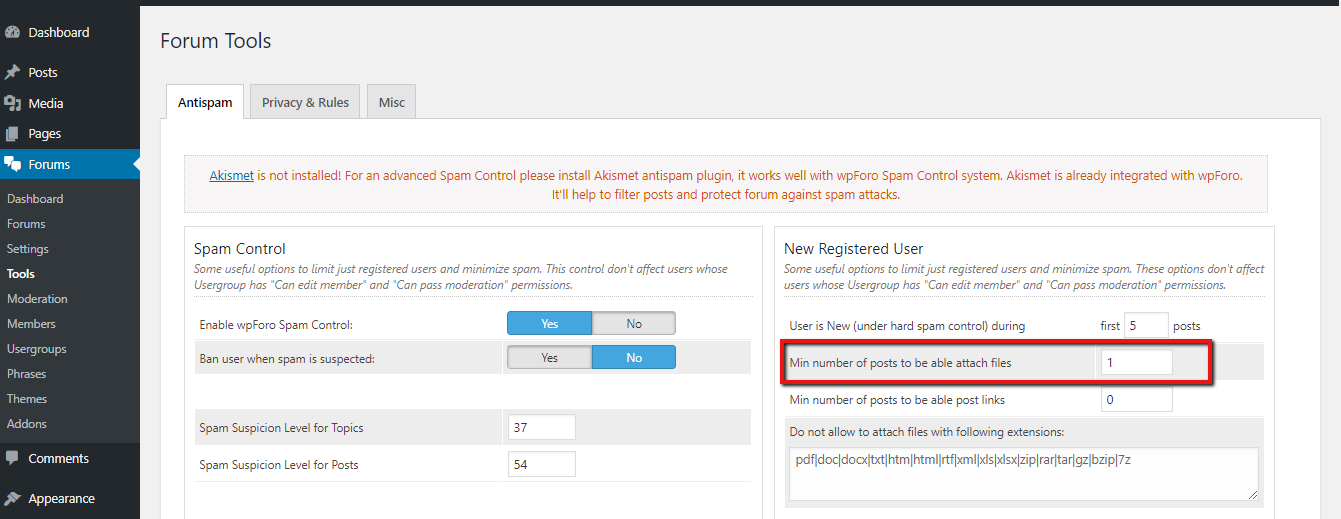
Min number of posts to be able attach files


Posts: 2
Customer
Topic starter
Translate
English
Spanish
French
German
Italian
Portuguese
Russian
Chinese
Japanese
Korean
Arabic
Hindi
Dutch
Polish
Turkish
Vietnamese
Thai
Swedish
Danish
Finnish
Norwegian
Czech
Hungarian
Romanian
Greek
Hebrew
Indonesian
Malay
Ukrainian
Bulgarian
Croatian
Slovak
Slovenian
Serbian
Lithuanian
Latvian
Estonian
(@tsdesignstudio)
Member
Joined: 7 years ago

Thanks it worked!!!!!


Share:
Scroll to top

