Notifications
Clear all

Limited Support

Our support team is currently on holiday from December 25, 2025 to January 7, 2026, and replies may be delayed during this period.

We appreciate your patience and understanding while our team is away. Thank you for being part of the gVectors community!

Merry Christmas and Happy Holidays! 🎄

[Solved] Problem with editing the comment form

3 Posts
2 Users
1 Reactions
1,927 Views
(@sumo22)
New Member
Joined: 6 years ago
Posts: 2
Topic starter  

Hi everyone

comment form

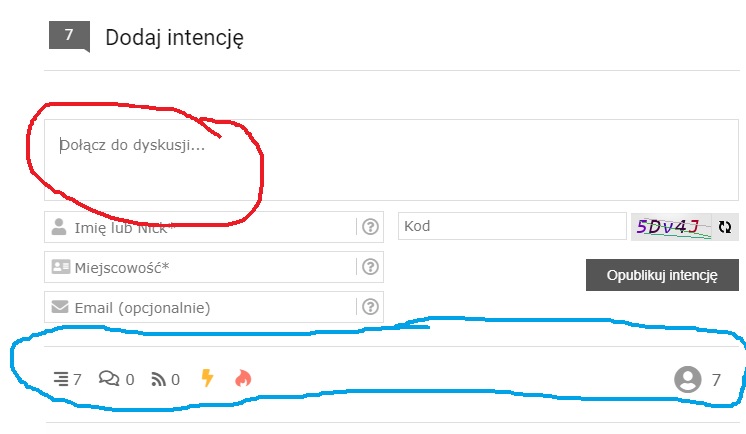
, I have a problem finding items marked in red and blue, respectively. I would like to change the text marked in red, and the buttons marked in blue I would like to delete along with the separating beam. Can you help me with this? I totally don't know where to look for it. Thank you in advance!


Elvina
(@elvina)
Support
Joined: 6 years ago
Posts: 1403
 
Posted by: @sumo22

I would like to change the text marked in red

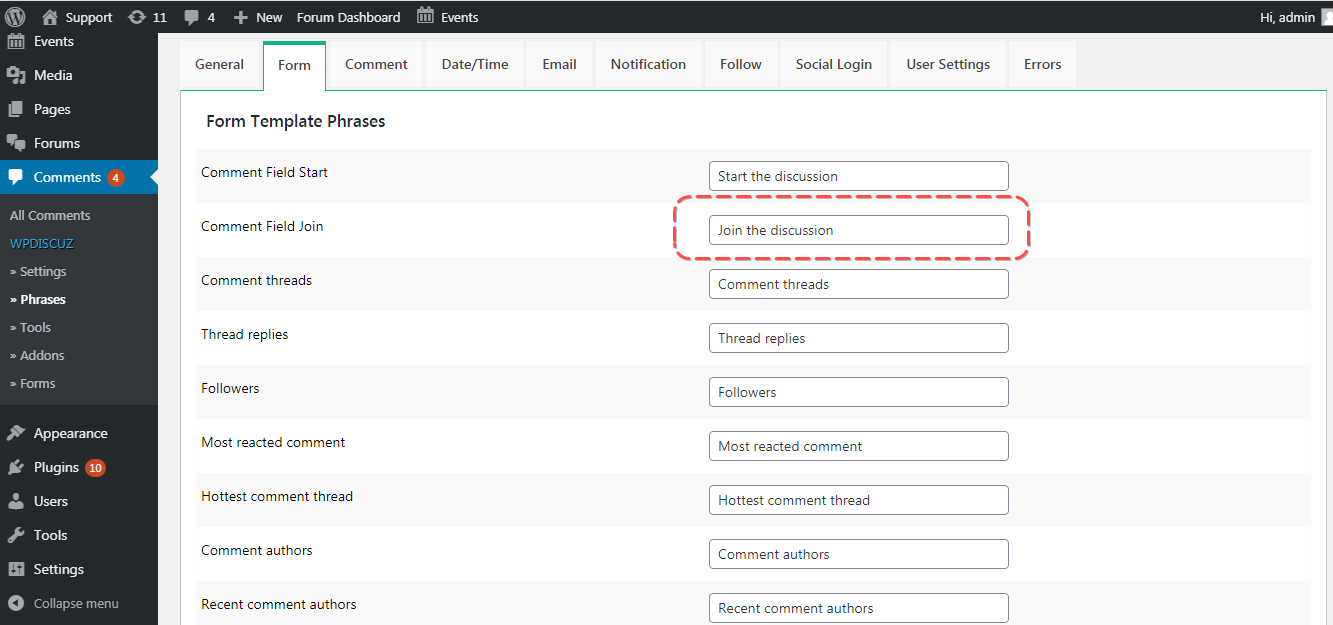
Please navigate to Dashboard > Comments > Phrases > Form admin page and change the "Comment Field Join" value. 

comment form
Posted by: @sumo22

and the buttons marked in blue I would like to delete along with the separating beam.

Please navigate to the Dashboard > Comments > Settings > Comment Form admin page and make sure in the "Comment Form" section "Hide "Discussion Statistic" section" and "  Hide "Recent Comment Authors" section" are enabled.

More info here: https://wpdiscuz.com/docs/wpdiscuz-documentation/settings/comment-form/#components


sumo22 reacted
(@sumo22)
New Member
Joined: 6 years ago
Posts: 2
Topic starter  

@Elvina thank you 😀


Share:
Scroll to top