
AI Assistant
Notifications
Clear all

Member "author-data" how to add custom fields to be displayed wtih posts.

2 Posts
1 Users
0 Reactions
6 Views
Posts: 8
Customer
Topic starter
Translate
English
Spanish
French
German
Italian
Portuguese
Russian
Chinese
Japanese
Korean
Arabic
Hindi
Dutch
Polish
Turkish
Vietnamese
Thai
Swedish
Danish
Finnish
Norwegian
Czech
Hungarian
Romanian
Greek
Hebrew
Indonesian
Malay
Ukrainian
Bulgarian
Croatian
Slovak
Slovenian
Serbian
Lithuanian
Latvian
Estonian
(@damon-linkous)
Member
Joined: 7 months ago
[#14542]

Order #49405

wpForo User Custom Fields. I've been through the docs but can't figure out if this is possible.

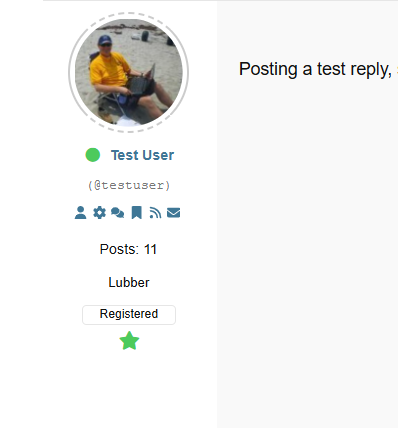
In the author data that is displayed below the avatar of a post author, I want to add two fields to display along with their display name, nickname, number of posts etc.

Location (city/state)
Boat Type (brand/model)

Looking at the options in
/wp-admin/admin.php?page=wpforo-user-custom-fields

I see that there is a location field, but it's just a hard-coded list of Countries. Most of my members are in the US, so I would like to have at least the State to narrow things down. But I tried enabling it to show on posts, and then set a test user to location United States, but location doesn't show on posts.

For the Boat Type I would like to use an existing taxonomy from the Classifieds (wpadverts) for members to select from, then I have it show up with their info. 

Can someone give me some instructions for this? How do I add the boat field and have it use the taxonomy?
image


1 Reply
Posts: 8
Customer
Topic starter
Translate
English
Spanish
French
German
Italian
Portuguese
Russian
Chinese
Japanese
Korean
Arabic
Hindi
Dutch
Polish
Turkish
Vietnamese
Thai
Swedish
Danish
Finnish
Norwegian
Czech
Hungarian
Romanian
Greek
Hebrew
Indonesian
Malay
Ukrainian
Bulgarian
Croatian
Slovak
Slovenian
Serbian
Lithuanian
Latvian
Estonian
(@damon-linkous)
Member
Joined: 7 months ago

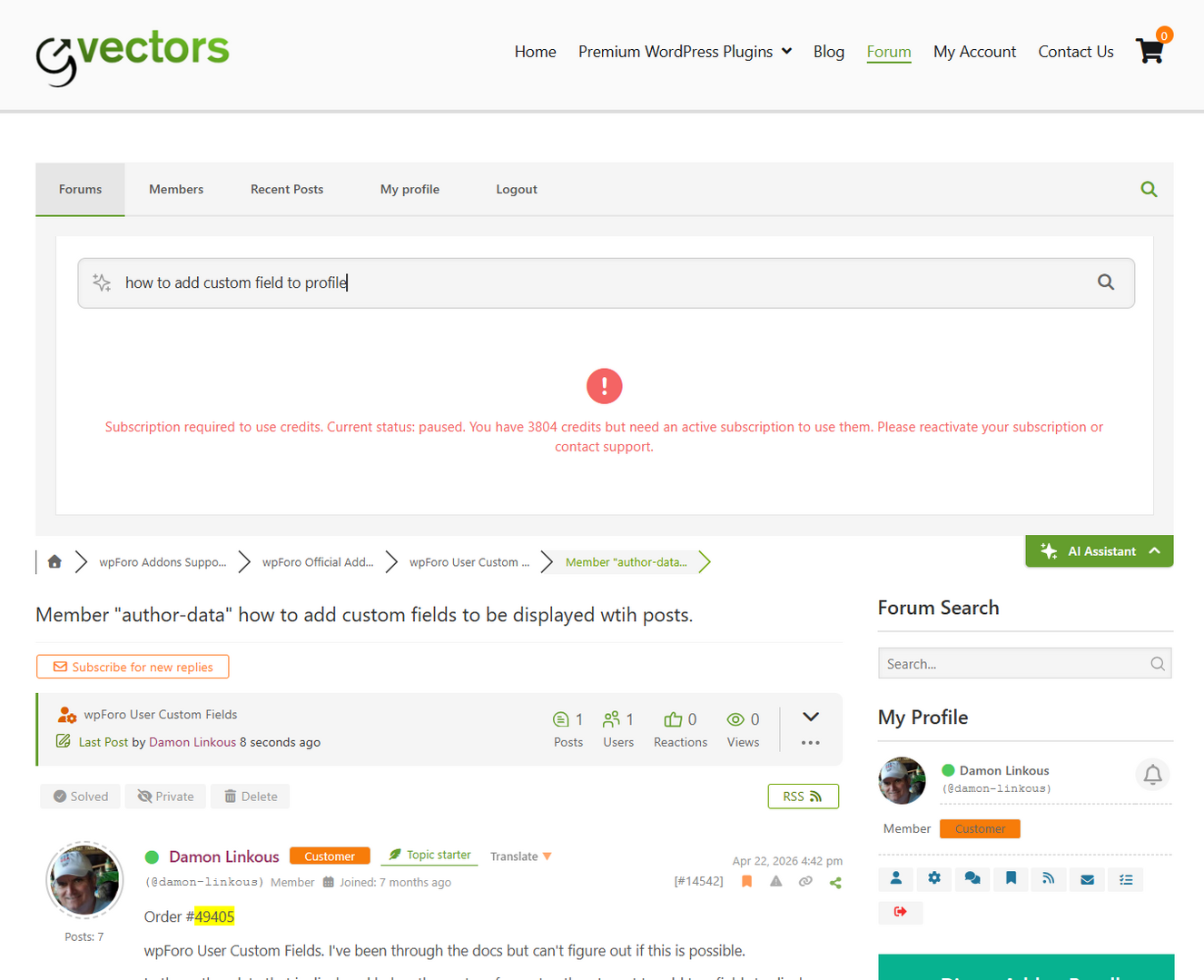
Related, my forum is on 3.06 but I haven't enabled any AI features. I just tried using the Ai Assistant button to ask about this issue and got this error screen. 

image

Reply
Share:
Scroll to top
