Search
Close
AI Search
Classic Search
 Search Phrase:
 Search Type:
Advanced search options
 Search in Forums:
 Search in date period:

 Sort Search Results by:

AI Assistant
Notifications
Clear all

[Solved] myCRED Integration included in list of plugins - but I get error "plugin is not installed"

3 Posts
2 Users
1 Reactions
1,840 Views
Posts: 8
Topic starter
Translate
English
Spanish
French
German
Italian
Portuguese
Russian
Chinese
Japanese
Korean
Arabic
Hindi
Dutch
Polish
Turkish
Vietnamese
Thai
Swedish
Danish
Finnish
Norwegian
Czech
Hungarian
Romanian
Greek
Hebrew
Indonesian
Malay
Ukrainian
Bulgarian
Croatian
Slovak
Slovenian
Serbian
Lithuanian
Latvian
Estonian
(@westats)
Active Member
Joined: 5 years ago
[#8627]

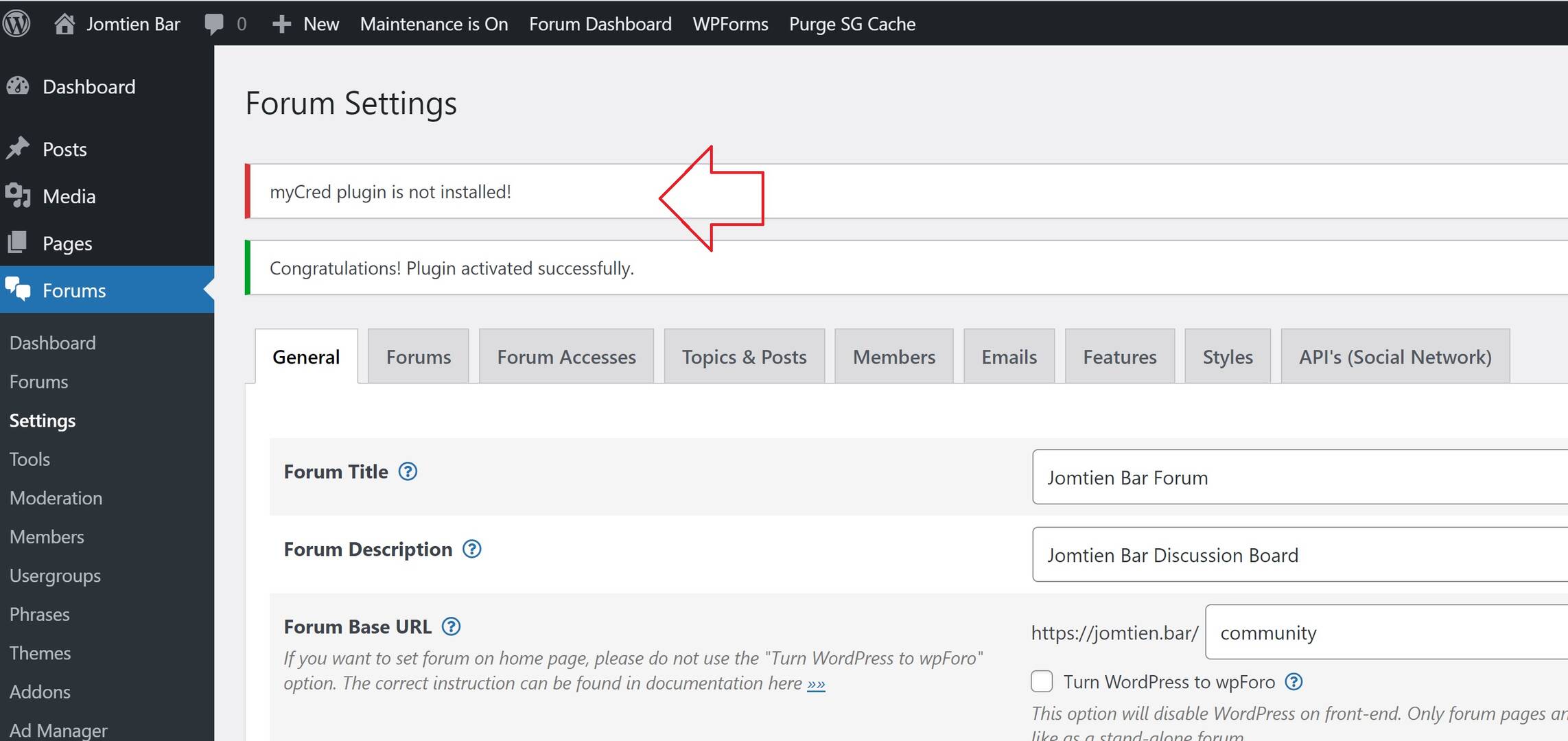
I've tried disconnecting & uninstalling/ re-installing.

I've also excluded the forum from SG Optimizer.

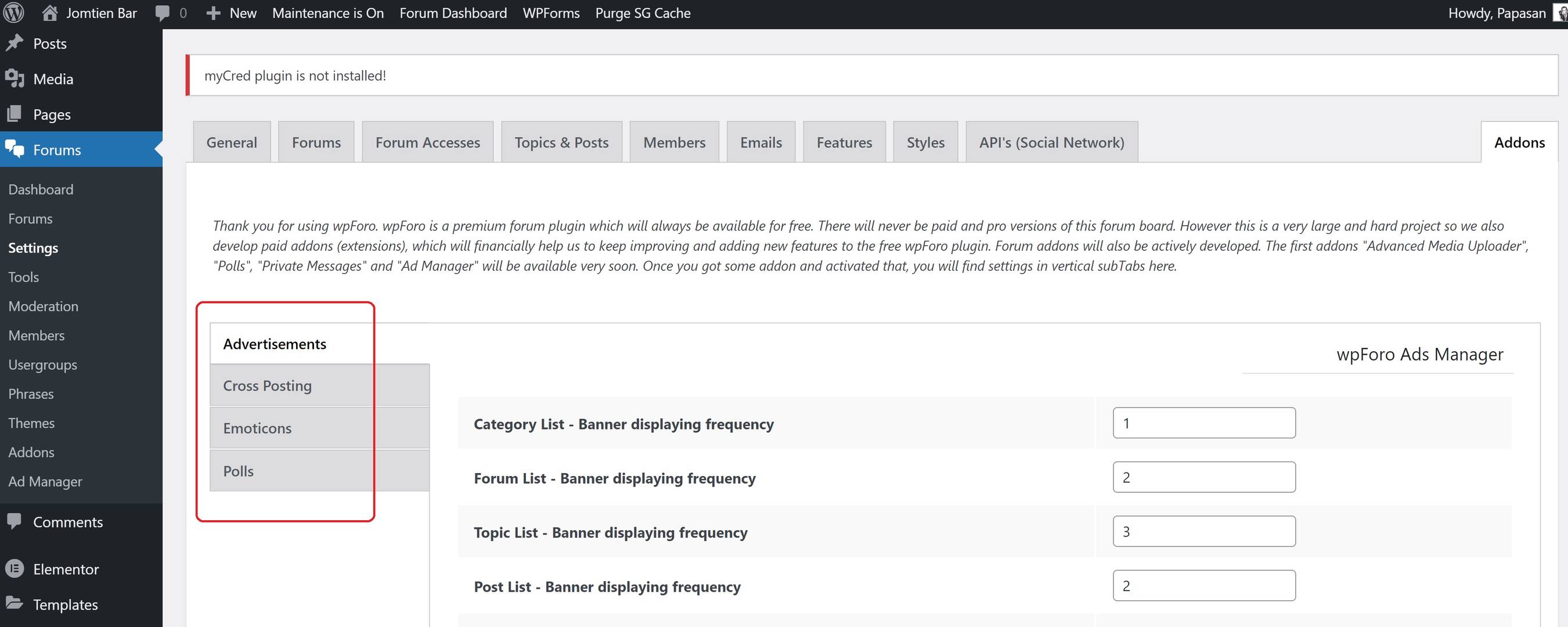
The error keeps repeating & I'm going in circles. ☹️
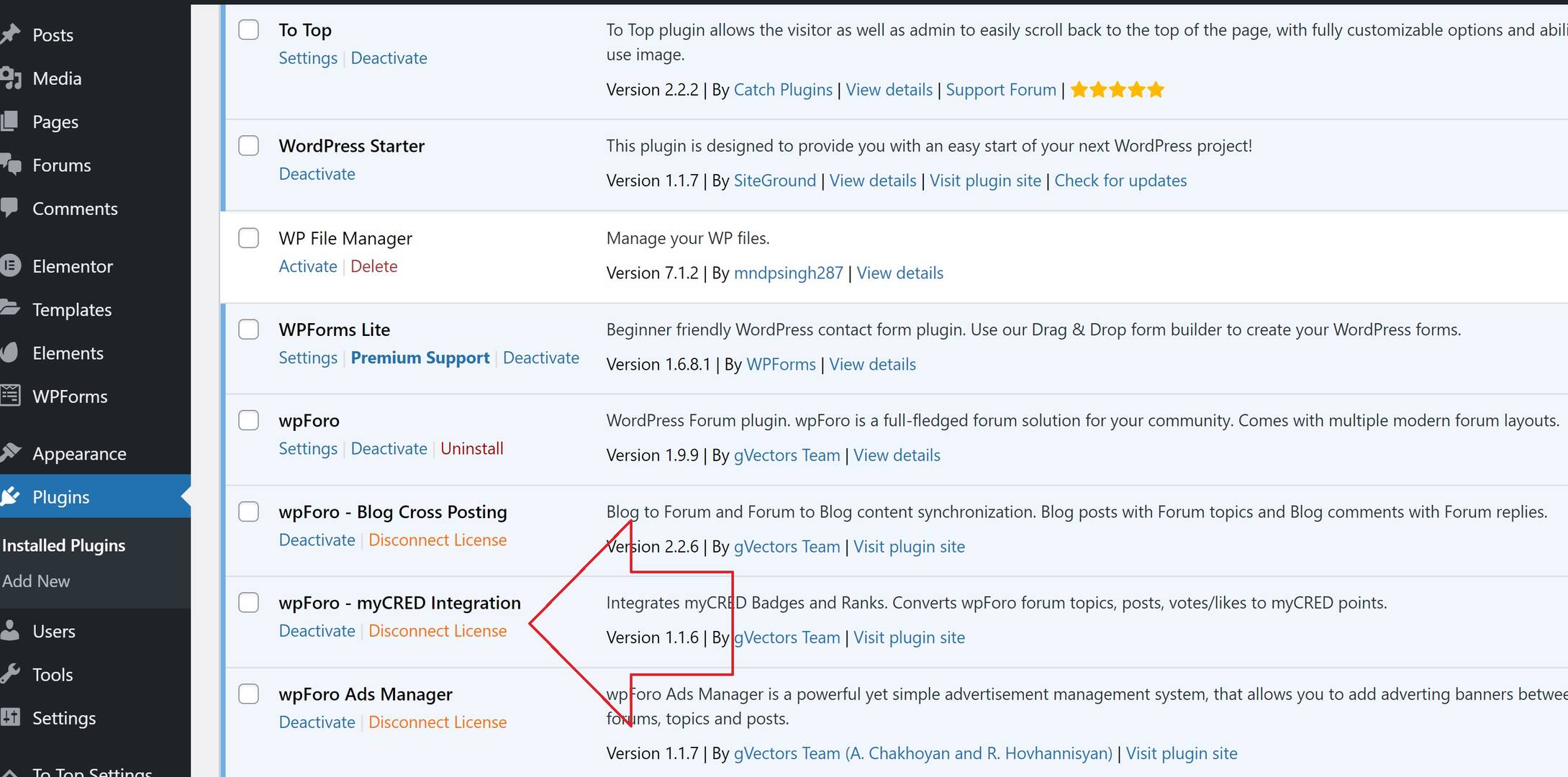
forumsettings3


forumsettings1


forumsettings2

The error message appears after I input the activation key.



2 Replies
Kyle
Posts: 728
 Kyle
Translate
English
Spanish
French
German
Italian
Portuguese
Russian
Chinese
Japanese
Korean
Arabic
Hindi
Dutch
Polish
Turkish
Vietnamese
Thai
Swedish
Danish
Finnish
Norwegian
Czech
Hungarian
Romanian
Greek
Hebrew
Indonesian
Malay
Ukrainian
Bulgarian
Croatian
Slovak
Slovenian
Serbian
Lithuanian
Latvian
Estonian
(@kylew)
Prominent Member
Joined: 5 years ago

Hi @westats,

Have you installed myCRED plugin?

https://wordpress.org/plugins/mycred/

For the wpForo  - myCRED Integration addon you should install myCRED plugin before installing wpForo  - myCRED Integration addon. This addon is an integration solution between wpForo and myCRED.


Posts: 8
Topic starter
Translate
English
Spanish
French
German
Italian
Portuguese
Russian
Chinese
Japanese
Korean
Arabic
Hindi
Dutch
Polish
Turkish
Vietnamese
Thai
Swedish
Danish
Finnish
Norwegian
Czech
Hungarian
Romanian
Greek
Hebrew
Indonesian
Malay
Ukrainian
Bulgarian
Croatian
Slovak
Slovenian
Serbian
Lithuanian
Latvian
Estonian
(@westats)
Active Member
Joined: 5 years ago

That fixed it. Thank you.


Share:
Scroll to top