AI Assistant
Notifications
Clear all

Images NOT displaying correctly on Mobile Devices

2 Posts
2 Users
0 Reactions
2,252 Views
Posts: 17
Customer
Topic starter
Translate
English
Spanish
French
German
Italian
Portuguese
Russian
Chinese
Japanese
Korean
Arabic
Hindi
Dutch
Polish
Turkish
Vietnamese
Thai
Swedish
Danish
Finnish
Norwegian
Czech
Hungarian
Romanian
Greek
Hebrew
Indonesian
Malay
Ukrainian
Bulgarian
Croatian
Slovak
Slovenian
Serbian
Lithuanian
Latvian
Estonian
(@sportsmansparadiseonline)
Member
Joined: 8 years ago
[#2224]

The title says it all. See attached. 
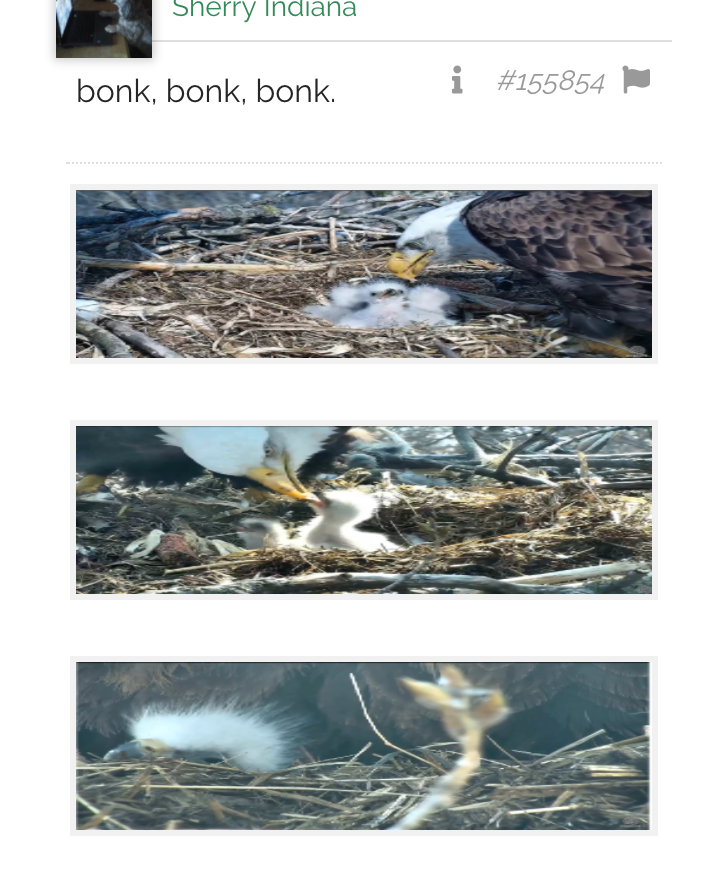
Screen Shot 2018 04 05 at 5.56.10 PM

1 Reply
Astghik
Posts: 6645
Admin
Translate
English
Spanish
French
German
Italian
Portuguese
Russian
Chinese
Japanese
Korean
Arabic
Hindi
Dutch
Polish
Turkish
Vietnamese
Thai
Swedish
Danish
Finnish
Norwegian
Czech
Hungarian
Romanian
Greek
Hebrew
Indonesian
Malay
Ukrainian
Bulgarian
Croatian
Slovak
Slovenian
Serbian
Lithuanian
Latvian
Estonian
(@astgh)
Illustrious Member
Joined: 8 years ago

Hi  sportsmansparadiseonline,

Please use the following CSS code. Put it in Dashboard > Comments > Settings > Styling > Custom CSS Textarea. Save it, delete all caches and do Ctrl+F5 on front-end.

@media screen and (max-width: 655px)#wpcomm .wmu-attached-images .wmu-attached-image{
max-height: none !important;
}
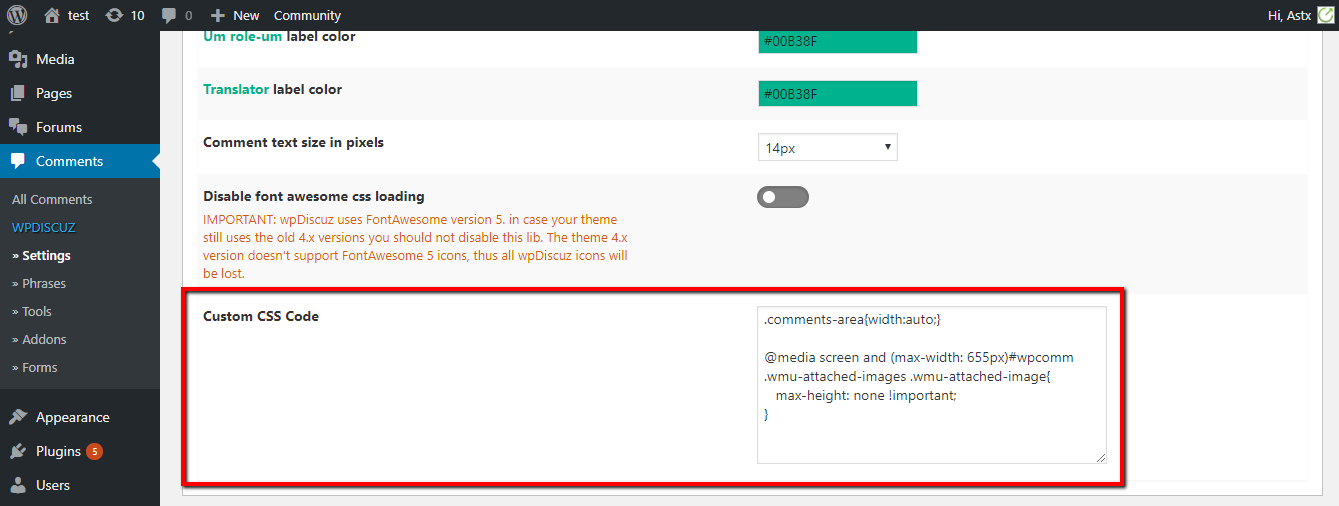
CSS


Reply
Share:
Scroll to top

