When deleting user notifications (bell) in wpDiscuz, it is always necessary to confirm the deletion.
I find it rather annoying.
Could I disable the confirmation message when deleting user notifications?
Thank you in advance

Professional WordPress Plugins and Services. wpDiscuz, WooDiscuz, Advanced Post Pagination

When deleting user notifications (bell) in wpDiscuz, it is always necessary to confirm the deletion.
I find it rather annoying.
Could I disable the confirmation message when deleting user notifications?
Thank you in advance



I'll ask the developers and get back to you soon.
Hi,
The developers will try to provide a solution in the next version of the addon. I’ll update this topic once the solution is implemented.
Hi @tradoholic,
The next version will be ready within a few days.
The following changes have been made in the plugin code:
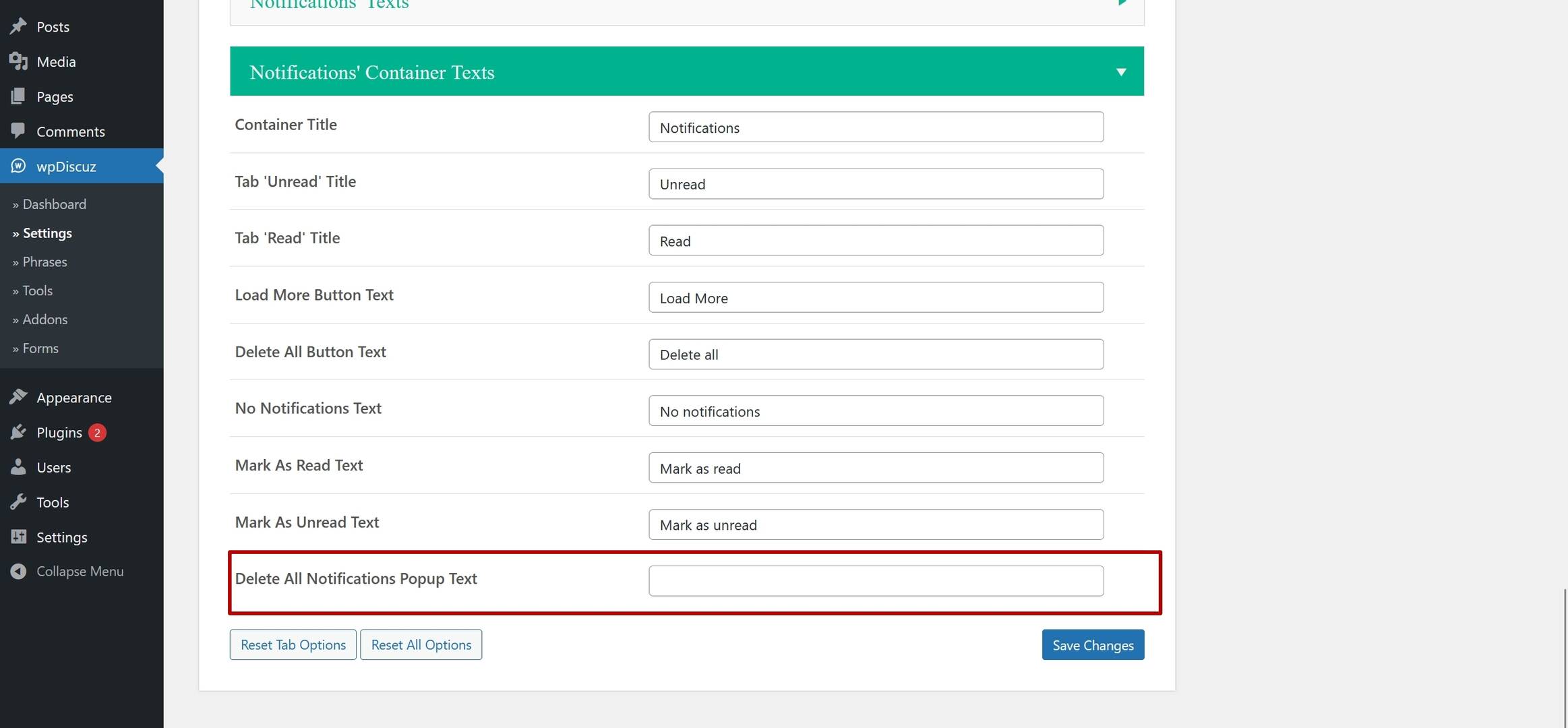
1. If you leave the option shown in the screenshot below empty, it will not ask for confirmation when deleting notifications from the frontend.
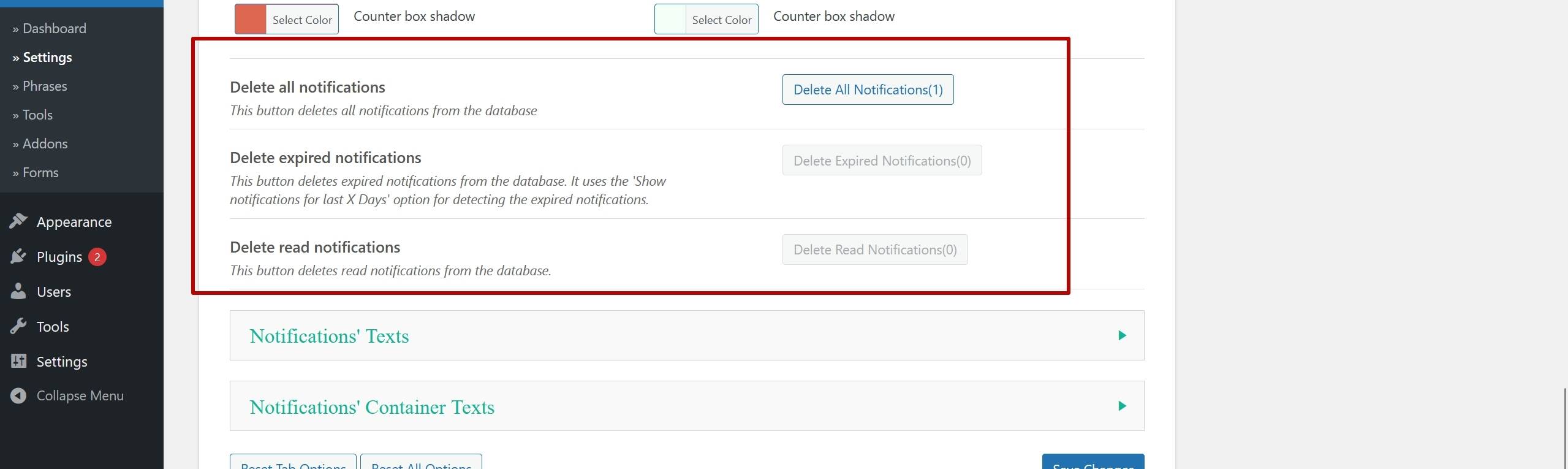
2. From the Dashboard (see the related options in the screenshot), if you want to disable the confirmation, you can use the following hooks:
add_filter("wpdiscuz_un_backend_phrase_delete_all", function($phrase){
   return "";
});
In the same way, you can use the following hooks for the last two options:
1. wpdiscuz_un_backend_phrase_delete_all
2. wpdiscuz_un_backend_phrase_delete_expired
3. wpdiscuz_un_backend_phrase_delete_read
I'll let you know once the new version is ready.