
I bought GooglereCaptcha but not sure how to install it. Also, my comments are not working and it's showing something like "invalid captcha code". What can I do?
Search
Close
AI Search
Classic Search
Notifications
Clear all

Feb 22, 2018 2:09 am
1 Reply



Feb 22, 2018 3:23 pm
To start using reCAPTCHA, you need to sign up for an API key pair.
Please navigate to Dashboard > Comments > Settings > Addons > Google reCAPTCHA admin page. Go to "register you domain" link.
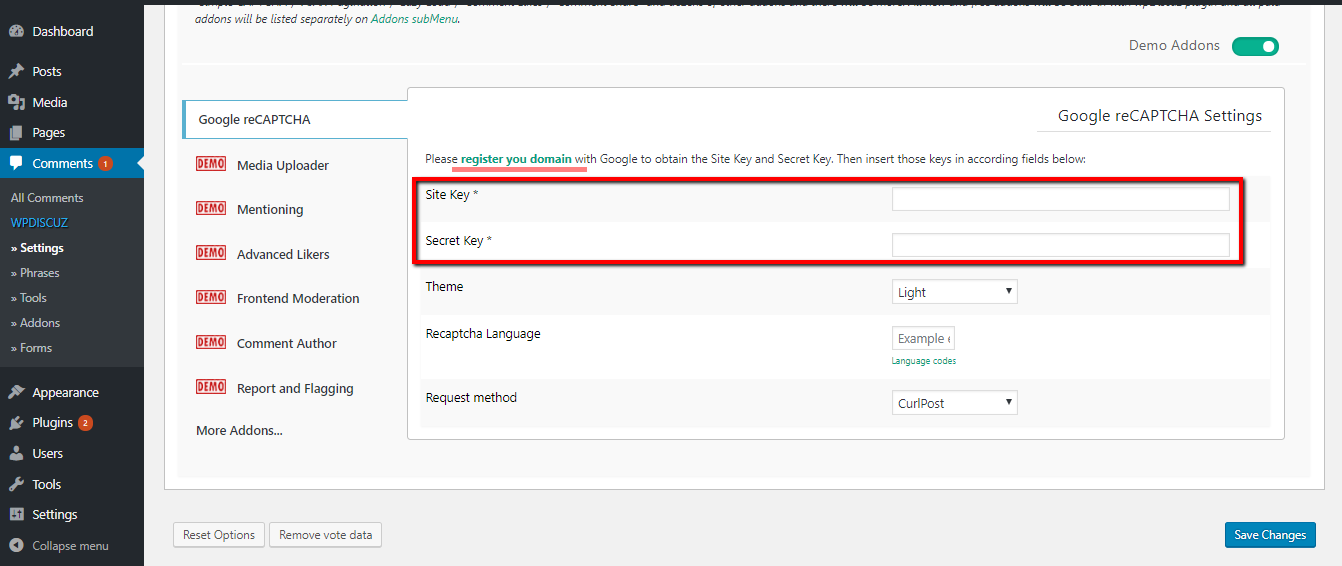
More info here:
https://developers.google.com/recaptcha/intro
After registering domains it wiil give you "Site Key" and "Secret Key", just fill them in corresponding fields.
In any case please let us know.