Description
wpDiscuz Reviews transforms your wpDiscuz-powered comment sections into a full-featured review system — with rating input, rich average displays, structured data, and WooCommerce compatibility — all managed from a single settings tab inside wpDiscuz.
Half-Point Rating Input
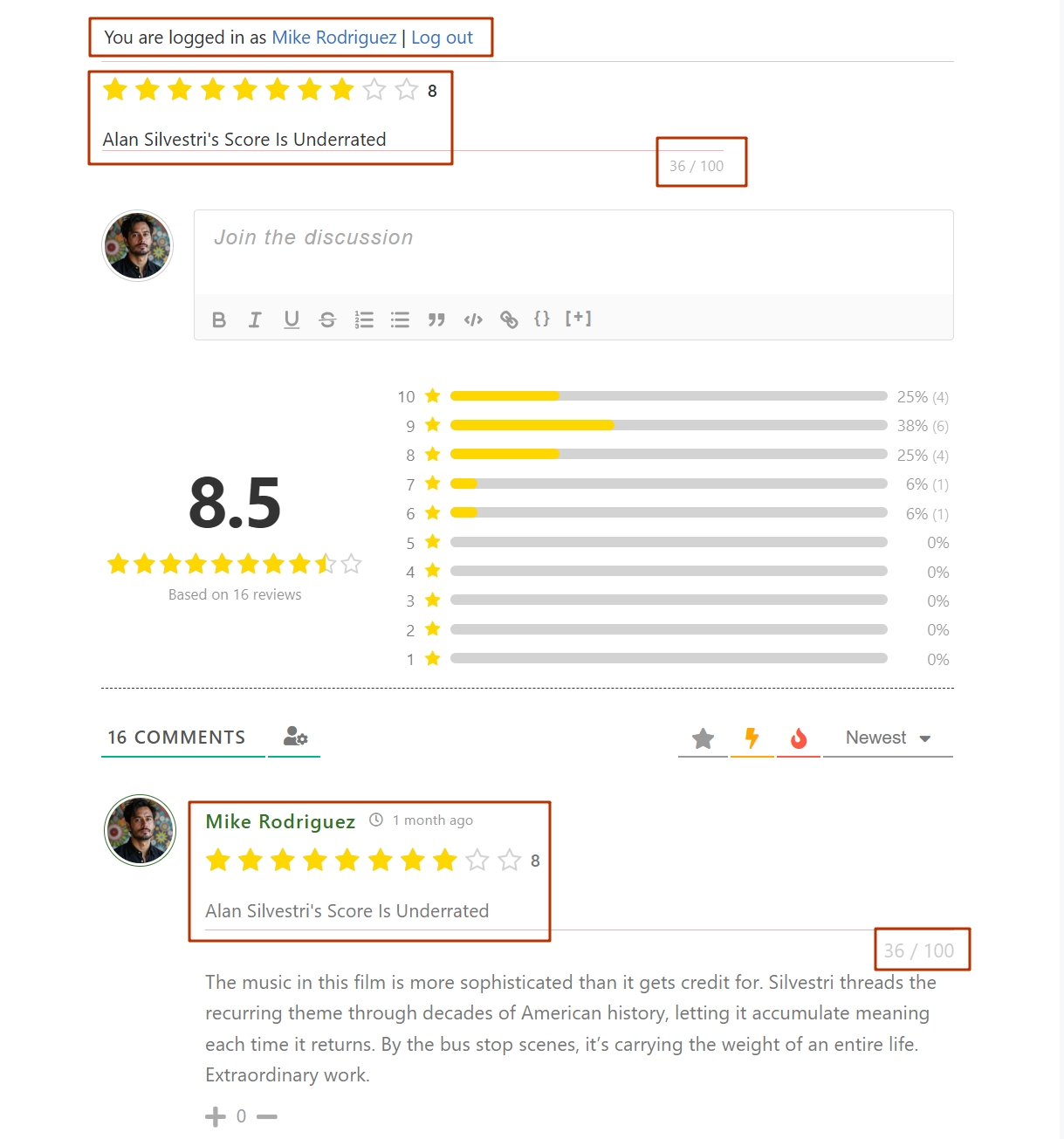
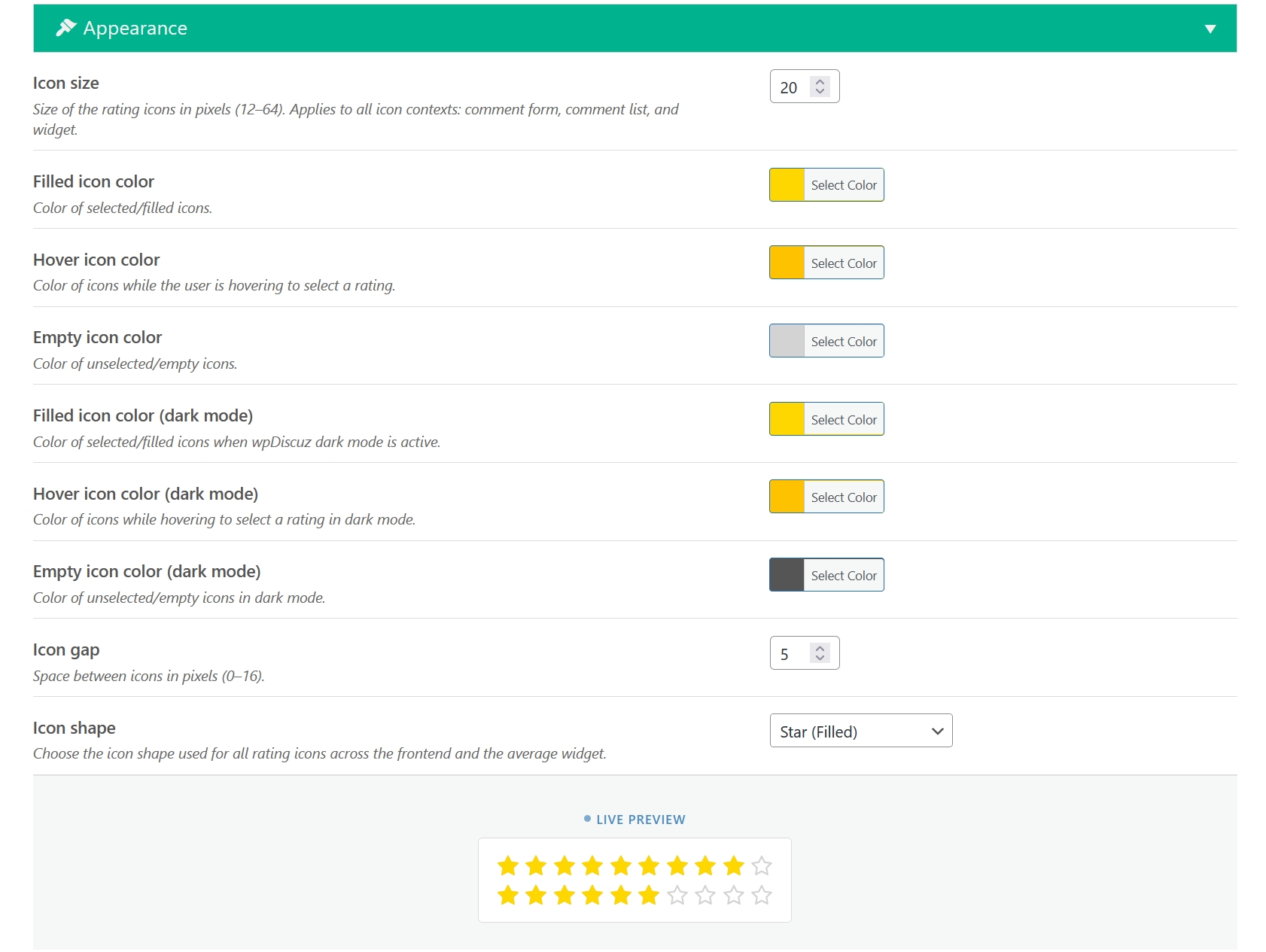
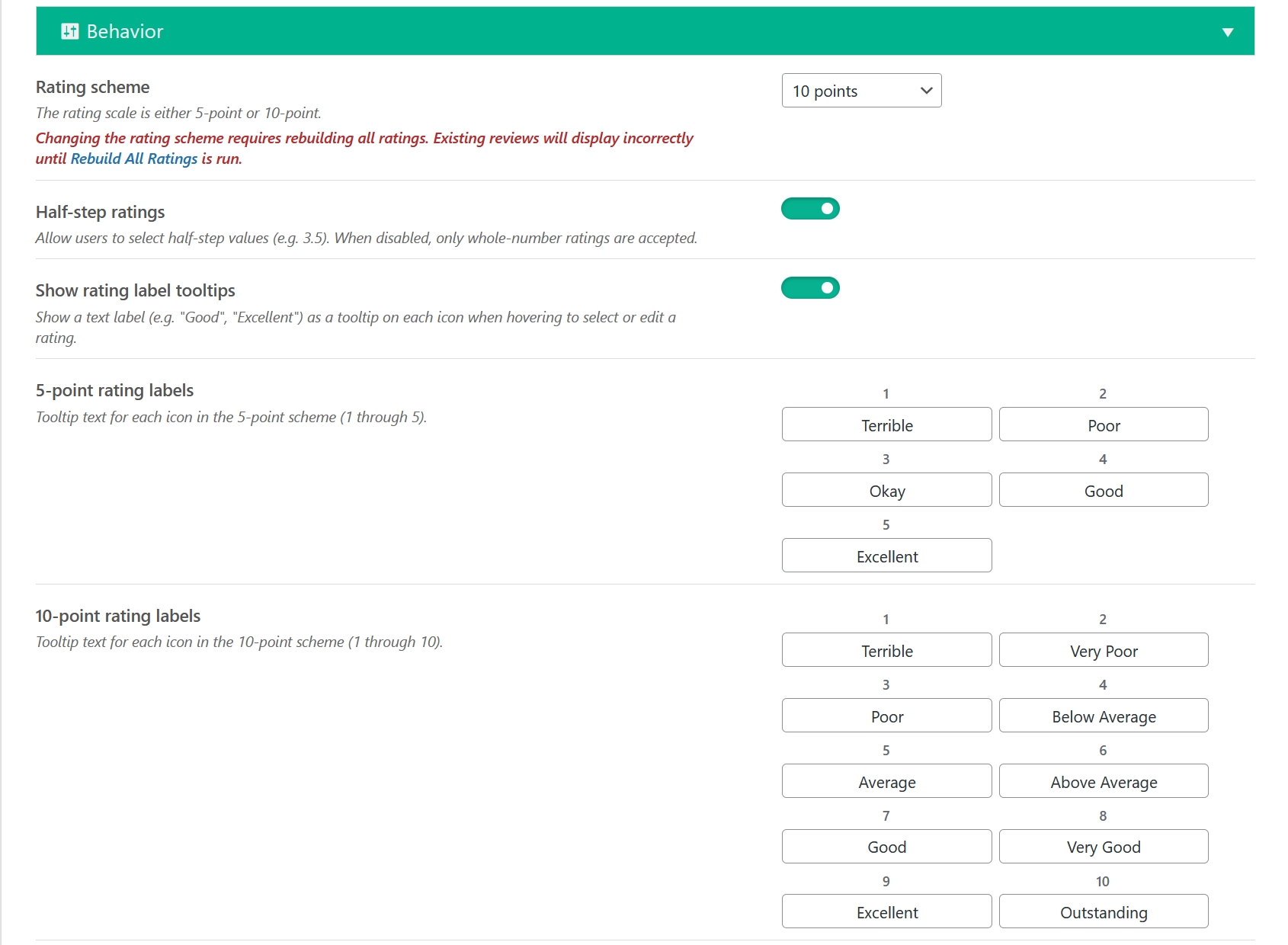
Visitors submit ratings using a smooth half-point selector embedded directly inside the wpDiscuz comment form. No separate form, no page reload. Two rating schemes are supported — 5-point and 10-point — and you can switch between them at any time without losing existing data. Six icon shapes give you full control over the look:
- Filled star
- Outline star
- Filled heart
- Outline heart
- Filled thumbs up
- Outline thumbs up
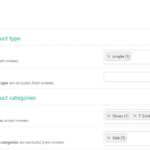
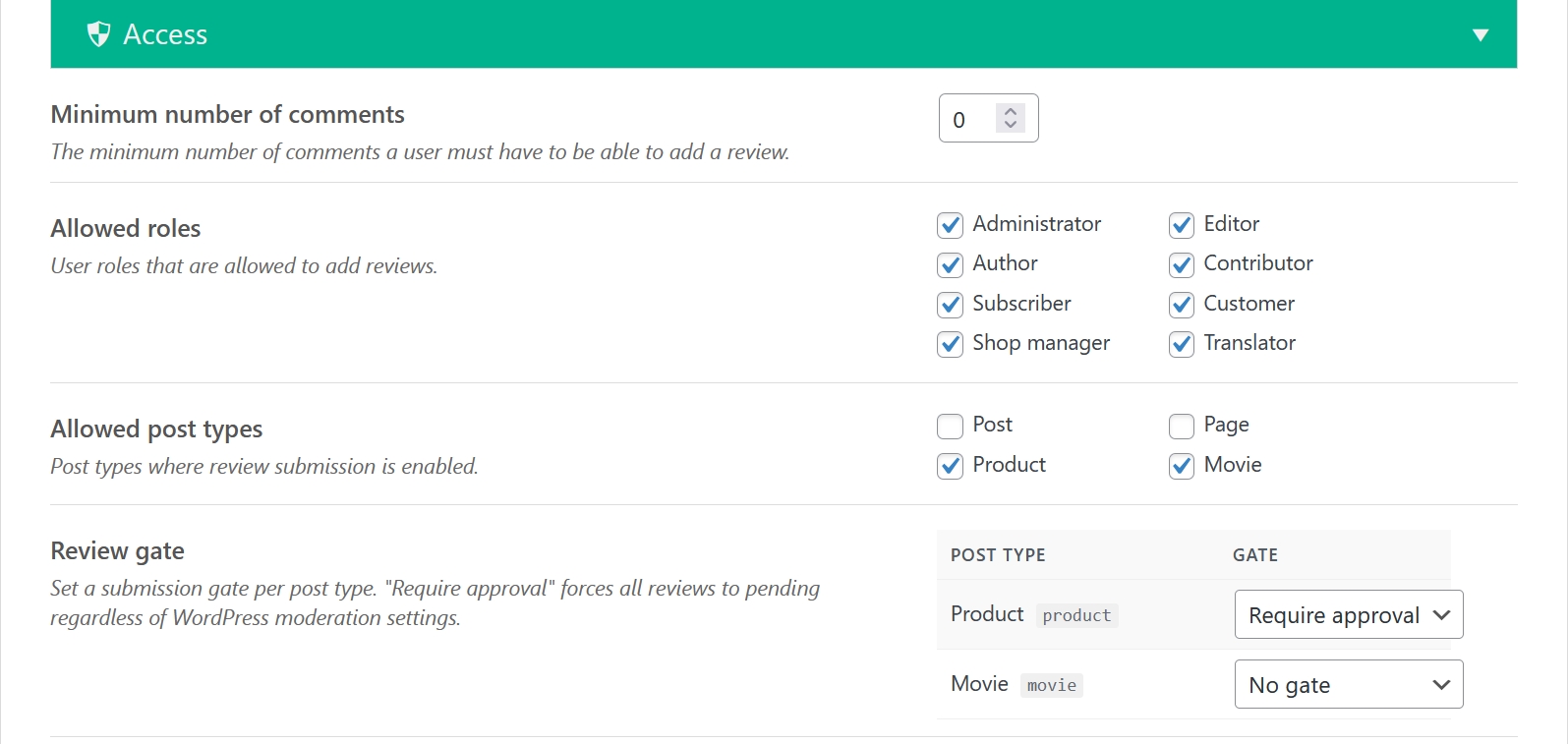
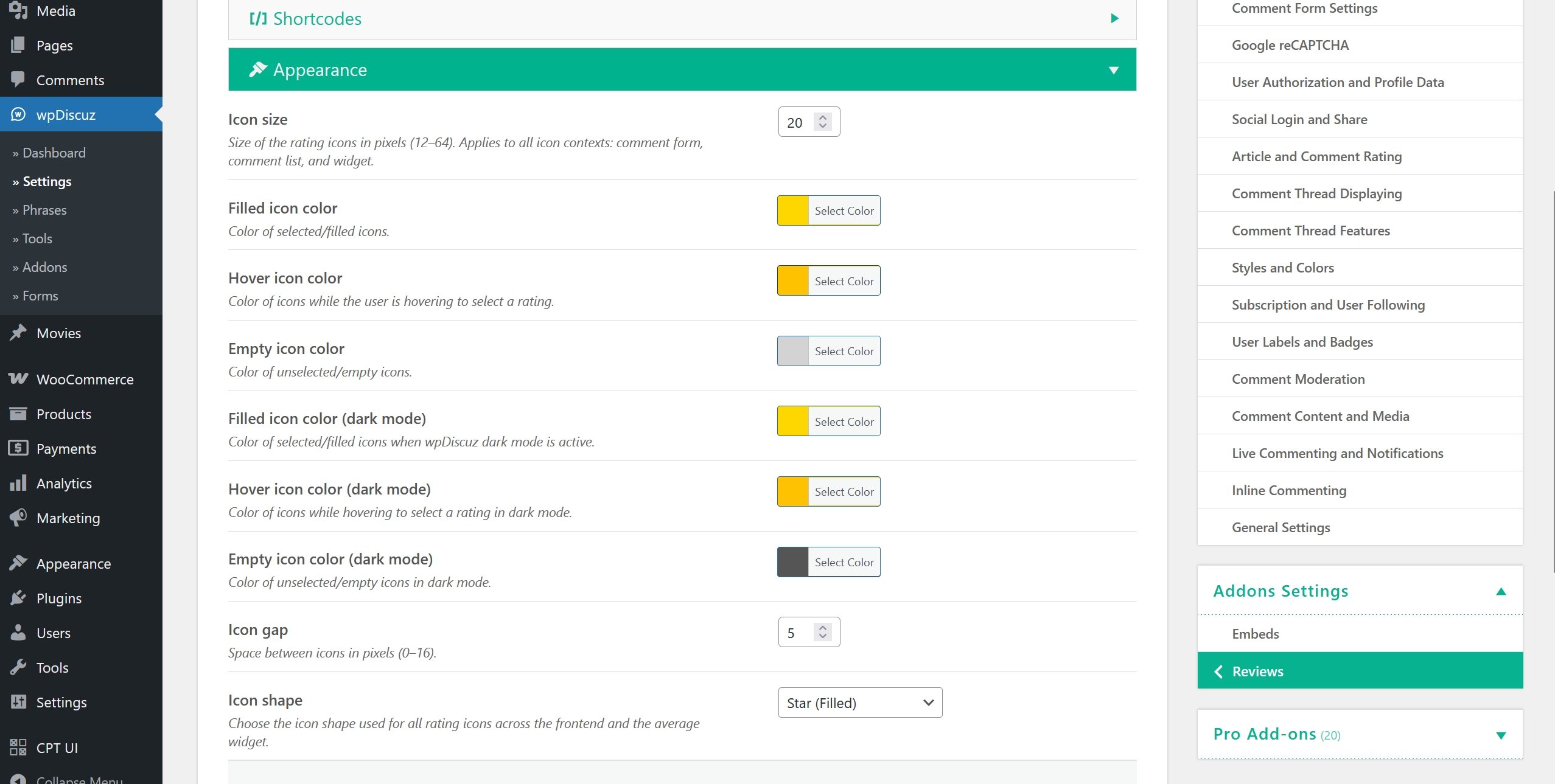
Icon size is freely adjustable from 12 px to 64 px. You can restrict who can leave reviews by user role and post type, keeping your review sections relevant and clean.


Review Headline
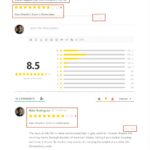
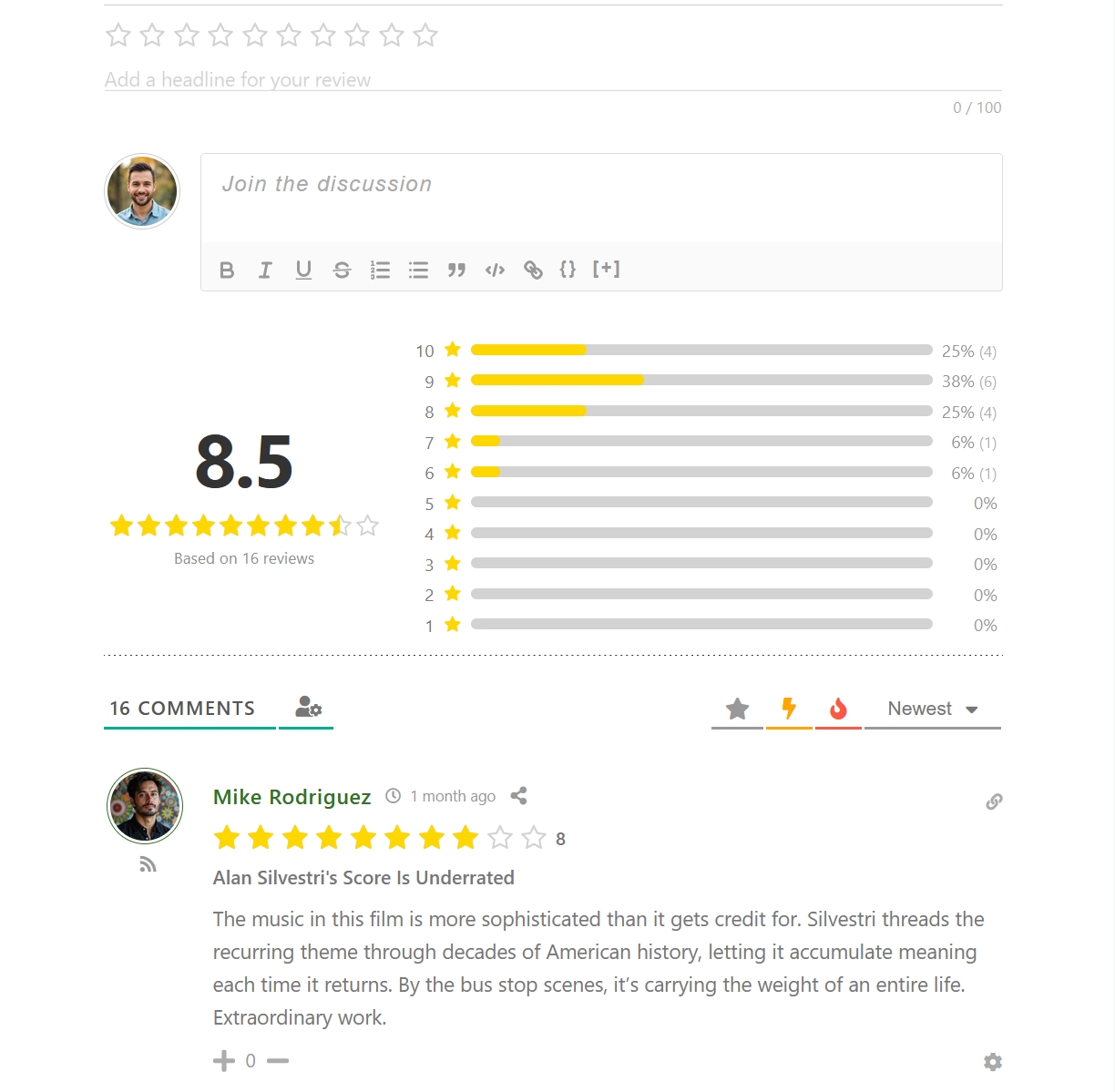
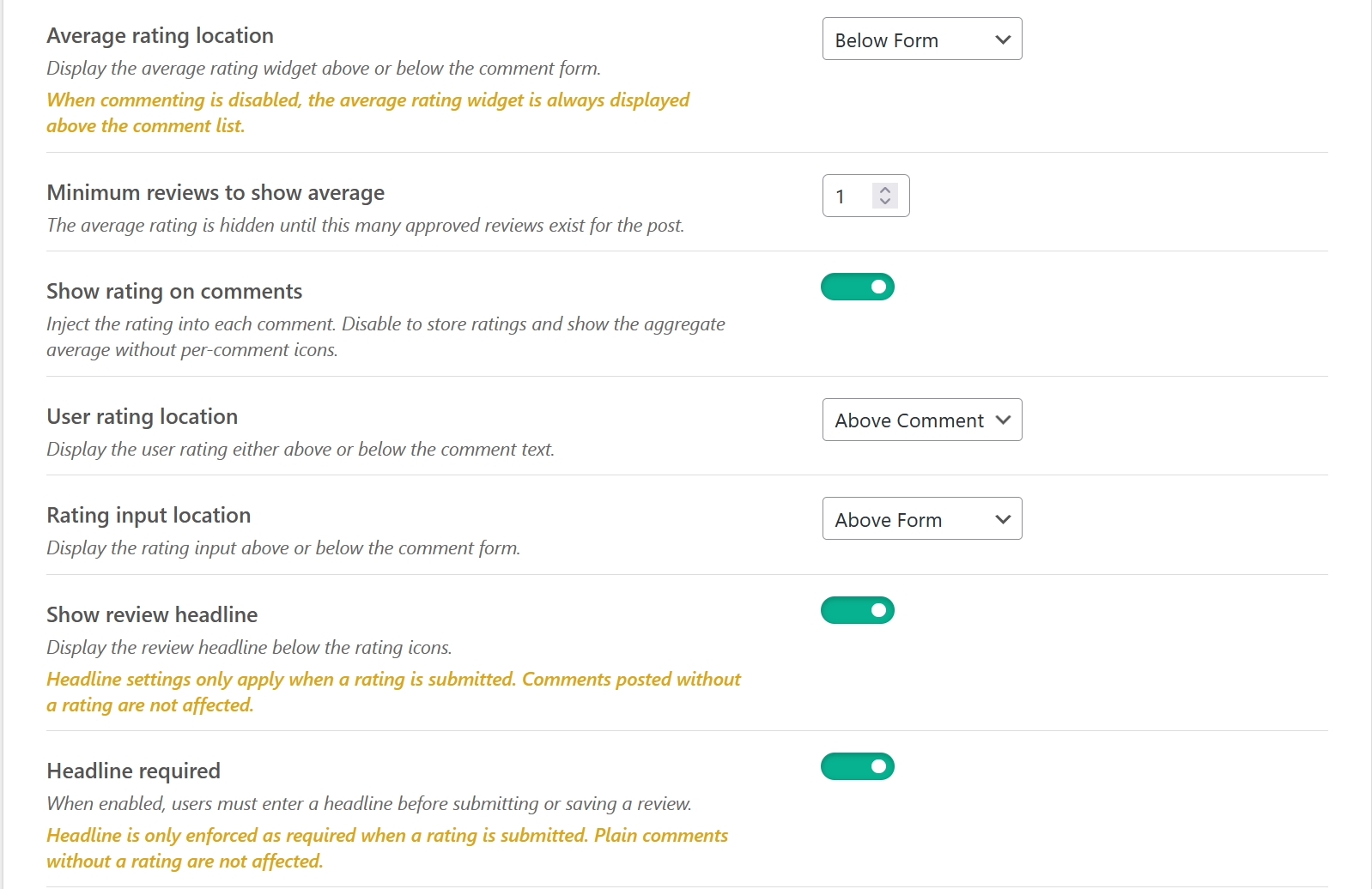
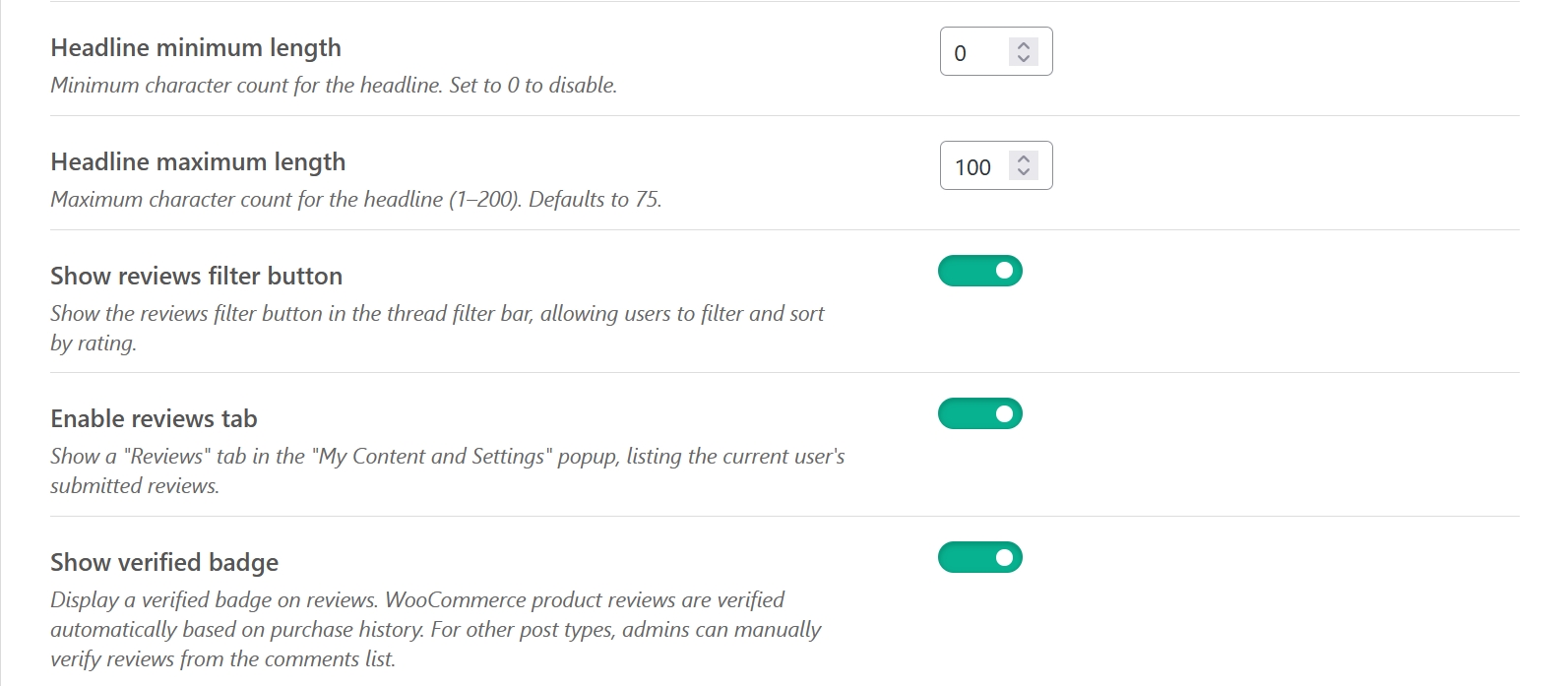
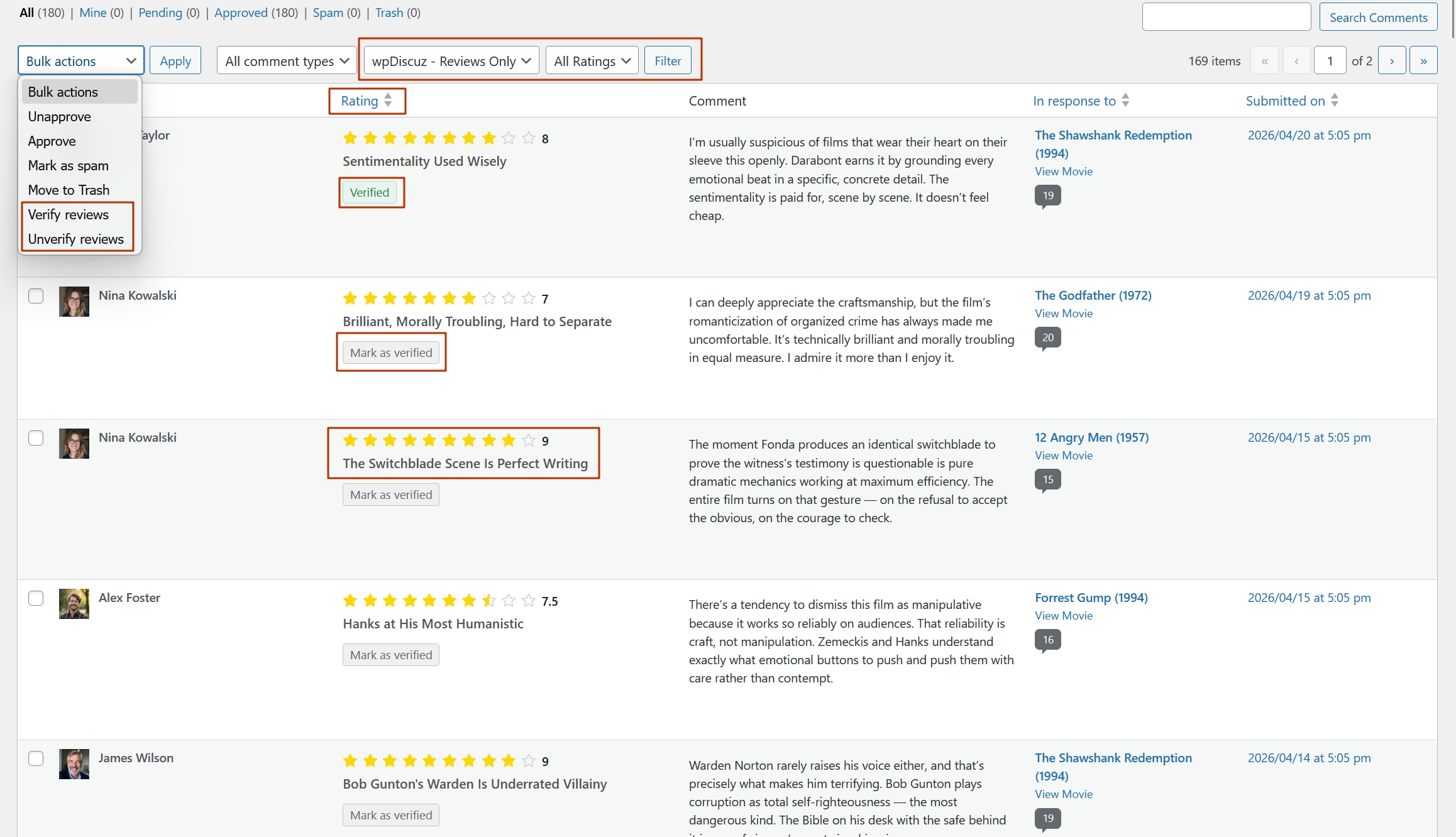
Reviewers can add a short headline to their review — a title that summarises their opinion before the full comment body. The headline field appears alongside the rating input, and you can make it required or optional, set a minimum character count, and cap it with a maximum length (up to 200 characters). A live character counter keeps writers informed as they type. Headlines are displayed prominently above the review text, making the thread easier to scan at a glance.
Five Average Score Display Modes
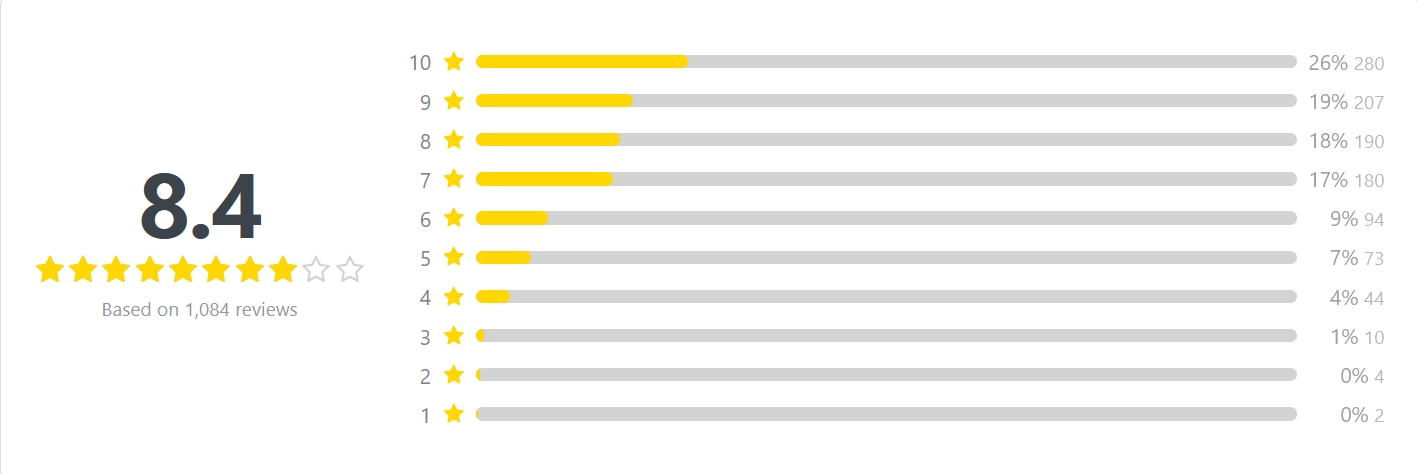
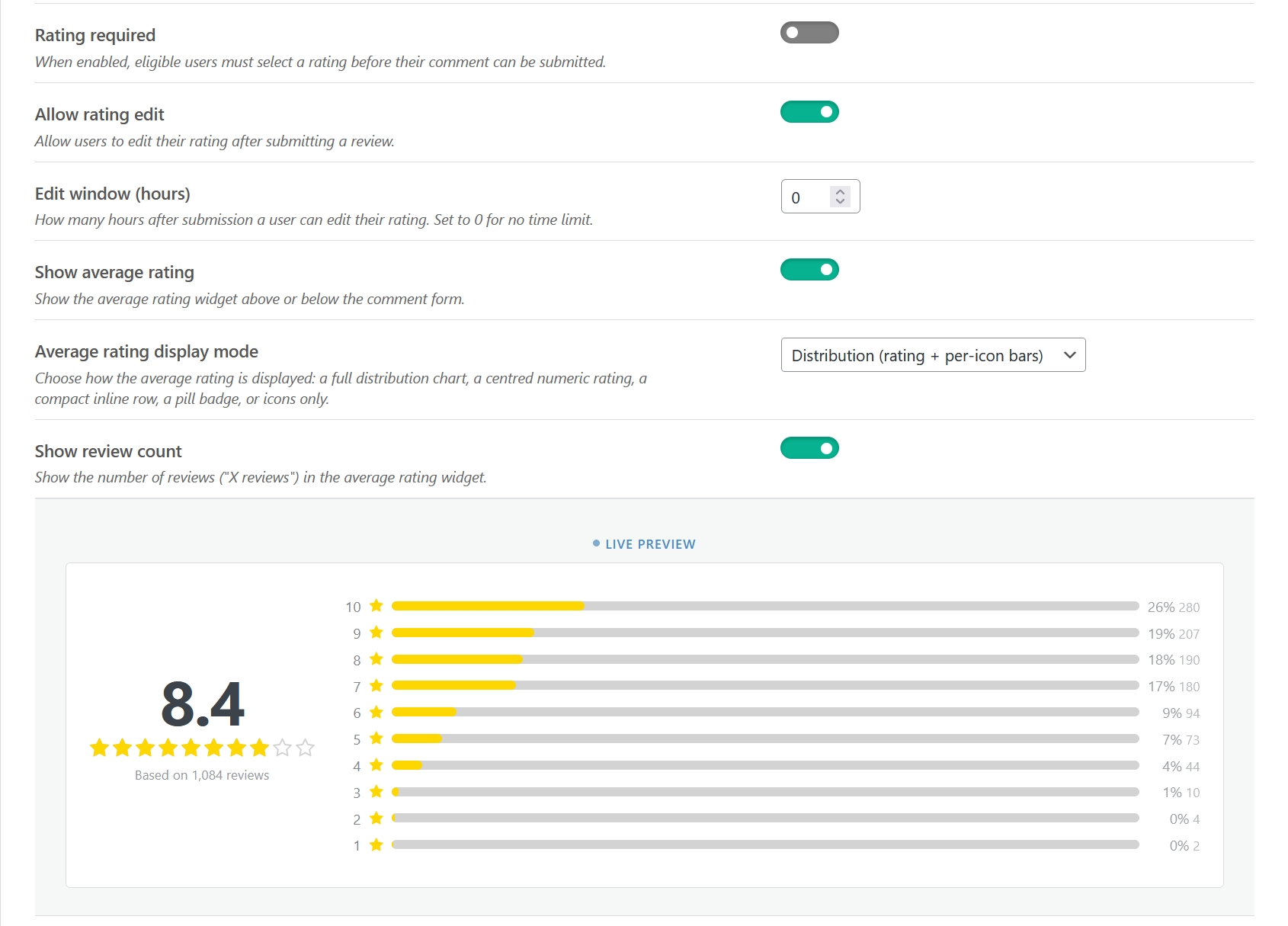
The aggregate rating renders automatically above or below the comment form — your choice. Five distinct display modes let you match the design to your site:
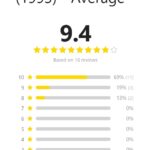
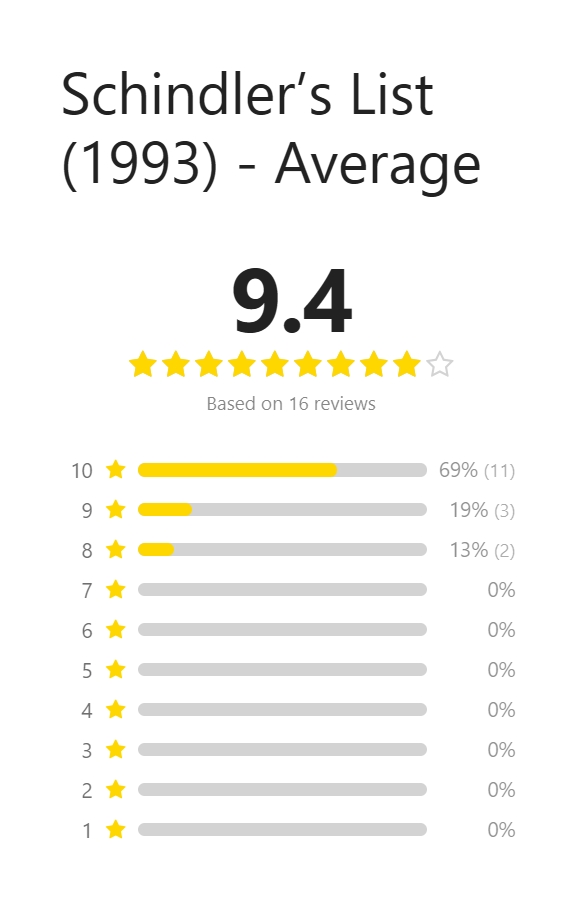
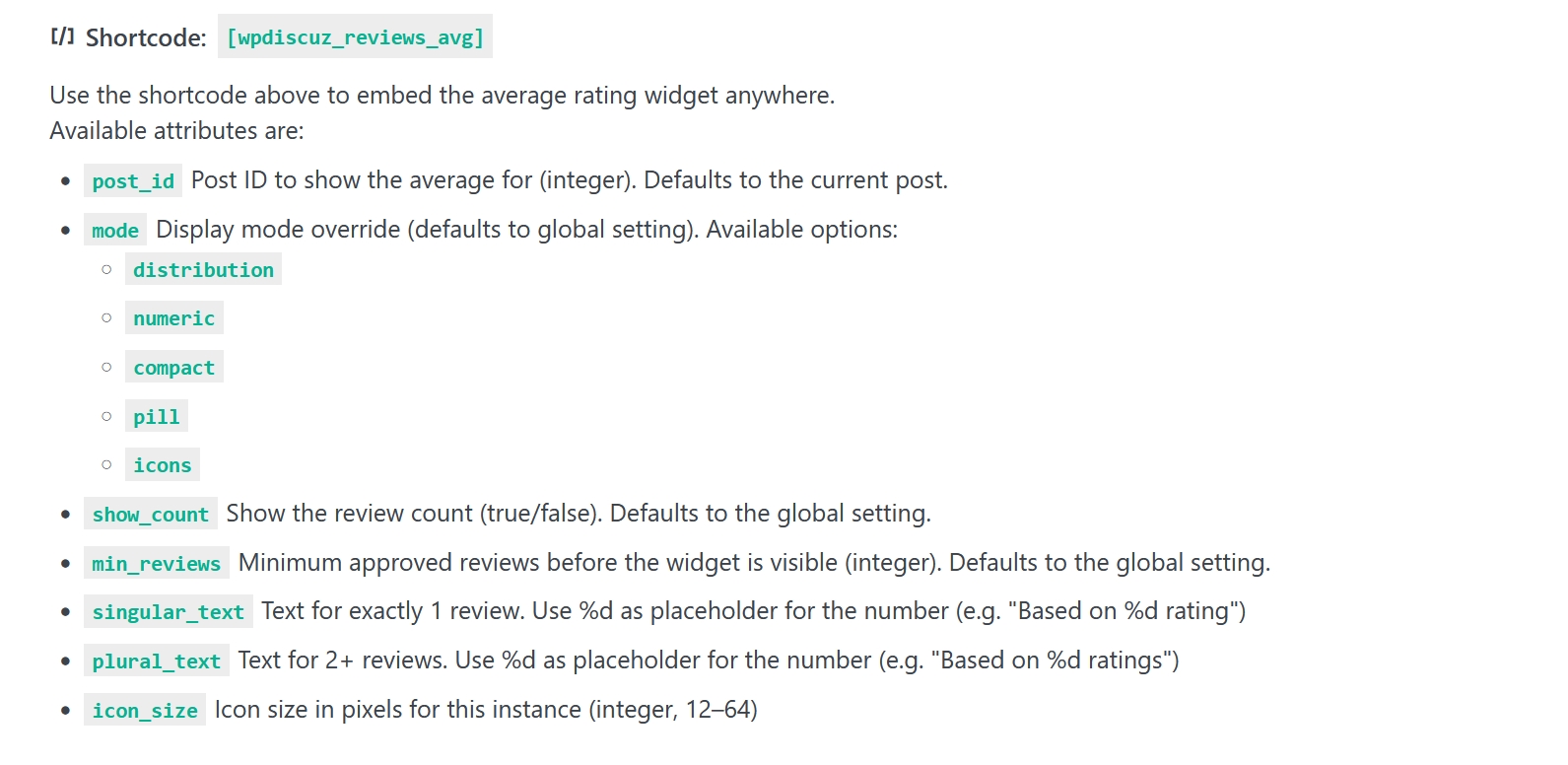
- Distribution — a breakdown bar for each score level showing how many reviews landed there
- Numeric — the average score, total review count, and an icon row in a clean layout
- Compact — a condensed single-line summary for tight spaces
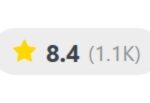
- Pill — a small inline badge, great for card layouts
- Icons — the icon row alone, with no numeric label
The score can be shown as a raw number (e.g. 4.5 / 5) or as a percentage. Live previews of every mode are built into the settings panel so you can pick the right one without guessing.




Real-Time Rating Filter
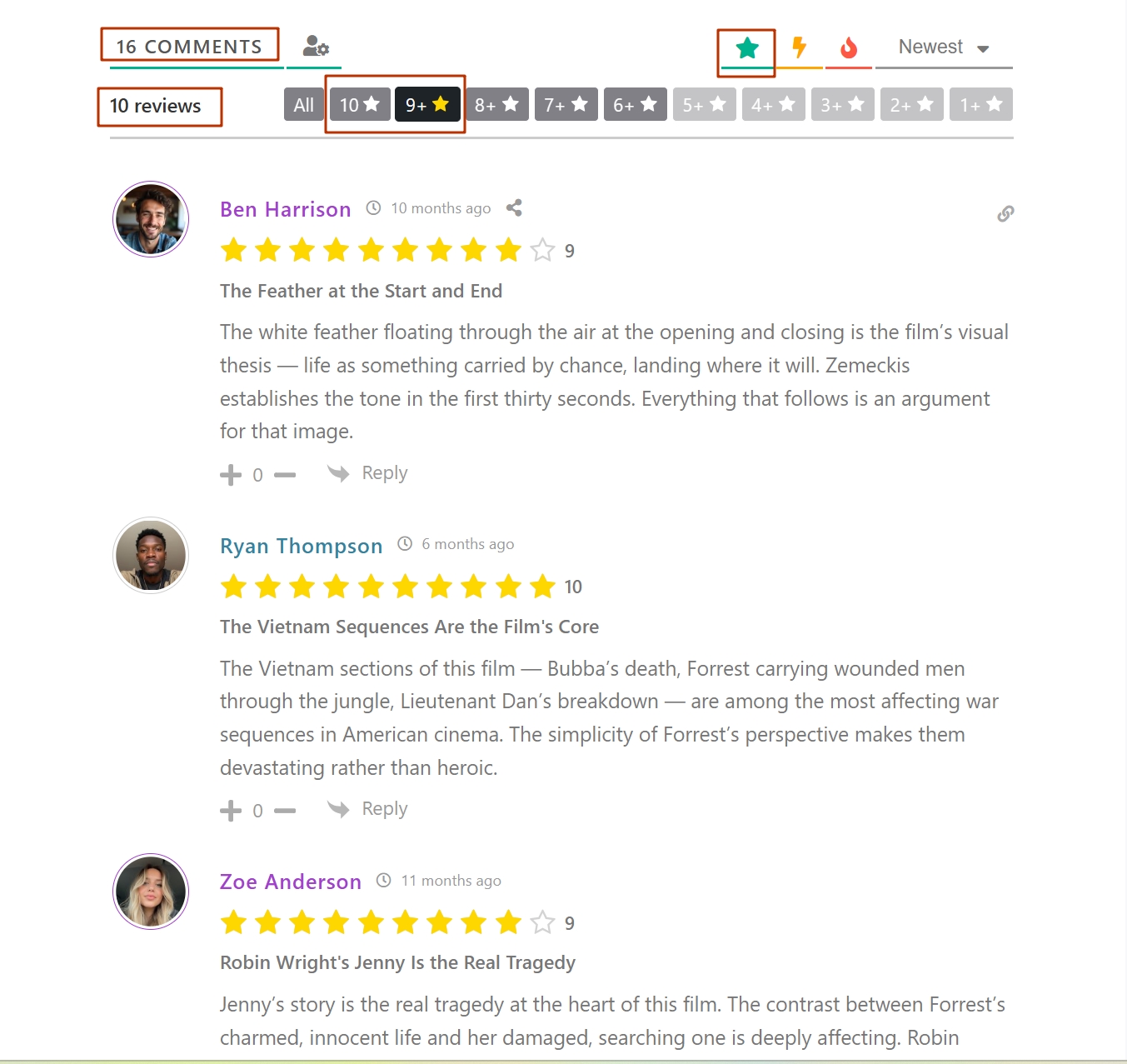
Filter buttons are injected into the wpDiscuz comment thread, letting visitors instantly browse reviews by rating group. Counts update in real time after any submission or edit — no page reload required. The filter works in two modes: cumulative (show all reviews at N stars and above) or exact (show only that star level), switchable via a filter hook.

Verified Purchase Badge
Reviews from confirmed buyers are automatically marked with a Verified Purchase badge on WooCommerce product pages. On any other post type the badge reads Verified and can be toggled manually from the admin comment list with a single click — no editing individual comments. Admins can also bulk-verify or bulk-unverify reviews from the comment screen. The badge text is filterable if you need a custom label.
Review Gate — Require Purchase Before Reviewing
On WooCommerce product pages you can require that a user has purchased the product before they can submit a review. When the gate is active, unqualified visitors see a clear message instead of the rating form. The gate is configurable per post type, so you can apply it selectively without affecting other content.
My Reviews Tab
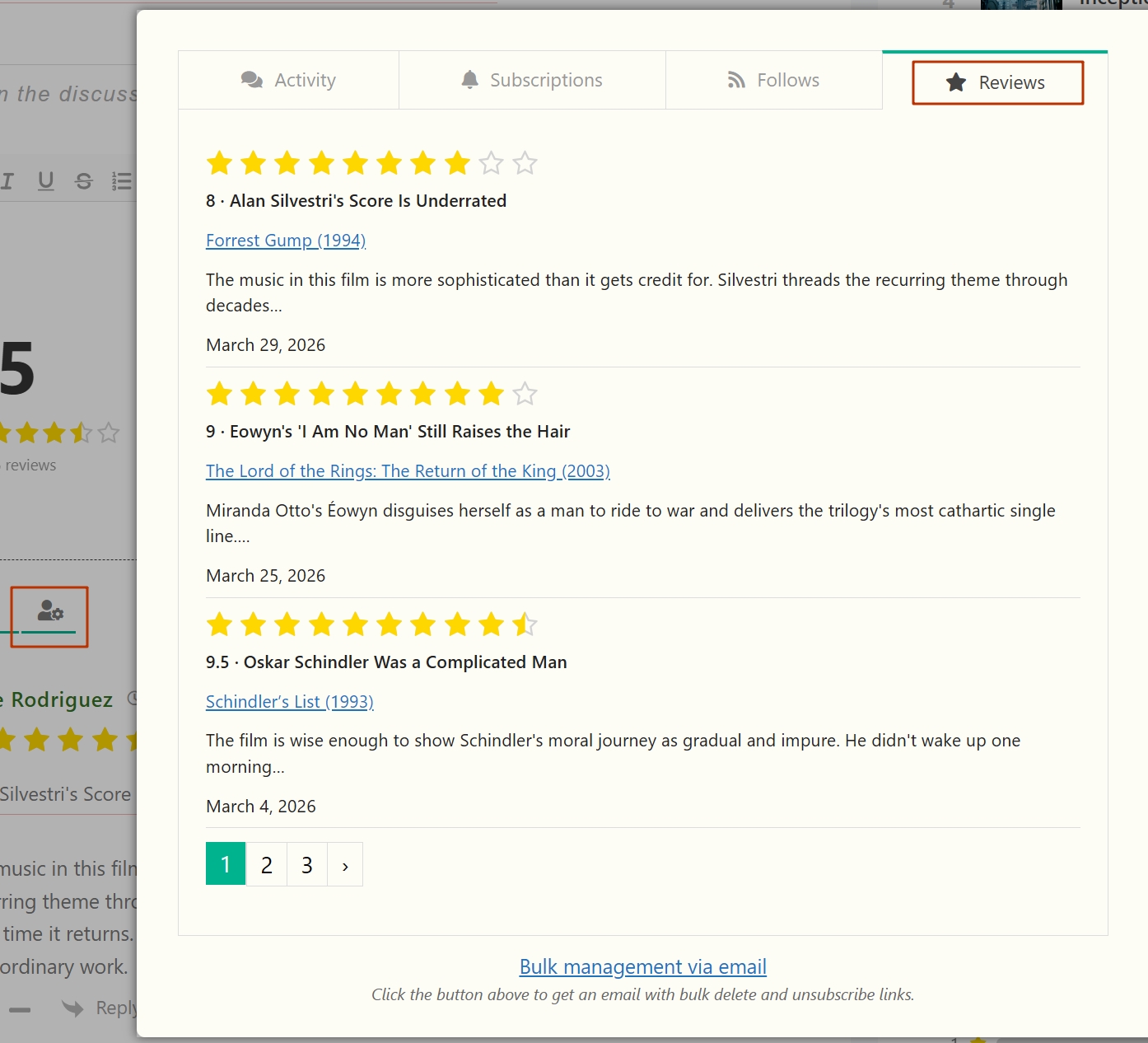
A My Reviews tab is added to the wpDiscuz user settings modal. Logged-in users can see every review they have ever submitted, paginated via AJAX. No separate profile page or custom query needed — it just works inside the existing modal users already know.

Three Shortcodes — Embed Reviews Anywhere
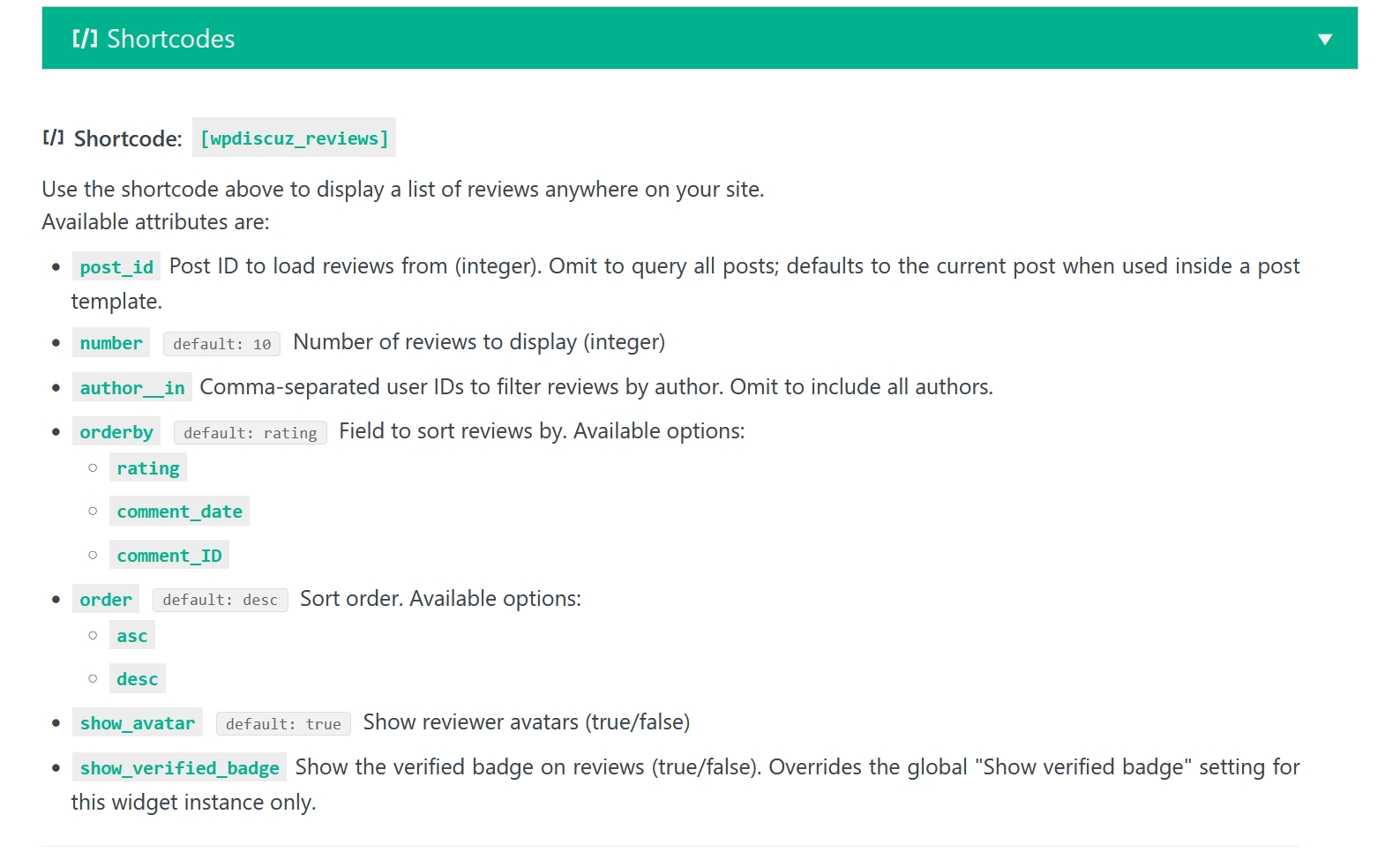
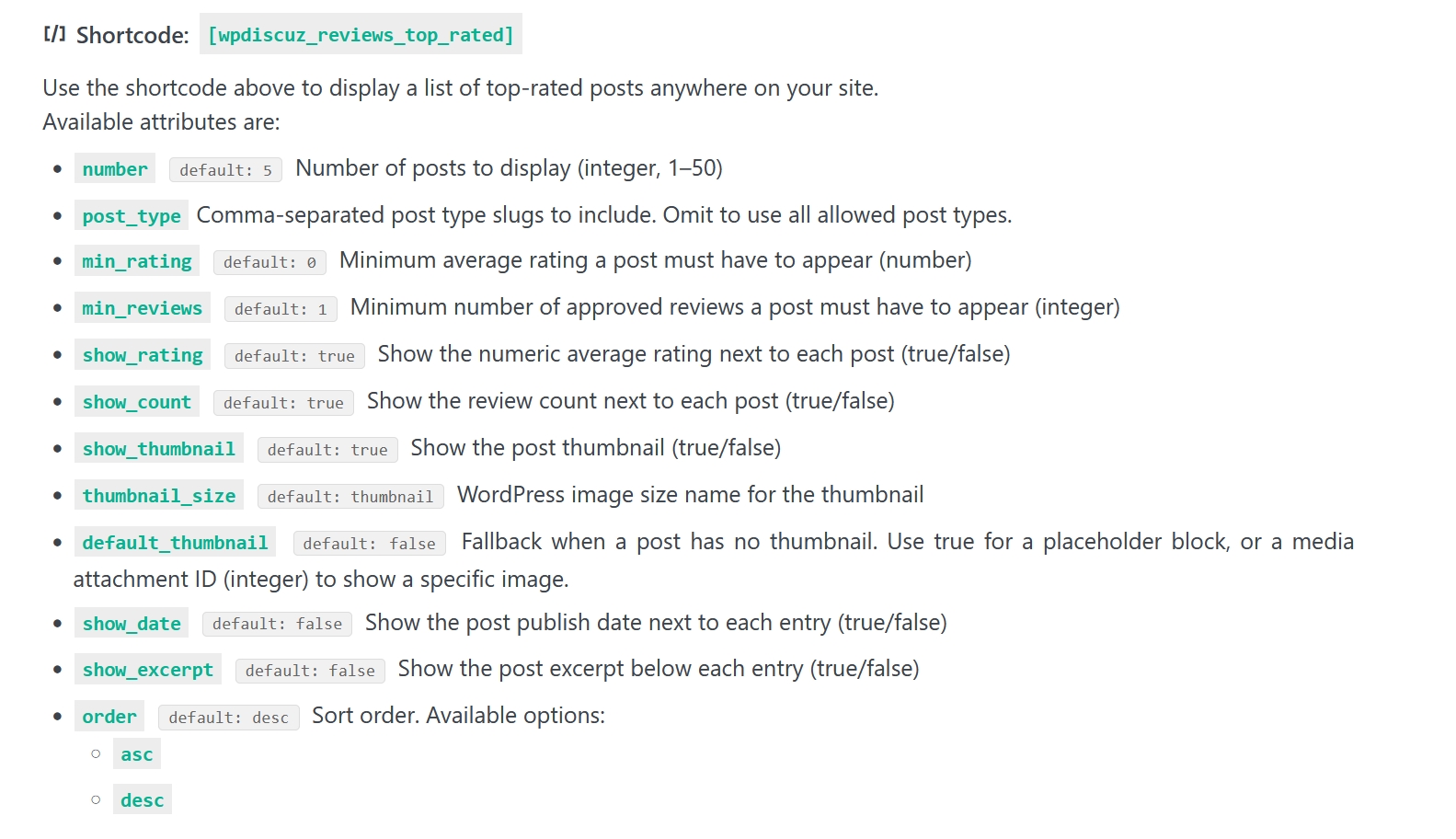
[wpdiscuz_reviews] — a card list of reviews for any post. Configurable by post ID, review count, sort order (rating or date), avatar display, and verified-badge visibility.[wpdiscuz_reviews_avg] — the average score block for any post by ID. Drop it into sidebars, headers, or landing pages.[wpdiscuz_reviews_top_rated] — a ranked list of your highest-rated content. Filter by post type, minimum average rating, and minimum review count to surface only the posts that truly earned their stars.


Schema Markup (JSON-LD) for Rich Snippets
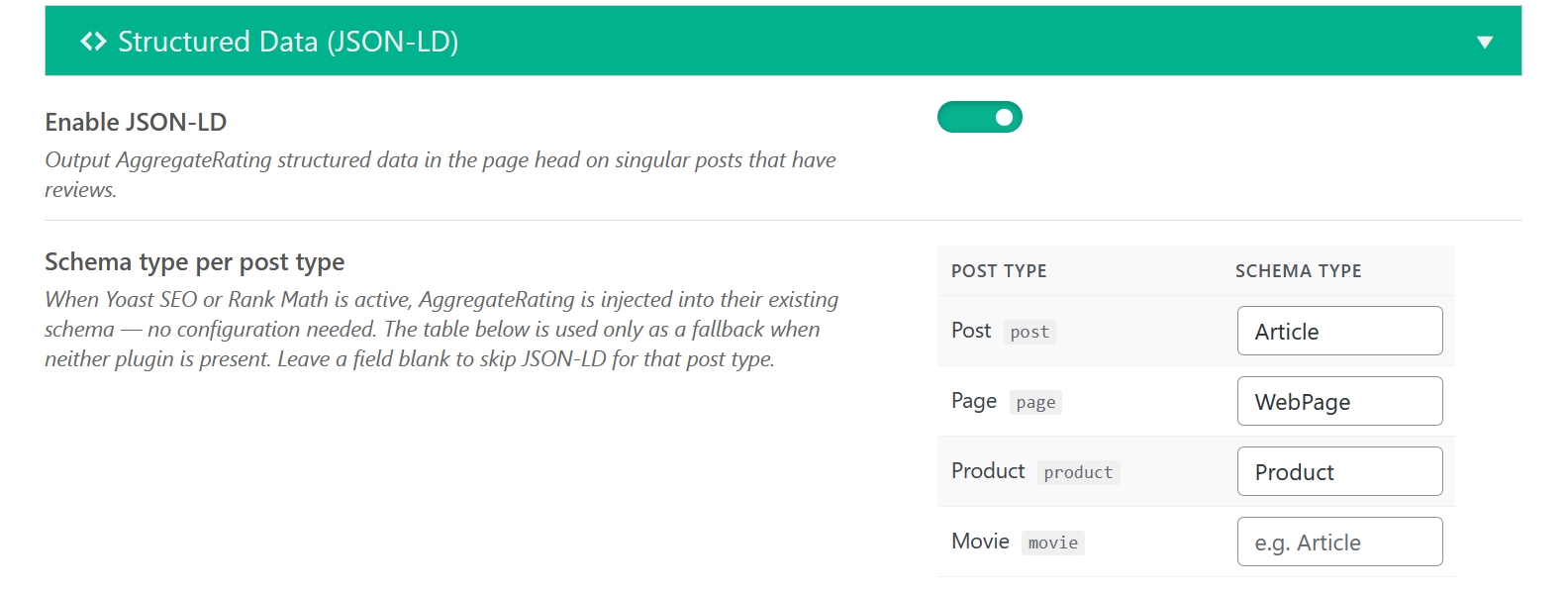
The addon outputs AggregateRating structured data automatically so search engines can display star ratings directly in results. It detects your active SEO plugin and integrates cleanly without duplicating schema blocks:
- Yoast SEO — injects into Yoast’s existing Article, WebPage, and Product schema pieces
- Rank Math — injects into Rank Math’s JSON-LD graph at the matching schema type
- Standalone fallback — outputs a self-contained
<script type="application/ld+json"> block when neither plugin is active
Full WooCommerce Compatibility
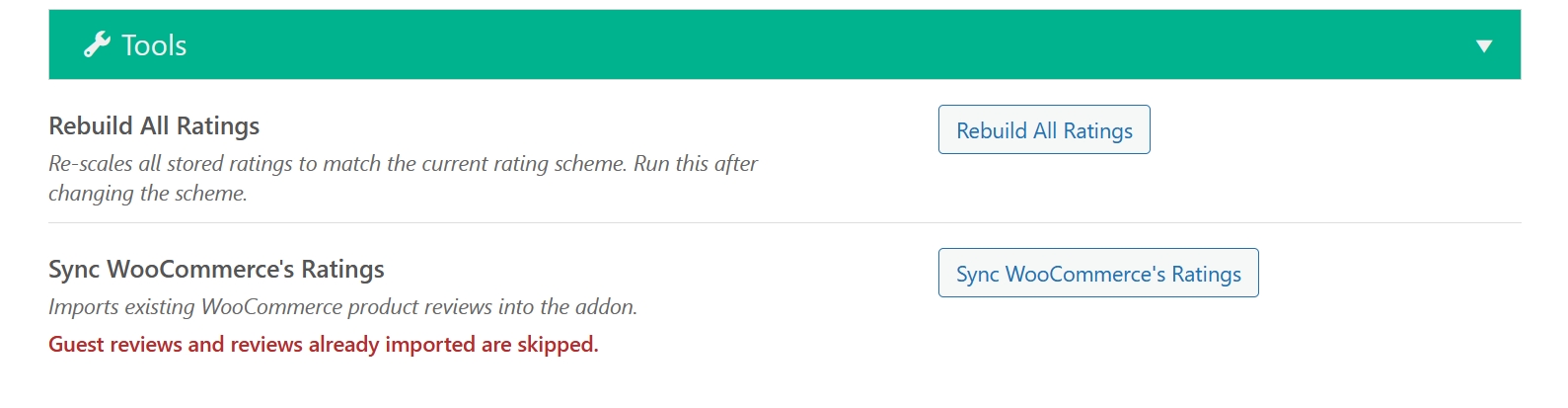
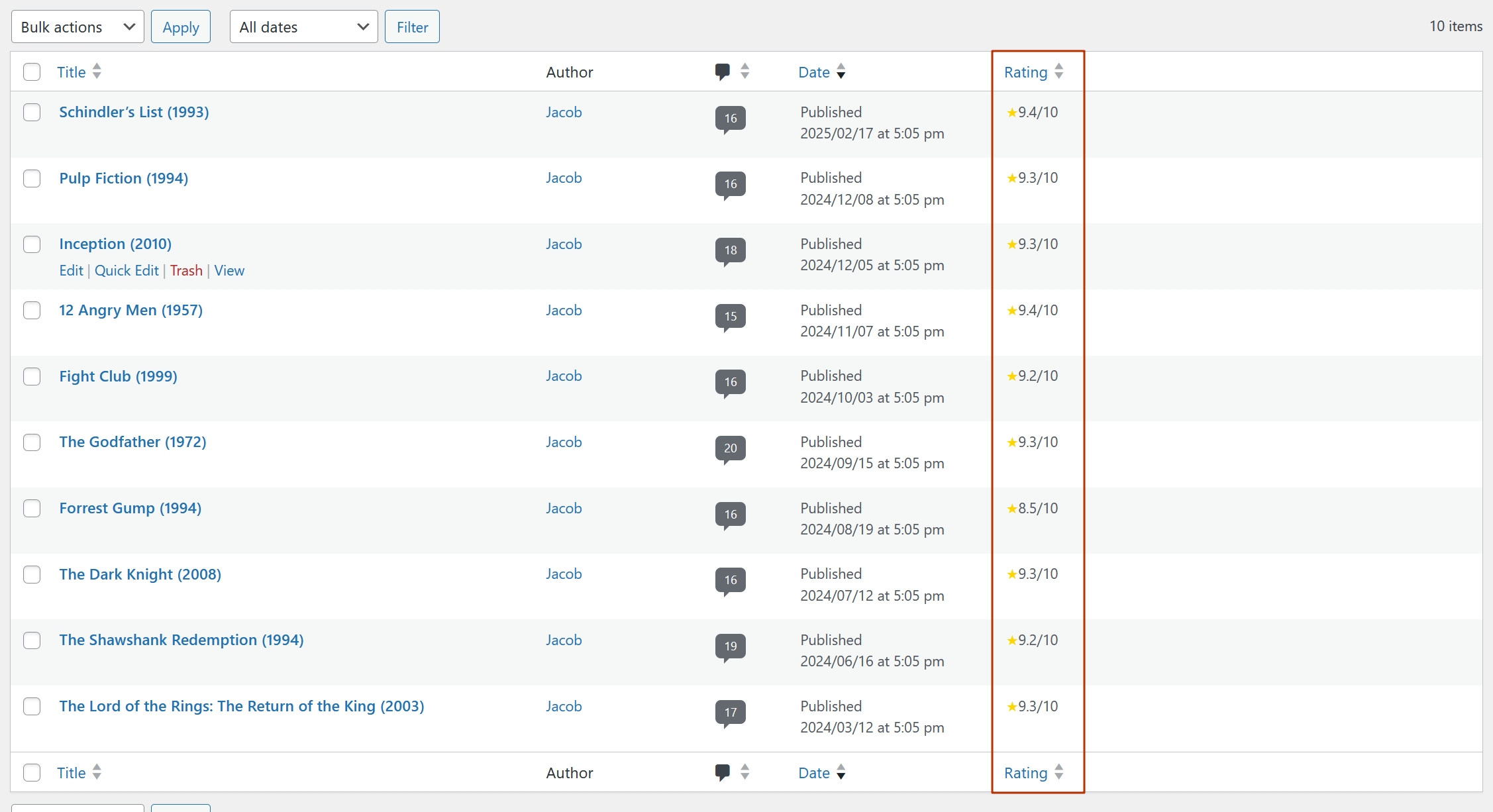
Product pages always use a 5-point rating scale regardless of your global scheme setting, matching what WooCommerce shoppers expect. Ratings sync automatically with WooCommerce’s own average and review count, keeping the native product stars accurate. Existing WooCommerce reviews can be imported into the addon in one click from the Tools panel, with zero risk of duplicates.
Dashboard Settings
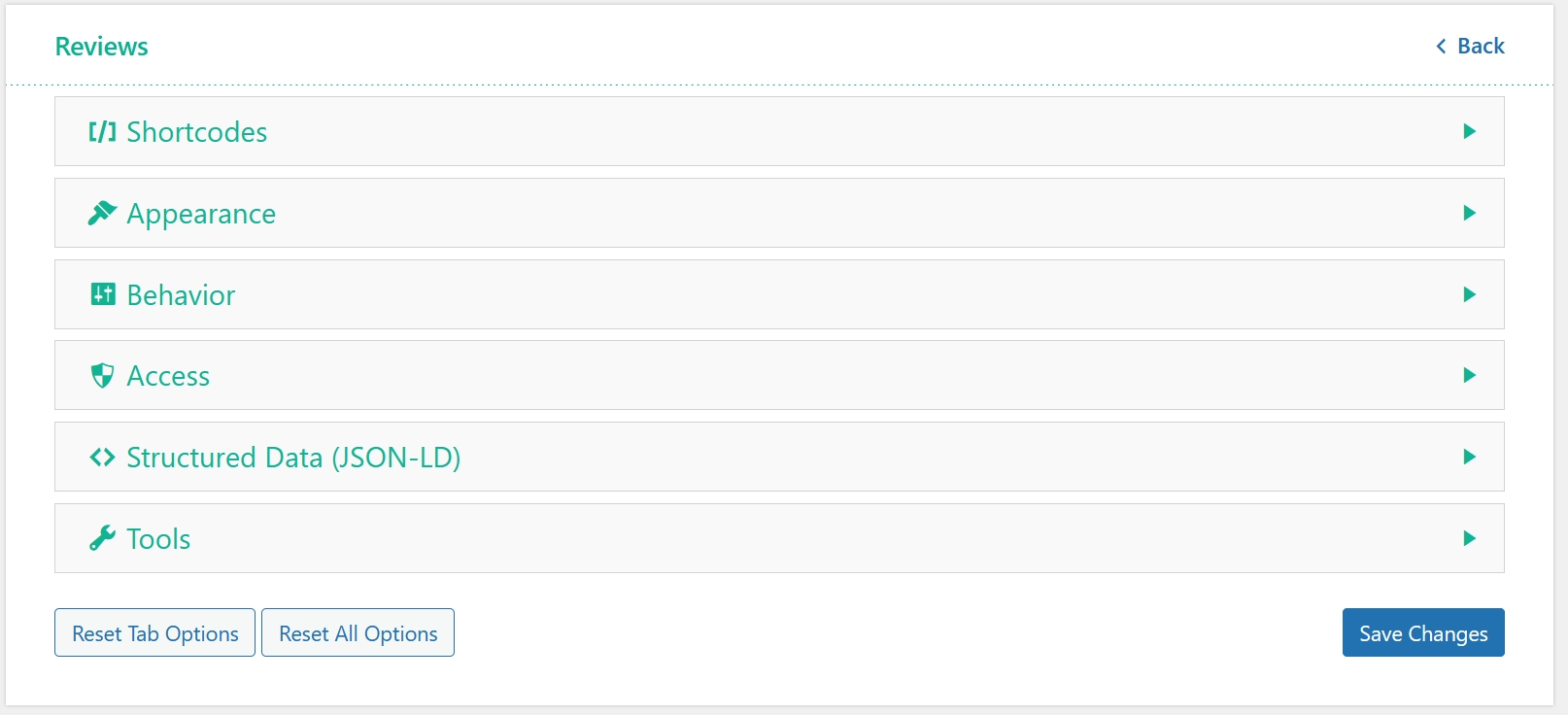
Every option lives under Dashboard > wpDiscuz > Settings > Reviews Tab. Settings are grouped by concern — Rating Input, Average Score, Display, Permissions, Shortcodes, and Schema Markup — so you never have to hunt for an option.

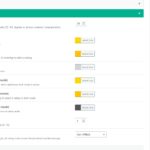
Installation and Configuration
- This addon installs like any other plugin for WordPress. Access to the wpDiscuz Reviews addon is provided immediately after purchase. Upon completing checkout, you may log in at gVectors.com — we will also email you a link to the login page. Then download the installation package.
- Navigate to Dashboard > Plugins > Add New and upload the addon ZIP file, then activate it.
- Once active, go to Dashboard > wpDiscuz > Settings > Reviews Tab to begin configuration.
- It will ask you to activate with the license key you received via email or in your account page. Insert the key and activate it.
If for some reason you cannot install this plugin using the WordPress plugin upload system, use this alternative method. Unzip, then upload the /wpdiscuz-reviews/ folder to your /wp-content/plugins/ directory using an FTP application such as FileZilla. Make sure you do not have double /wpdiscuz-reviews/wpdiscuz-reviews/ directories nested inside each other — correct this before continuing. Then go to Dashboard > Plugins and activate the wpDiscuz Reviews addon.
1.1.0
* Fixed: On a ten-point website the structured data for a WooCommerce product advertised a rating such as 9 out of 10, while the product page itself showed 4.5 out of 5. The structured data now states the rating in the same scale the page displays.
* Fixed: Review ratings and headlines were missing from the personal data export on WooCommerce products, because WooCommerce removes product reviews from general comment queries unless the query says otherwise.
* Added: A guest review needs an email address, and a second review from the same address on the same post is refused.
* Added: Visitors who are not logged in can now leave a review, when the new “Allow guest reviews” setting is turned on. Guest reviews always wait for approval and cannot be edited afterwards.
* Added: Review ratings and headlines are now included in the personal data export WordPress produces for a data request, for guests and registered users alike.
* Fixed: With “Rating is required” turned on, logged out visitors could not post an ordinary comment, because the browser checked the rating against the disabled placeholder form where nothing can be selected.
* Fixed: Reviews on post types set to require approval were moved to the moderation queue even when WordPress or Akismet had already marked them as spam, and the sender was told the review had been posted.
* Fixed: Turning on “Rating is required” made replying impossible for visitors who had not reviewed the post yet, because reply forms have no rating field.
* Fixed: A rating could be attached to a reply through a modified request, because the server never checked whether the comment being saved was a reply.
* Fixed: On websites set to ten points, a modified request could store a rating such as 8 on a WooCommerce product, which accepts only 1 to 5.
* Fixed: Changing the rating scale from ten points to five stopped rating averages from being updated for reviews submitted before the change.
* Fixed: Review headline length limits were only checked in the browser, so a modified request could store a headline of any length.
* Fixed: A review headline was saved before the rating was checked, leaving an unused headline on comments whose rating was refused.
* Fixed: A review headline could be stored while the headline field was switched off, and appeared as soon as it was switched back on.
* Fixed: The average rating block did not refresh for logged out visitors after a review was posted.
* Fixed: Marking a review as verified or unverified in the dashboard did not stick, because the status was recalculated from the customer’s purchase history whenever the post’s rating average was rebuilt.
* Fixed: Reply links were shown according to review eligibility instead of wpDiscuz’s own settings, so eligible reviewers lost every Reply link and others could reply where replying was turned off.
* Fixed: The WooCommerce ratings import stopped before it finished, leaving part of the shop unimported.
* Fixed: The WooCommerce ratings import reported products as waiting to be imported when their rating was not one the addon accepts, so they were never imported and were found again on every run.
* Fixed: The average rating did not update on private posts and drafts after a review was submitted or edited.
* Improved: The WooCommerce ratings import now also brings in reviews left by guests. Leaving a review as a guest is still not possible.
1.0.0
Initial Version




 Official wpDiscuz Addon













Pre Sale Support
rating data is tored on site db or on other site
All information is stored in your website’s database tables.
Dear buyers,
This is the right place to ask any pre-sale questions you may have before purchasing this plugin. We’ll get back to you within 1–2 hours for GMT +1 to +12 time zones, and within 4–6 hours for GMT -1 to -12.
Our support is available 6 days a week, from 6:00 AM to 10:00 PM (GMT+0, London time), excluding Sundays and all major holidays.