Notifications
Clear all

Change heading H5 to div

7 Posts
2 Users
0 Reactions
70 Views
Posts: 6
Topic starter
(@bios2000one)
Active Member
Joined: 1 year ago

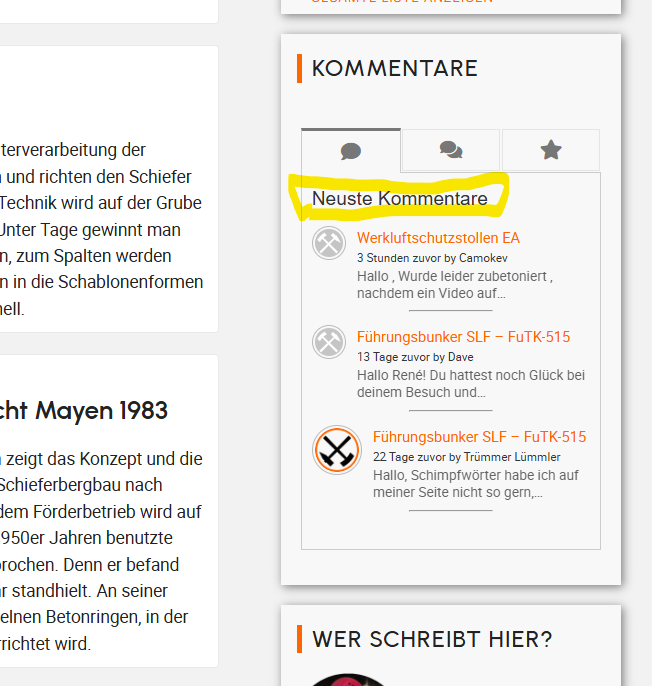
Hello, my "Latest Comments" heading is displayed as an H5 heading. I'd like to change this, but I can't find the setting. Where or how can I change it to a different heading (H4) or a div?

Sitelink

Thanks in advance.

l1


6 Replies
Astghik
Posts: 6587
Admin
(@astgh)
Illustrious Member
Joined: 8 years ago

Hi,

You can easily apply any CSS code to change the style of the header. There is no need to modify the HTML structure—simply apply your CSS rules to the following selector:

#widget-comments-container h5 

For example, if you want to change the color, use this code:

#widget-comments-container h5 {
   color: red;
}

Add the CSS code in the “Widget Custom CSS” textarea. It's located in the Dashboard > Comments > Settings> Addons > Widgets tab.


Reply
Posts: 6
Topic starter
(@bios2000one)
Active Member
Joined: 1 year ago

Hello, I don't want to change the appearance, but rather remove the H5 heading. From an SEO perspective, this H5 heading is problematic, and I would prefer a DIV. Thanks and regards.


Reply
1 Reply
Astghik
Admin
(@astgh)
Joined: 8 years ago

Illustrious Member
Posts: 6587

@bios2000one 

Please note that this behavior comes from the theme’s widget title structure. Please contact your theme support regarding this issue.

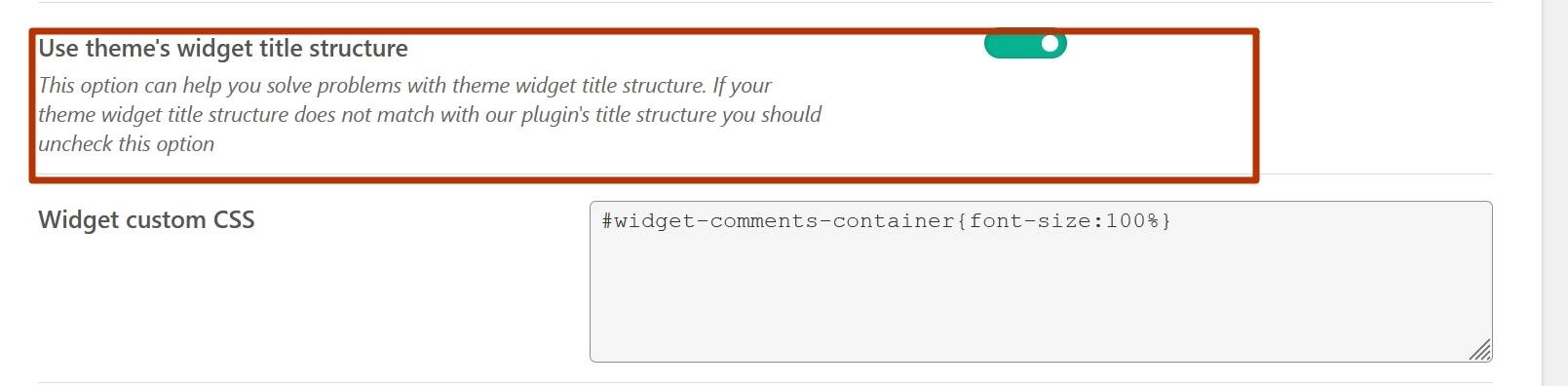
Alternatively, you can disable “Use theme’s widget title structure”, and the wpDiscuz will load its own widget structure instead.

widget1

Reply
Posts: 6
Topic starter
(@bios2000one)
Active Member
Joined: 1 year ago

Posted by: @astgh

Alternatively, you can disable “Use theme’s widget title structure”, and the wpDiscuz will load its own widget structure instead.

If I disable this, an H2 heading will be displayed. Can I then change this so that I don't have H1-6 headings?

Reply
2 Replies
Astghik
Admin
(@astgh)
Joined: 8 years ago

Illustrious Member
Posts: 6587

@bios2000one 

As I've already mentioned, this comes from the theme’s widget title structure. You should contact your theme support regarding this issue.


Reply
(@bios2000one)
Joined: 1 year ago

Active Member
Posts: 6

@astgh That's a shame, it's certainly not very user-friendly, especially since this is a paid plugin. Regardless of the method or option selected, the widget always outputs an H4 heading, or an H2 if I choose the template options. In either case, it's a heading that isn't SEO-friendly!

And the widget doesn't offer any options like other providers do. Why can't I specify in the widget whether I want an H1 heading, or a span, p, or div?

Would such an implementation be too complicated? Would offering a JavaScript that disables the H4 be too complex?

Regards


Reply
Share:
Scroll to top