Notifications
Clear all

Limited Support

Our support team is currently on holiday from December 25, 2025 to January 7, 2026, and replies may be delayed during this period.

We appreciate your patience and understanding while our team is away. Thank you for being part of the gVectors community!

Merry Christmas and Happy Holidays! 🎄

When someone selects "receive notice of comments"

4 Posts
3 Users
0 Reactions
2,732 Views
(@murryg81)
Active Member
Joined: 8 years ago
Posts: 8
Topic starter  
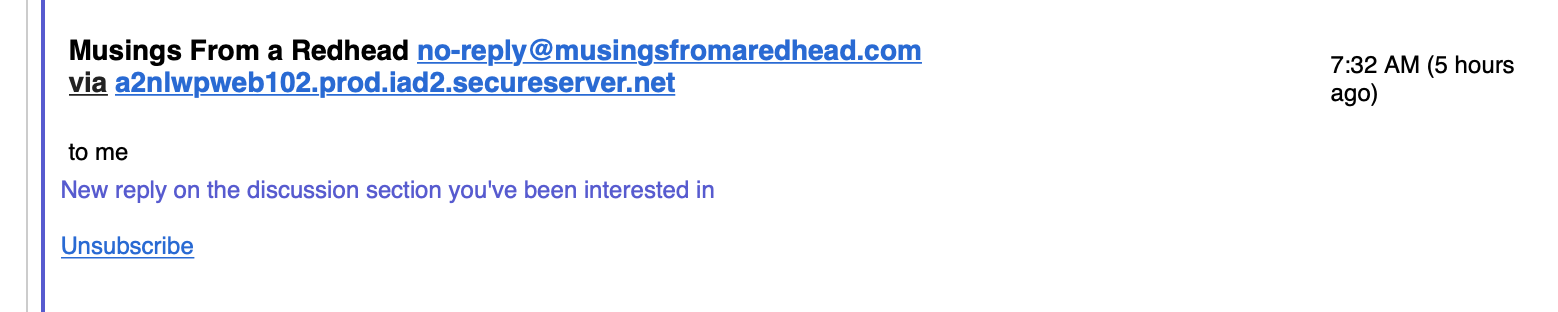
Screen Shot 2018 12 09 at 10.56.57 AM

When someone writes a comment and selects to be notified of comments, they receive the attached. It doesn't like them to the blog or the comment. How can this be customized?


Quote
Arina
(@arina)
Support Team
Joined: 12 years ago
Posts: 101
 

Dear @murryg81,

All the Email Template Phrases you can find in Dashboard > Comments > Phrases > Email subtab. 


ReplyQuote
(@murryg81)
Active Member
Joined: 8 years ago
Posts: 8
Topic starter  

Hello.

I don't have Dashboard>Comments>Phrases

I have Dashboard>Comment Form

or Dashboard>Comment List


ReplyQuote
Astghik
(@astgh)
Illustrious Member Admin
Joined: 8 years ago
Posts: 6581
 

Hi @murryg81,

You've enabled the "Use Plugin .PO/.MO files" option (Dashboard > Comments > Settings > General admin page), thus the phases menu is disappeared.

You need to change the notification text using Loco Translate plugin. Install the plugin, find the comment notification content and change it as you like. 

You can deactivate the plugin after changing, the new text will be saved after deactivation. 


ReplyQuote
Share:
Scroll to top