
Search
Close
AI Search
Classic Search
 Search Phrase:
 Search Type:
Advanced search options
 Search in Forums:
 Search in date period:

 Sort Search Results by:

AI Assistant
Notifications
Clear all

Custom text for "wpdiscuz-stars-label"

5 Posts
3 Users
0 Reactions
4,440 Views
(@jimmyatbyjillee)
New Member
Joined: 7 years ago
Posts: 3
Topic starter
Translate
English
Spanish
French
German
Italian
Portuguese
Russian
Chinese
Japanese
Korean
Arabic
Hindi
Dutch
Polish
Turkish
Vietnamese
Thai
Swedish
Danish
Finnish
Norwegian
Czech
Hungarian
Romanian
Greek
Hebrew
Indonesian
Malay
Ukrainian
Bulgarian
Croatian
Slovak
Slovenian
Serbian
Lithuanian
Latvian
Estonian

  [#3678]

Hi friends! We've been LOVING wp discuz and were absolutely delighted to discover the star rating feature (how did we not realize this sooner??)

Right now when we choose to display the ratings on the page, the result is something like: (5/3) That's not a great look for our readers, who are probably wondering w*f that means. Is there a way for us to customize that text output?

Thanks!


Quote
Astghik
(@astgh)
Illustrious Member Admin
Joined: 8 years ago
Posts: 6645
Translate
English
Spanish
French
German
Italian
Portuguese
Russian
Chinese
Japanese
Korean
Arabic
Hindi
Dutch
Polish
Turkish
Vietnamese
Thai
Swedish
Danish
Finnish
Norwegian
Czech
Hungarian
Romanian
Greek
Hebrew
Indonesian
Malay
Ukrainian
Bulgarian
Croatian
Slovak
Slovenian
Serbian
Lithuanian
Latvian
Estonian
 

Thank you @jimmyatbyjillee,

I'm sorry, but you cannot customize this. This is already in our to-do list to change the design of the ratings. Probably we'll add it in next version release. 


ReplyQuote
(@jimmyatbyjillee)
New Member
Joined: 7 years ago
Posts: 3
Topic starter
Translate
English
Spanish
French
German
Italian
Portuguese
Russian
Chinese
Japanese
Korean
Arabic
Hindi
Dutch
Polish
Turkish
Vietnamese
Thai
Swedish
Danish
Finnish
Norwegian
Czech
Hungarian
Romanian
Greek
Hebrew
Indonesian
Malay
Ukrainian
Bulgarian
Croatian
Slovak
Slovenian
Serbian
Lithuanian
Latvian
Estonian
 

Dang, no way to do it at all, even via css? We would really love to be able to do that. There is a plugin called "kk star ratings" and they give you the ability to customize as shown below. It makes for a much more easy-to-understand design (from a user standpoint,) since it really doesn't make any sense for the average user to see (4.8/71) next to the stars on a post...

Screen Shot 2019 03 22 at 9.02.03 AM


ReplyQuote
(@elvis)
New Member
Joined: 7 years ago
Posts: 3
Translate
English
Spanish
French
German
Italian
Portuguese
Russian
Chinese
Japanese
Korean
Arabic
Hindi
Dutch
Polish
Turkish
Vietnamese
Thai
Swedish
Danish
Finnish
Norwegian
Czech
Hungarian
Romanian
Greek
Hebrew
Indonesian
Malay
Ukrainian
Bulgarian
Croatian
Slovak
Slovenian
Serbian
Lithuanian
Latvian
Estonian
 

@astghik

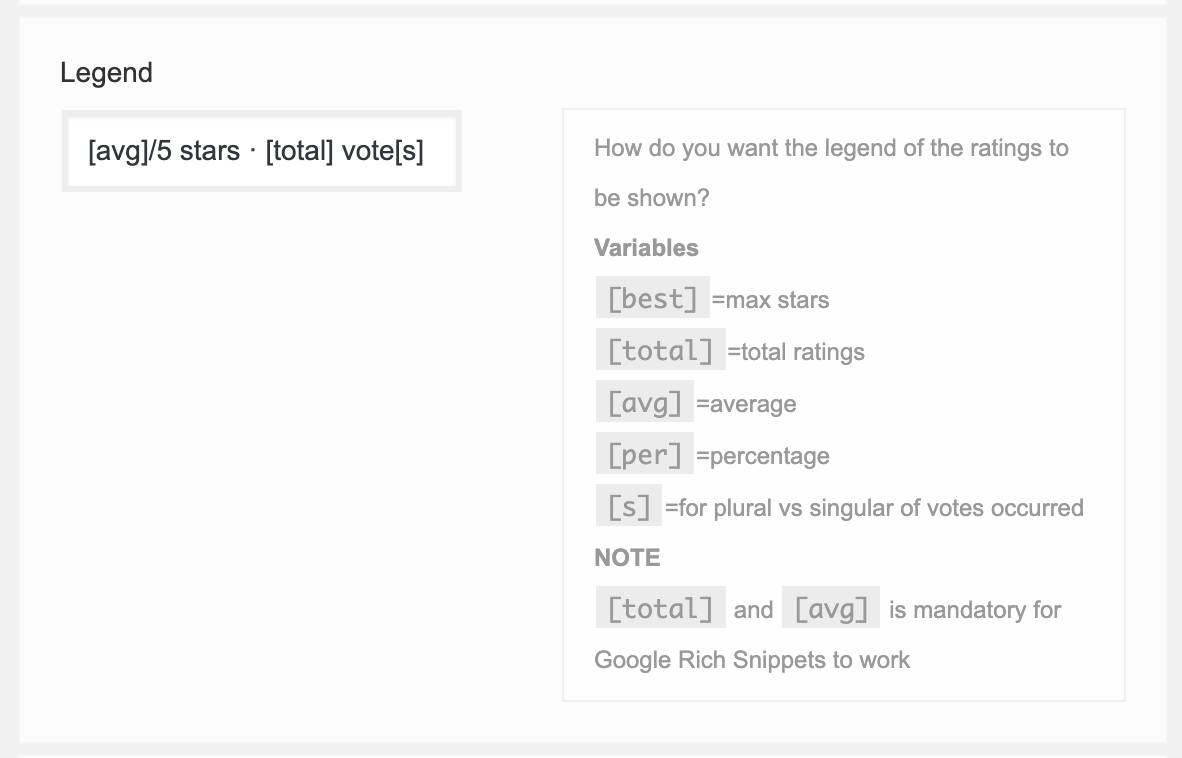
Dear friends. The plugin is amazing plugin. However, is there any news to this thread. It really doesn't make sense for readers to read something like '3.67/34'


@jimmyatbyjillee Hey Sir, could you find a way to walk around this? 


Thanks for any suggestions


ReplyQuote
(@jimmyatbyjillee)
New Member
Joined: 7 years ago
Posts: 3
Topic starter
Translate
English
Spanish
French
German
Italian
Portuguese
Russian
Chinese
Japanese
Korean
Arabic
Hindi
Dutch
Polish
Turkish
Vietnamese
Thai
Swedish
Danish
Finnish
Norwegian
Czech
Hungarian
Romanian
Greek
Hebrew
Indonesian
Malay
Ukrainian
Bulgarian
Croatian
Slovak
Slovenian
Serbian
Lithuanian
Latvian
Estonian
 

@elvis

We hired a developer on Upwork who developed a custom  plugin that changes the output of the wpdiscuz labels. You can see it in action here: https://www.onegoodthingbyjillee.com/how-to-make-powerful-homemade-shower-cleaner/

Unfortunately the way the star rating schema markup is output, we're not seeing stars next to our posts on Google, so we're working on figuring  out a way to get this markup (AggregateRating) into our Article markup.

But as far as the label, the solution we have worked great. If you like, I'm more than happy to get you in touch with the dev that helped us.


ReplyQuote
Share:
Scroll to top