AI Assistant
Notifications
Clear all

[Solved] Attachment works for admin not for user

6 Posts
2 Users
0 Reactions
2,581 Views
Posts: 8
Customer
Topic starter
Translate
English
Spanish
French
German
Italian
Portuguese
Russian
Chinese
Japanese
Korean
Arabic
Hindi
Dutch
Polish
Turkish
Vietnamese
Thai
Swedish
Danish
Finnish
Norwegian
Czech
Hungarian
Romanian
Greek
Hebrew
Indonesian
Malay
Ukrainian
Bulgarian
Croatian
Slovak
Slovenian
Serbian
Lithuanian
Latvian
Estonian
(@scoreclub007)
Member
Joined: 7 years ago
[#4140]

Hello,

I can use the attachment load images as admin without a problem.

When using as a member/user I get the following when I open the attachment window.

It gives me the top image and menus of my site and it is non-functional.
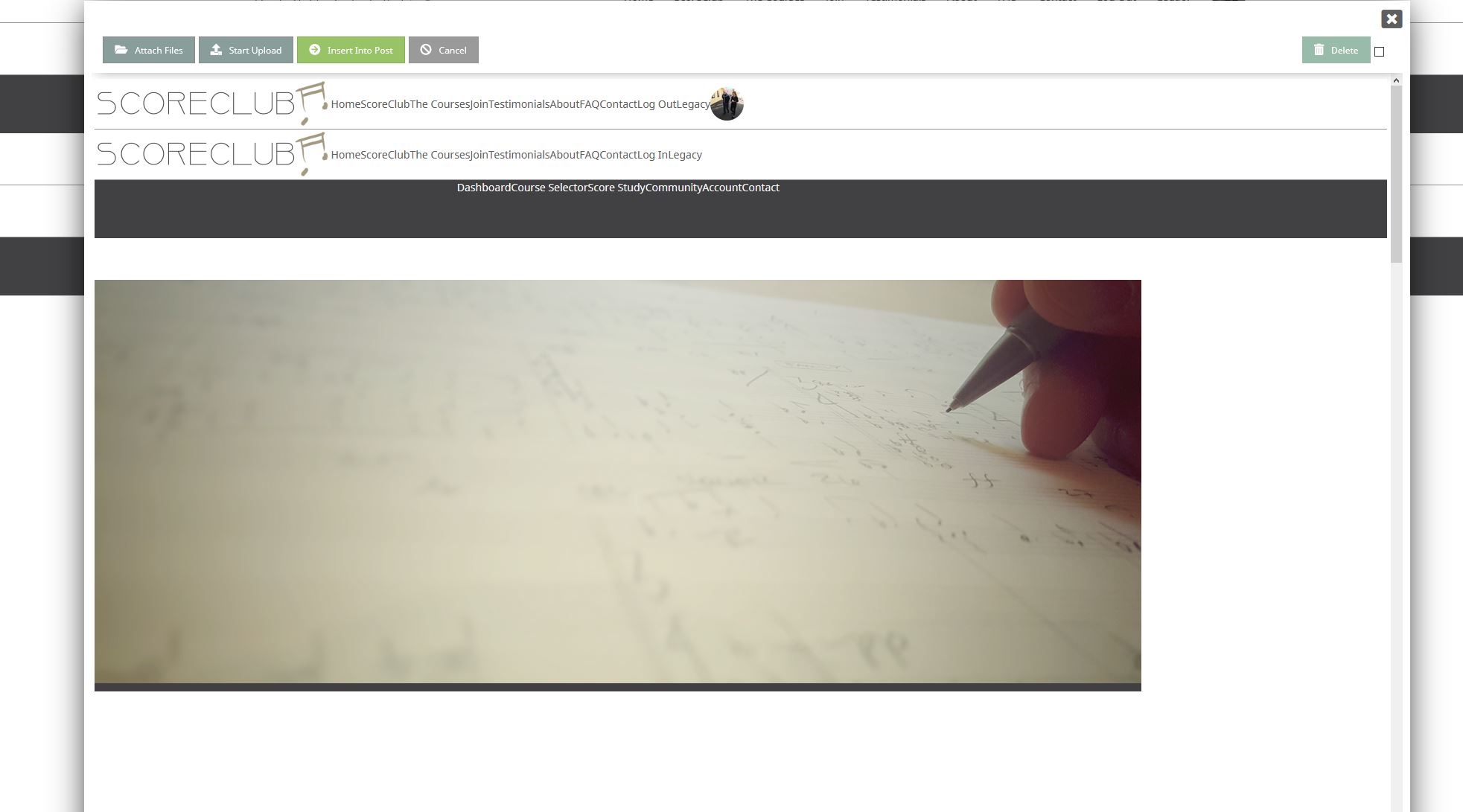
Capture Messaging issue

Once I close the window I get this weird double and quadrupled menu on my screen.
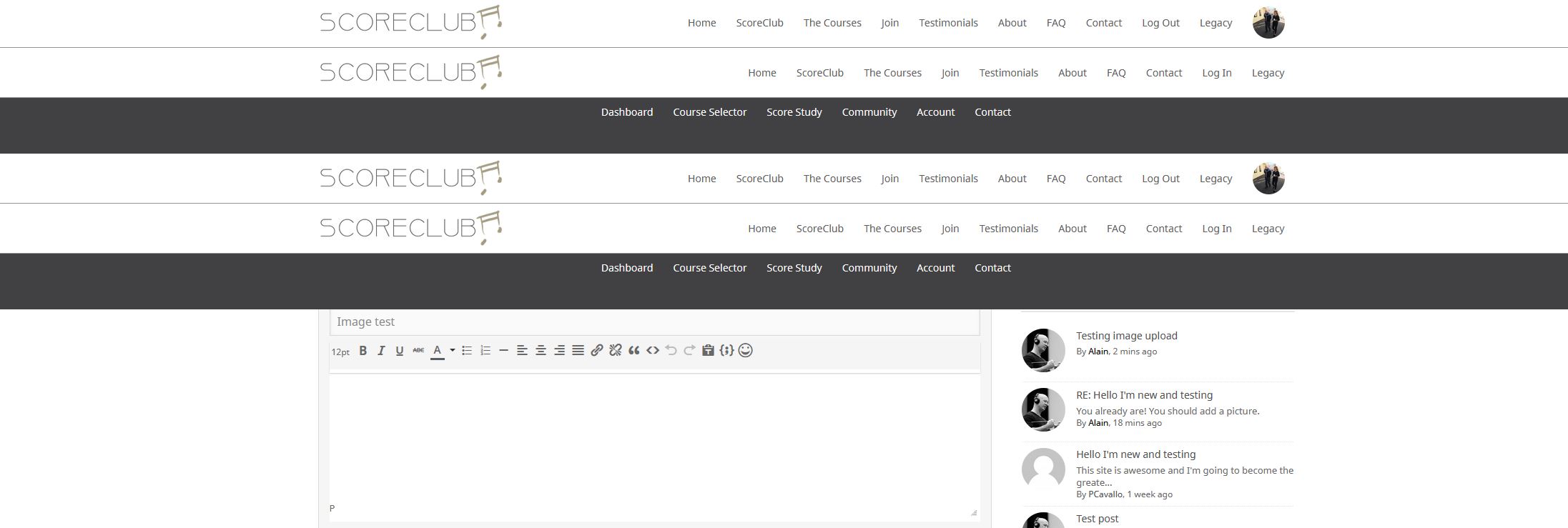
Capture Messaging issue 02

And at that point I am logged out.

Don't know where to look for that.

Thank you,

Alain


5 Replies
Astghik
Posts: 6645
Admin
Translate
English
Spanish
French
German
Italian
Portuguese
Russian
Chinese
Japanese
Korean
Arabic
Hindi
Dutch
Polish
Turkish
Vietnamese
Thai
Swedish
Danish
Finnish
Norwegian
Czech
Hungarian
Romanian
Greek
Hebrew
Indonesian
Malay
Ukrainian
Bulgarian
Croatian
Slovak
Slovenian
Serbian
Lithuanian
Latvian
Estonian
(@astgh)
Illustrious Member
Joined: 8 years ago

Hi @scoreclub007,

Please register some new user and send the user's login details with your forum URL to info[at]gvectors.come mail address to allow us to check it. 


4 Replies
Customer
(@scoreclub007)
Joined: 7 years ago

Member
Posts: 8
Translate
English
Spanish
French
German
Italian
Portuguese
Russian
Chinese
Japanese
Korean
Arabic
Hindi
Dutch
Polish
Turkish
Vietnamese
Thai
Swedish
Danish
Finnish
Norwegian
Czech
Hungarian
Romanian
Greek
Hebrew
Indonesian
Malay
Ukrainian
Bulgarian
Croatian
Slovak
Slovenian
Serbian
Lithuanian
Latvian
Estonian

Ok, I have created this and emailing right now.


Astghik
Admin
(@astgh)
Joined: 8 years ago

Illustrious Member
Posts: 6645
Astghik
Translate
English
Spanish
French
German
Italian
Portuguese
Russian
Chinese
Japanese
Korean
Arabic
Hindi
Dutch
Polish
Turkish
Vietnamese
Thai
Swedish
Danish
Finnish
Norwegian
Czech
Hungarian
Romanian
Greek
Hebrew
Indonesian
Malay
Ukrainian
Bulgarian
Croatian
Slovak
Slovenian
Serbian
Lithuanian
Latvian
Estonian

Hi @scoreclub007,

This kind of issue is usually caused by either conflict with other plugins or the active theme. 

Please deactivate the plugins one by one and check after each deactivation to find the problem maker one. 

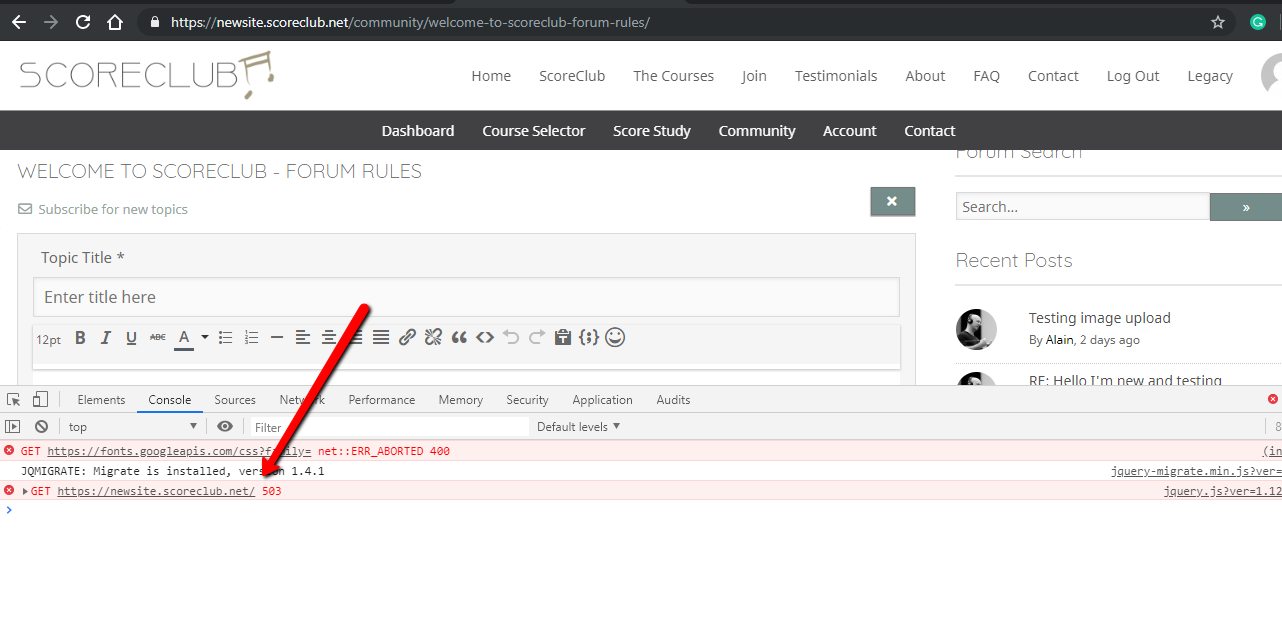
js error

Customer
(@scoreclub007)
Joined: 7 years ago

Member
Posts: 8
Astghik
Translate
English
Spanish
French
German
Italian
Portuguese
Russian
Chinese
Japanese
Korean
Arabic
Hindi
Dutch
Polish
Turkish
Vietnamese
Thai
Swedish
Danish
Finnish
Norwegian
Czech
Hungarian
Romanian
Greek
Hebrew
Indonesian
Malay
Ukrainian
Bulgarian
Croatian
Slovak
Slovenian
Serbian
Lithuanian
Latvian
Estonian

Hi, got it solved.

It wasn't a plugin exactly - I deactivated most of them and then I tried turning off the maintenance mode... and that's what it was: the maintenance mode.

So there you go! Thank you.

Alain


Astghik
Admin
(@astgh)
Joined: 8 years ago

Illustrious Member
Posts: 6645
Astghik
Astghik
Translate
English
Spanish
French
German
Italian
Portuguese
Russian
Chinese
Japanese
Korean
Arabic
Hindi
Dutch
Polish
Turkish
Vietnamese
Thai
Swedish
Danish
Finnish
Norwegian
Czech
Hungarian
Romanian
Greek
Hebrew
Indonesian
Malay
Ukrainian
Bulgarian
Croatian
Slovak
Slovenian
Serbian
Lithuanian
Latvian
Estonian

Thank you for letting us know. Glad to hear that the issue is solved. 


Share:
Scroll to top