Notifications
Clear all

Limited Support

Our support team is currently on holiday from December 25, 2025 to January 7, 2026, and replies may be delayed during this period.

We appreciate your patience and understanding while our team is away. Thank you for being part of the gVectors community!

Merry Christmas and Happy Holidays! 🎄

Comments are not showing

11 Posts
3 Users
0 Reactions
3,471 Views
(@nirjhar)
Active Member
Joined: 7 years ago
Posts: 6
Topic starter  

Hello,

I can't see any comments that have been approved. Sometimes they appear sometimes they don't. 

sample post


Quote
Astghik
(@astgh)
Illustrious Member Admin
Joined: 8 years ago
Posts: 6581
 

Hi @nirjhar,

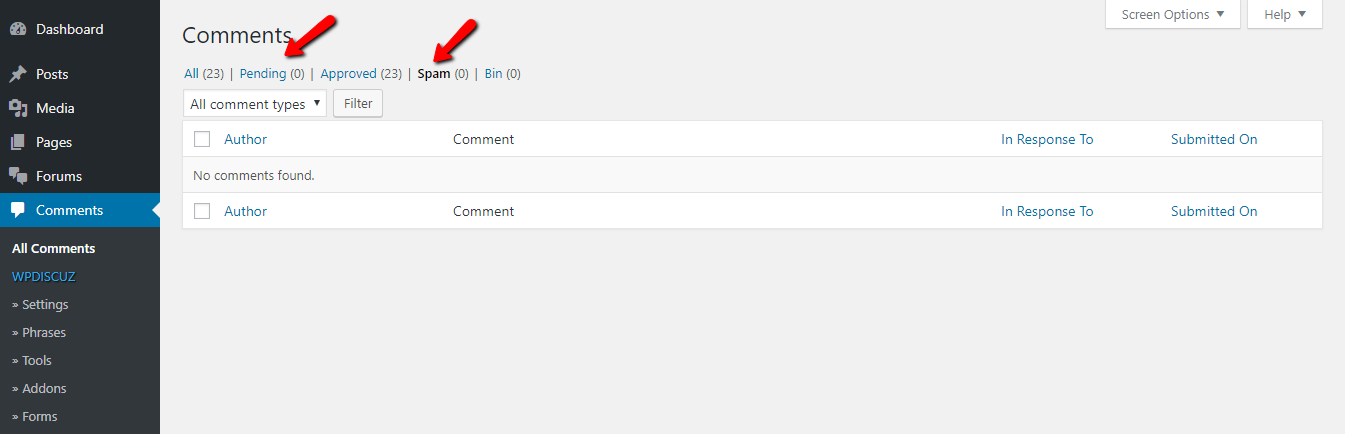
We've just tested on your website. Could you please check the comment by gVectors Support (the text of the comment is: "very interesting article") is awaiting moderation or is in the spam tab?

spam


ReplyQuote
(@nirjhar)
Active Member
Joined: 7 years ago
Posts: 6
Topic starter  

@astghik It's under approved comment.


This post was modified 7 years ago by nirjhar

   
ReplyQuote
Astghik
(@astgh)
Illustrious Member Admin
Joined: 8 years ago
Posts: 6581
 

ok, please approve the comment and let us know. 


ReplyQuote
(@nirjhar)
Active Member
Joined: 7 years ago
Posts: 6
Topic starter  

Approved already.


ReplyQuote
Astghik
(@astgh)
Illustrious Member Admin
Joined: 8 years ago
Posts: 6581
 

Hi nirjhar,

Please navigate to Dashboard > Settings > Discussion admin page, make sure the following options are unchecked:

  •  
  • Comment author must have a previously approved comment

More info here:

https://wpdiscuz.com/docs/wpdiscuz-documentation/discussion-settings/before-a-comment-appears/


ReplyQuote
(@nirjhar)
Active Member
Joined: 7 years ago
Posts: 6
Topic starter  

Checked. But if you refresh the page repeatedly then the comments appear for sometime. I think I'm missing some settings with cache. 


ReplyQuote
Astghik
(@astgh)
Illustrious Member Admin
Joined: 8 years ago
Posts: 6581
 

@nirjhar

Please navigate to Dashboard > Settings > Discussions admin page check the “Break comments into pages with…” option and check again. If you check the checkbox, the comment pagination will be changed to standard [ 1 ] [ 2 ] [ 3 ] type. These are the native pagination buttons of the WordPress comment system.

More info here:  https://wpdiscuz.com/docs/wpdiscuz-documentation/settings/comment-list-settings/#pagination

Let us know how it works. 


ReplyQuote
(@nirjhar)
Active Member
Joined: 7 years ago
Posts: 6
Topic starter  

Not working. For testing purpose I have installed it with a localhost site. Which is working. So I think it's a cache issue. I have disabled the cache plugin though.


ReplyQuote
Arina
(@arina)
Support Team
Joined: 12 years ago
Posts: 101
 

Hi @nirjhar,

Please inform us the cache plugins you use.


ReplyQuote
(@nirjhar)
Active Member
Joined: 7 years ago
Posts: 6
Topic starter  

It's WP Super Cache.


ReplyQuote
Share:
Scroll to top