

Notifications
Clear all

Limited Support

Our support team is currently on holiday from December 25, 2025 to January 7, 2026, and replies may be delayed during this period.

We appreciate your patience and understanding while our team is away. Thank you for being part of the gVectors community!

Merry Christmas and Happy Holidays! 🎄

[Closed] How to use the "Custom Selector" option

1 Posts
1 Users
0 Reactions
5,740 Views
Astghik
Posts: 6581
Admin
Topic starter
(@astgh)
Illustrious Member
Joined: 8 years ago

The "Custom Selector" option allows you to highlight a specific section, outside of the comment section, e.g. in the post/page content.

Let's consider an example. 

1. We filled in the .test class in the "Custom Selector" field
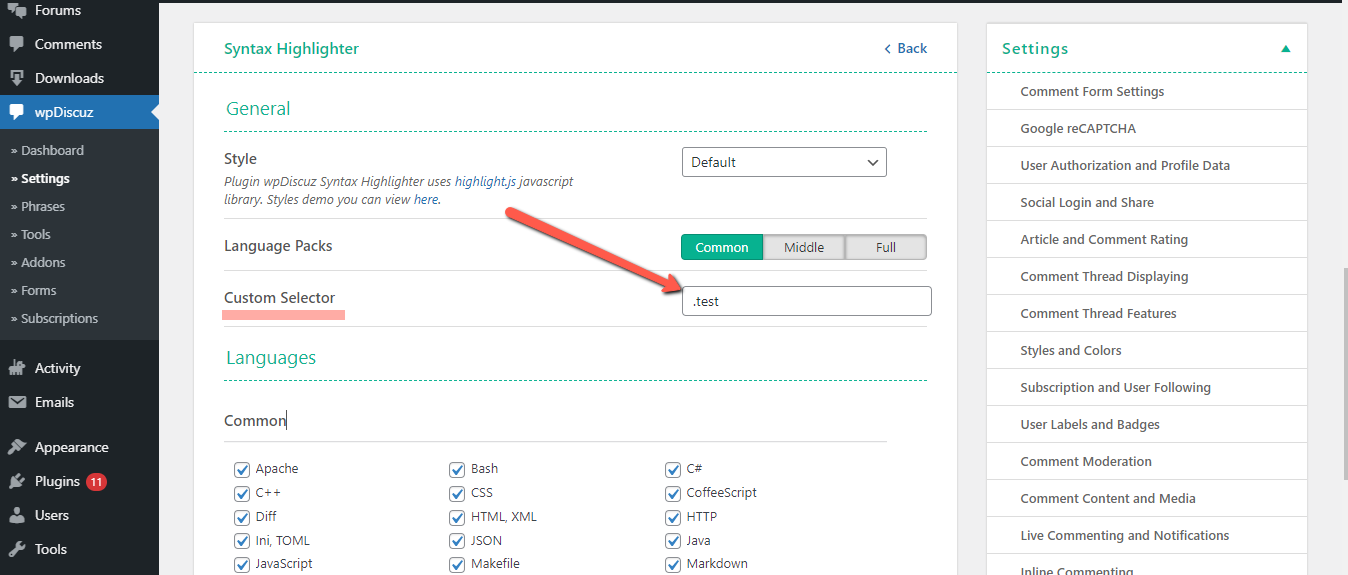
2021 08 13 15 29 41

2. Somewhere on the page/page content we've added the code with the .test class
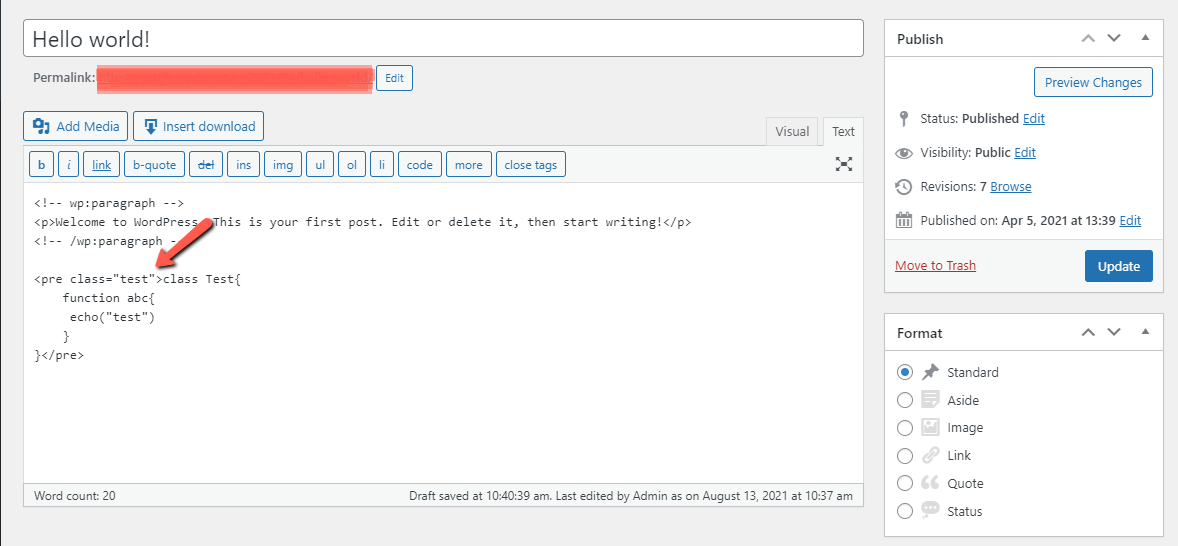
image

3. As a result, it'll be automatically highlighted:
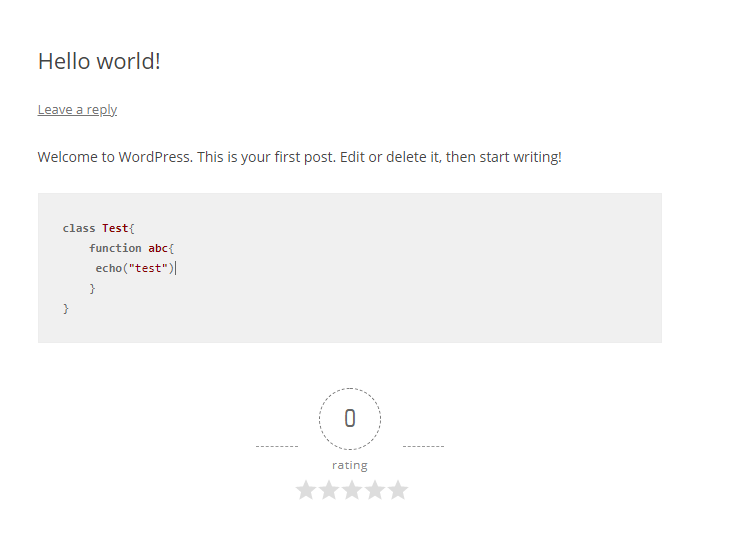
image

Important: the class can be applied only on the <code> and <pre> tags. 


Share:
Scroll to top