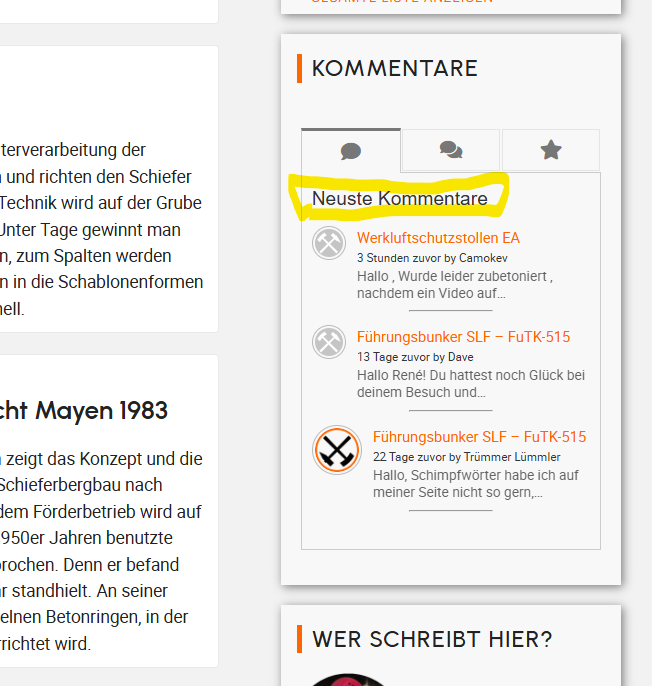
Hello, my "Latest Comments" heading is displayed as an H5 heading. I'd like to change this, but I can't find the setting. Where or how can I change it to a different heading (H4) or a div?
Thanks in advance.

Professional WordPress Plugins and Services. wpDiscuz, WooDiscuz, Advanced Post Pagination

Hello, my "Latest Comments" heading is displayed as an H5 heading. I'd like to change this, but I can't find the setting. Where or how can I change it to a different heading (H4) or a div?
Thanks in advance.



Hi,
You can easily apply any CSS code to change the style of the header. There is no need to modify the HTML structure—simply apply your CSS rules to the following selector:
#widget-comments-container h5
For example, if you want to change the color, use this code:
#widget-comments-container h5 {
   color: red;
}
Add the CSS code in the “Widget Custom CSS” textarea. It's located in the Dashboard > Comments > Settings> Addons > Widgets tab.
Hello, I don't want to change the appearance, but rather remove the H5 heading. From an SEO perspective, this H5 heading is problematic, and I would prefer a DIV. Thanks and regards.