Search
Close
AI Search
Classic Search
 Search Phrase:
 Search Type:
Advanced search options
 Search in Forums:
 Search in date period:

 Sort Search Results by:

AI Assistant
Notifications
Clear all

[Solved] Except Admin no other member types are able to attach any file

3 Posts
2 Users
1 Reactions
2,147 Views
Posts: 3
Customer
Topic starter
Translate â–¼
English
Spanish
French
German
Italian
Portuguese
Russian
Chinese
Japanese
Korean
Arabic
Hindi
Dutch
Polish
Turkish
Vietnamese
Thai
Swedish
Danish
Finnish
Norwegian
Czech
Hungarian
Romanian
Greek
Hebrew
Indonesian
Malay
Ukrainian
Bulgarian
Croatian
Slovak
Slovenian
Serbian
Lithuanian
Latvian
Estonian
(@mohammad-shujan)
Member
Joined: 5 years ago
[#8621]

Hi,

I am having the following issue.

Only Admin member is able to attach files in a post. Every other members even a moderator cannot attach a file.

I have granted access to both the customers user type and moderator user type to attach files but both of these user roles are seeing the message "No more attachments are allowed today".

Kindly help me to solve this issue so that, customers and moderators can attach files.

I am attaching some screenshots so that you can understand the issue in a better way.

Thanks with regards,
Mohammad
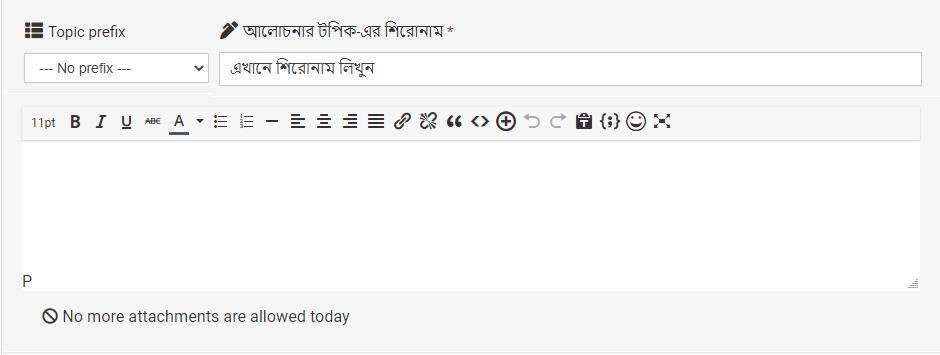
 

Moderator Attachment Access Not Allowed


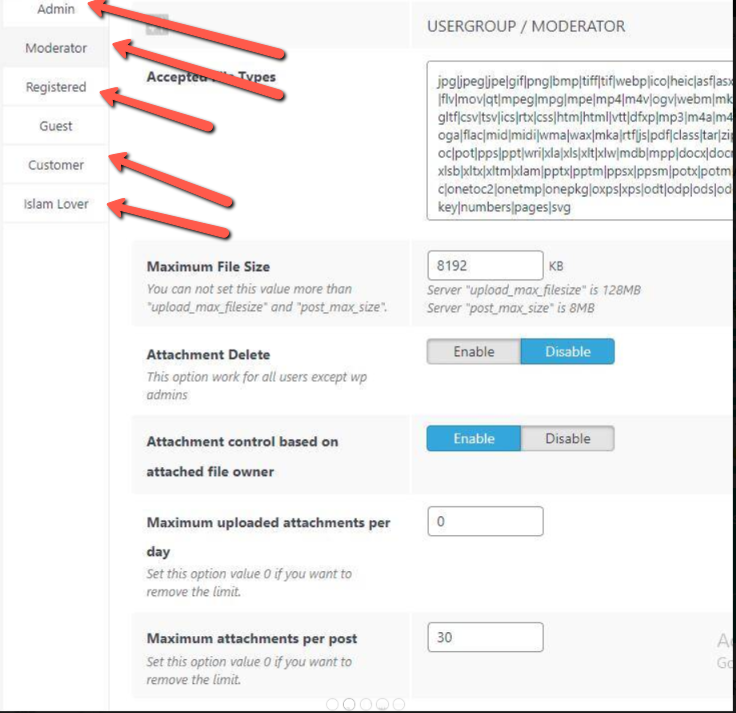
Moderator Attachment Settings


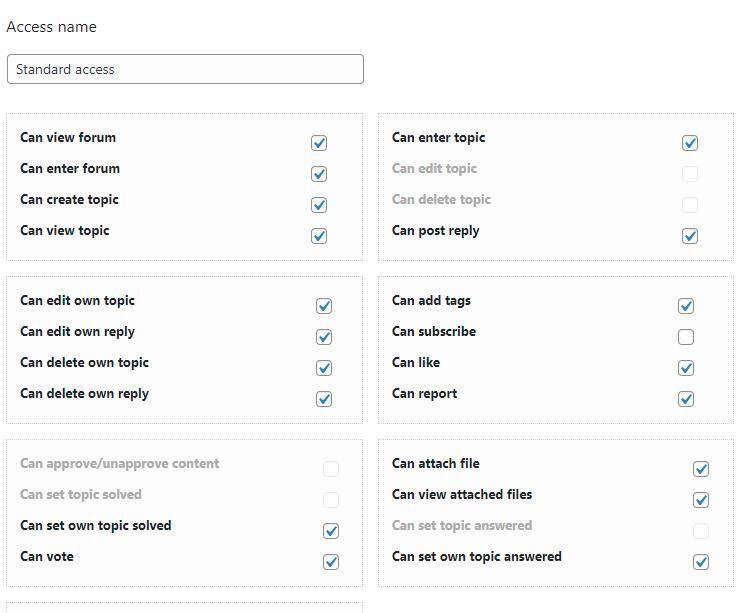
Standard Access Settings


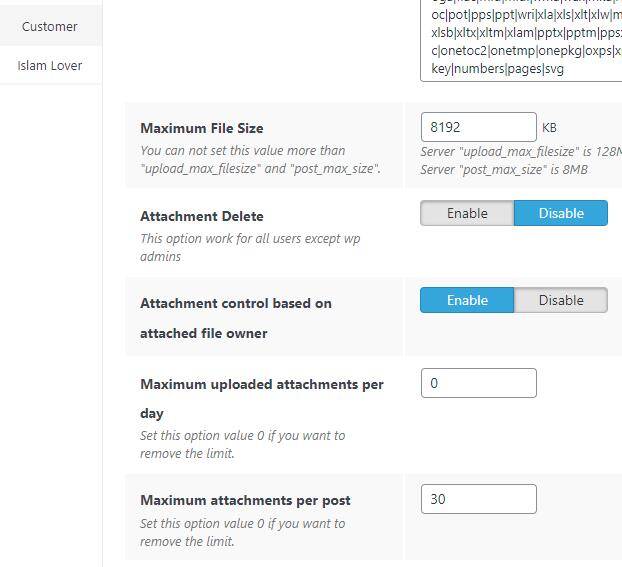
Customer Attached Settings


User Role Access

2 Replies
Posts: 4245
 Tom
Admin
Translate â–¼
English
Spanish
French
German
Italian
Portuguese
Russian
Chinese
Japanese
Korean
Arabic
Hindi
Dutch
Polish
Turkish
Vietnamese
Thai
Swedish
Danish
Finnish
Norwegian
Czech
Hungarian
Romanian
Greek
Hebrew
Indonesian
Malay
Ukrainian
Bulgarian
Croatian
Slovak
Slovenian
Serbian
Lithuanian
Latvian
Estonian
(@tomson)
Famed Member
Joined: 11 years ago

1. Please navigate to the addon settings page and make sure you've set "0" for the "Maximum uploaded attachments per day" option of all usergroups and save the [update options] button:

2021 08 10 23 55 31

2. Navigate to Dashboard > Forums > Tools > Antispam Tab and set "0" the "Min number of posts to be able attach files" option.

3. Edit all Forum Accesses (excerpt the Read Only and No Access) in Dashboard > Forums > Settings > Forum Accesses Tab and make sure the "Can view attached files" permission is enabled.

4. Go to Dashboard > Forums > Dashboard and click the [Delete all caches] button. if you have other cache plugins, please delete the cache.


Posts: 3
Customer
Topic starter
Translate â–¼
English
Spanish
French
German
Italian
Portuguese
Russian
Chinese
Japanese
Korean
Arabic
Hindi
Dutch
Polish
Turkish
Vietnamese
Thai
Swedish
Danish
Finnish
Norwegian
Czech
Hungarian
Romanian
Greek
Hebrew
Indonesian
Malay
Ukrainian
Bulgarian
Croatian
Slovak
Slovenian
Serbian
Lithuanian
Latvian
Estonian
(@mohammad-shujan)
Member
Joined: 5 years ago

@tomson 

Hi, I followed your instructions and it worked.

Thanks for the help 😀  


Share:
Scroll to top