Search
Close
AI Search
Classic Search
 Search Phrase:
 Search Type:
Advanced search options
 Search in Forums:
 Search in date period:

 Sort Search Results by:

AI Assistant
Notifications
Clear all

[Solved] All files are not displayed

9 Posts
3 Users
3 Reactions
5,353 Views
Posts: 4
Topic starter
Translate
English
Spanish
French
German
Italian
Portuguese
Russian
Chinese
Japanese
Korean
Arabic
Hindi
Dutch
Polish
Turkish
Vietnamese
Thai
Swedish
Danish
Finnish
Norwegian
Czech
Hungarian
Romanian
Greek
Hebrew
Indonesian
Malay
Ukrainian
Bulgarian
Croatian
Slovak
Slovenian
Serbian
Lithuanian
Latvian
Estonian
(@dmolina)
New Member
Joined: 6 years ago
[#5104]

After updating the wpForo Advanced Attachments addon, they stopped being displayed, when loaded and those that were already loaded, what could it be?
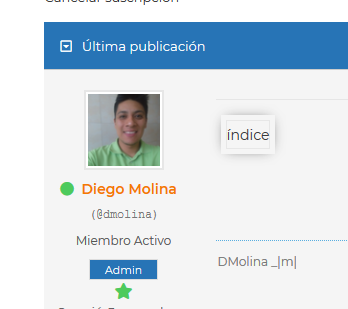
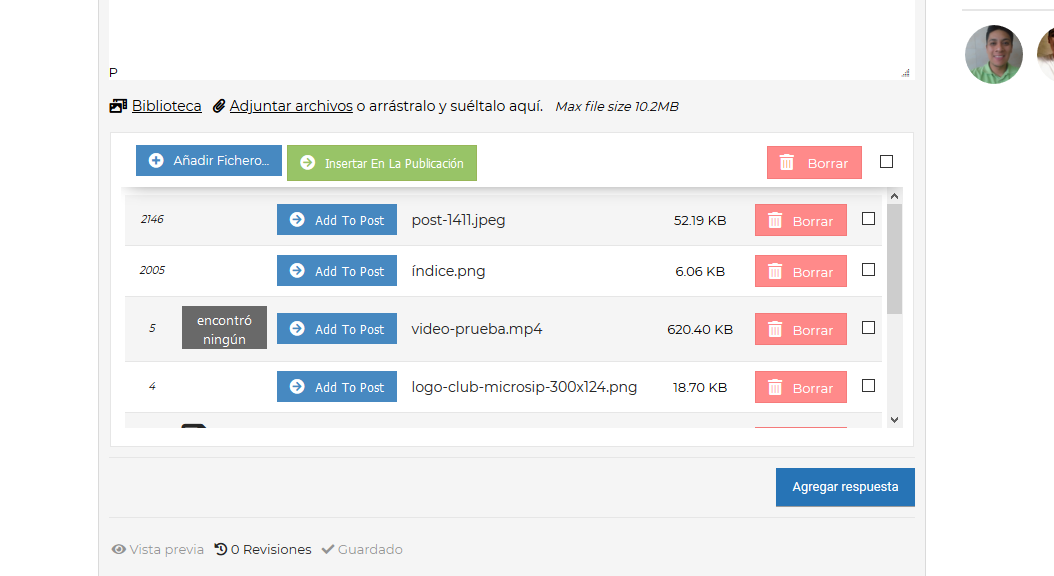
2020 02 06 102939
2020 02 06 103029


8 Replies
Posts: 4
Topic starter
Translate
English
Spanish
French
German
Italian
Portuguese
Russian
Chinese
Japanese
Korean
Arabic
Hindi
Dutch
Polish
Turkish
Vietnamese
Thai
Swedish
Danish
Finnish
Norwegian
Czech
Hungarian
Romanian
Greek
Hebrew
Indonesian
Malay
Ukrainian
Bulgarian
Croatian
Slovak
Slovenian
Serbian
Lithuanian
Latvian
Estonian
(@dmolina)
New Member
Joined: 6 years ago

It was solved by deactivating and reactivating the addon.


Posts: 4245
 Tom
Admin
Translate
English
Spanish
French
German
Italian
Portuguese
Russian
Chinese
Japanese
Korean
Arabic
Hindi
Dutch
Polish
Turkish
Vietnamese
Thai
Swedish
Danish
Finnish
Norwegian
Czech
Hungarian
Romanian
Greek
Hebrew
Indonesian
Malay
Ukrainian
Bulgarian
Croatian
Slovak
Slovenian
Serbian
Lithuanian
Latvian
Estonian
(@tomson)
Famed Member
Joined: 11 years ago

Hi @dmolina,

1. Please make sure you're using wpForo 1.7.0 version

2. Then please make sure you've updated wpForo Advanced Attachment to latest 2.0.0 version

3. Once you updated please go to Dashboard > Forums > Dashboard admin page and click on the [Delete All Caches] button.

4. If the problem is not fixed please leave direct URL to a post where we can see a broken image.


Posts: 305
Customer
Translate
English
Spanish
French
German
Italian
Portuguese
Russian
Chinese
Japanese
Korean
Arabic
Hindi
Dutch
Polish
Turkish
Vietnamese
Thai
Swedish
Danish
Finnish
Norwegian
Czech
Hungarian
Romanian
Greek
Hebrew
Indonesian
Malay
Ukrainian
Bulgarian
Croatian
Slovak
Slovenian
Serbian
Lithuanian
Latvian
Estonian
(@percysgrowroom)
Member
Joined: 7 years ago

Ive done all of that, and deleted my cache from my main site too, and ctrl f5, still nothing

Wordpress images are working fine, and so is embedded content, just pics from the advanced attachment plug that are not working.

You can see on this page:

https://percysgrowroom.com/forum/grow-off-diaries/jack-herrer-grow-diary-by-macky/paged/3/#post-16247

Scroll down a little into the posts, the top pot is cros blog posted so it has WP images. 

Hope this help with the fix, try not to stress to much, I know this s**t aint easy lol 


1 Reply
 Tom
Admin
(@tomson)
Joined: 11 years ago

Famed Member
Posts: 4245
Translate
English
Spanish
French
German
Italian
Portuguese
Russian
Chinese
Japanese
Korean
Arabic
Hindi
Dutch
Polish
Turkish
Vietnamese
Thai
Swedish
Danish
Finnish
Norwegian
Czech
Hungarian
Romanian
Greek
Hebrew
Indonesian
Malay
Ukrainian
Bulgarian
Croatian
Slovak
Slovenian
Serbian
Lithuanian
Latvian
Estonian

@percysgrowroom

I'm sorry but I didn't follow you. This post says nothing. What's wrong with that?


Posts: 305
Customer
Translate
English
Spanish
French
German
Italian
Portuguese
Russian
Chinese
Japanese
Korean
Arabic
Hindi
Dutch
Polish
Turkish
Vietnamese
Thai
Swedish
Danish
Finnish
Norwegian
Czech
Hungarian
Romanian
Greek
Hebrew
Indonesian
Malay
Ukrainian
Bulgarian
Croatian
Slovak
Slovenian
Serbian
Lithuanian
Latvian
Estonian
(@percysgrowroom)
Member
Joined: 7 years ago
Posted by: @percysgrowroom

Scroll down a little into the posts, the top pot is cros blog posted so it has WP images

https://percysgrowroom.com/forum/grow-off-diaries/jack-herrer-grow-diary-by-macky/paged/3/#post-16117 this is the post directly, atleast one of them, you will see the pics displayed as numbers with a broken image sign

Hope this helps 


1 Reply
 Tom
Admin
(@tomson)
Joined: 11 years ago

Famed Member
Posts: 4245
Translate
English
Spanish
French
German
Italian
Portuguese
Russian
Chinese
Japanese
Korean
Arabic
Hindi
Dutch
Polish
Turkish
Vietnamese
Thai
Swedish
Danish
Finnish
Norwegian
Czech
Hungarian
Romanian
Greek
Hebrew
Indonesian
Malay
Ukrainian
Bulgarian
Croatian
Slovak
Slovenian
Serbian
Lithuanian
Latvian
Estonian

Thank you @percysgrowroom!


Page 1 / 2
Share:
Scroll to top
