Search
Close
AI Search
Classic Search
 Search Phrase:
 Search Type:
Advanced search options
 Search in Forums:
 Search in date period:

 Sort Search Results by:

AI Assistant
Notifications
Clear all

inactive forms and elements of the plugin

2 Posts
2 Users
0 Reactions
2,505 Views
(@slapit)
New Member
Joined: 7 years ago
Posts: 1
Topic starter
Translate
English
Spanish
French
German
Italian
Portuguese
Russian
Chinese
Japanese
Korean
Arabic
Hindi
Dutch
Polish
Turkish
Vietnamese
Thai
Swedish
Danish
Finnish
Norwegian
Czech
Hungarian
Romanian
Greek
Hebrew
Indonesian
Malay
Ukrainian
Bulgarian
Croatian
Slovak
Slovenian
Serbian
Lithuanian
Latvian
Estonian

  [#3236]

After installing the plugin, forms and elements appeared, but they are inactive - nothing happens when pressed. Plugins disabled - no change. Most likely there is a conflict with the theme, as when the default theme is installed, the plugin starts working. I put my theme before I made changes to it - the plugin also works. I guess I changed something in my personal topic during the revision. Help to understand https://uspei.com/gadzhety/zenbook-s-2018/


Quote
Astghik
(@astgh)
Illustrious Member Admin
Joined: 8 years ago
Posts: 6645
Translate
English
Spanish
French
German
Italian
Portuguese
Russian
Chinese
Japanese
Korean
Arabic
Hindi
Dutch
Polish
Turkish
Vietnamese
Thai
Swedish
Danish
Finnish
Norwegian
Czech
Hungarian
Romanian
Greek
Hebrew
Indonesian
Malay
Ukrainian
Bulgarian
Croatian
Slovak
Slovenian
Serbian
Lithuanian
Latvian
Estonian
 

Hi @slapit,

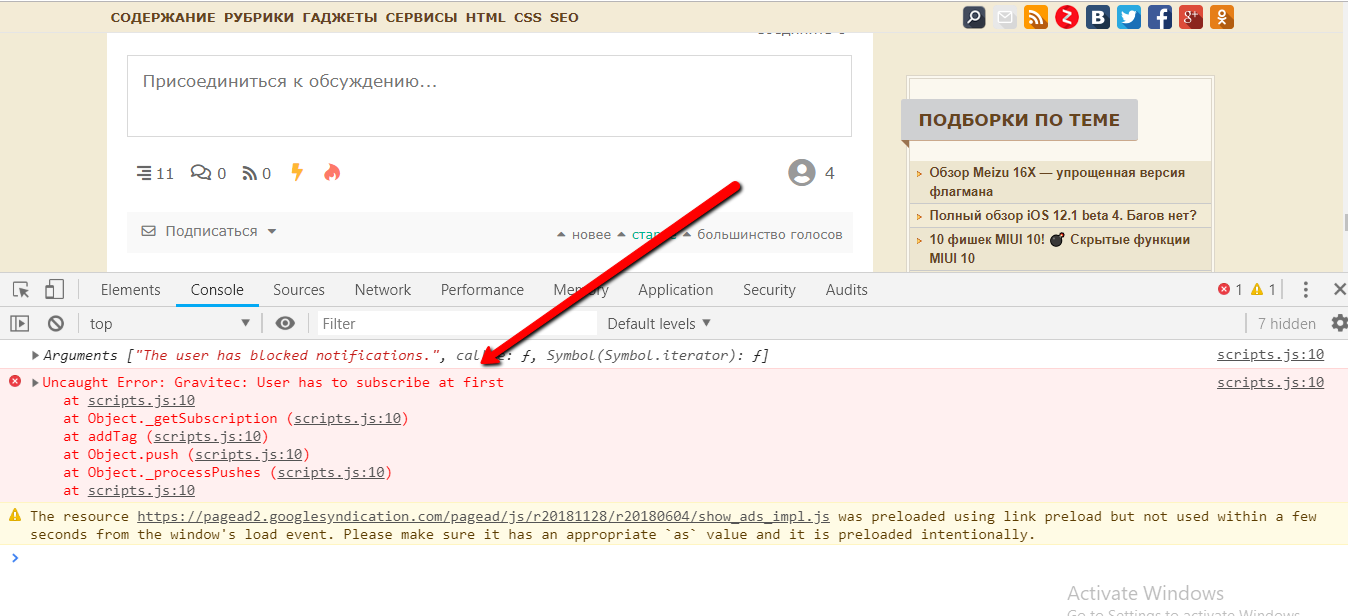
you have js error on your website, it comes from your active theme. See screenshots. 

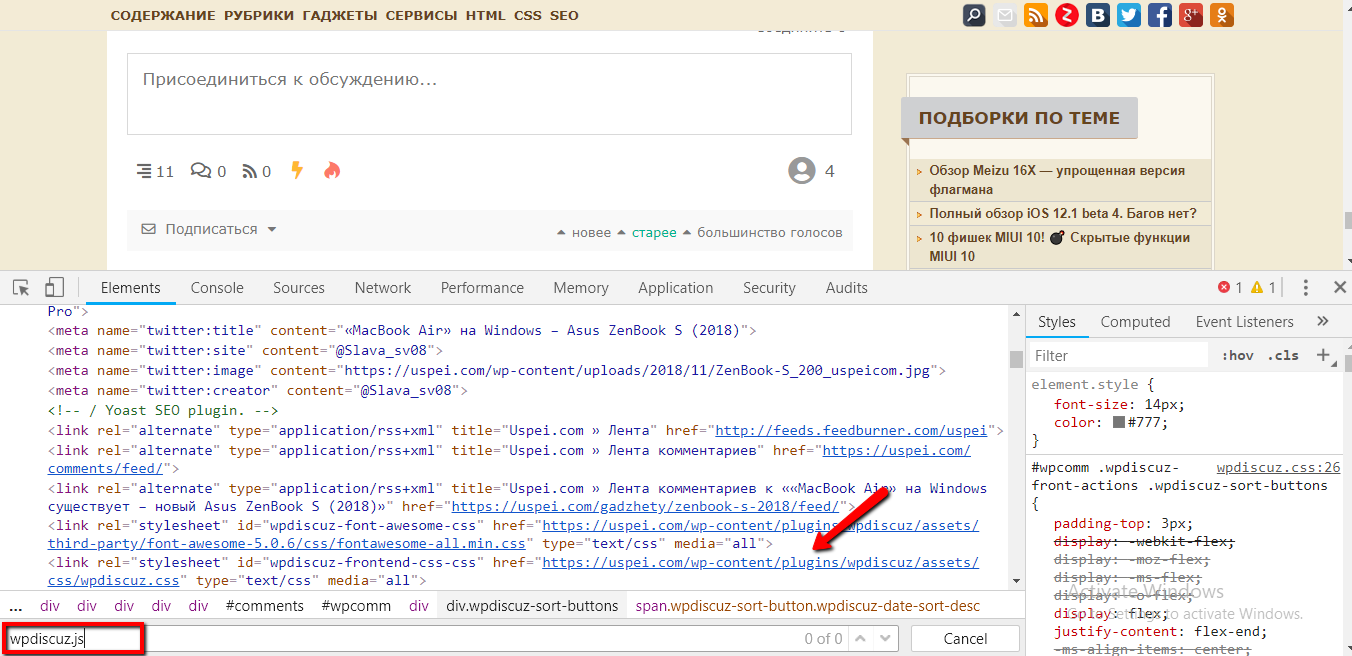
Also, we've noticed that wpdiscuz.js file isn't loaded. And as all these actions work with js, it doesn't working on your website.  

js loading
js error


ReplyQuote
Share:
Scroll to top