Notifications
Clear all

[Solved] The pop-up with the prefix list does not appear.

11 Posts
4 Users
1 Reactions
1,893 Views
Marco Rosini
Posts: 24
Customer
Topic starter
(@marco-rosini)
Member
Joined: 3 years ago

Hi all, I would like to report what I believe is a bug in this add-on.
As I have already anticipated in the title, when I create a post, if I click on the prefix box, the entire list of them is not shown.
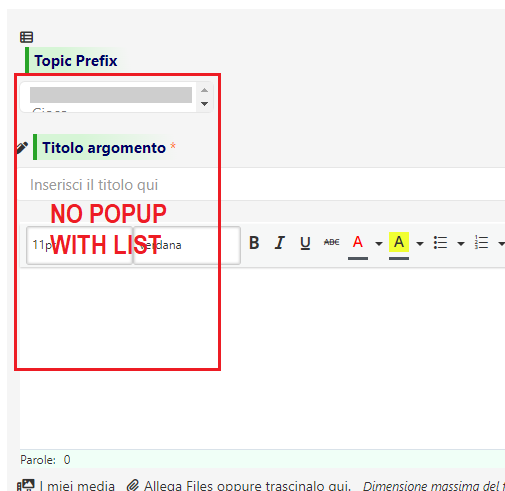

Immagine


10 Replies
Kyle
Posts: 728
 Kyle
(@kylew)
Prominent Member
Joined: 4 years ago

Hi @marco-rosini,

Please make sure that you don't have JS errors.


Marco Rosini
Posts: 24
Customer
Topic starter
(@marco-rosini)
Member
Joined: 3 years ago

Hi @Kyle, do you mean in wpforo/tools/errors and problems?

If yes, I have no errors and this is the screen.
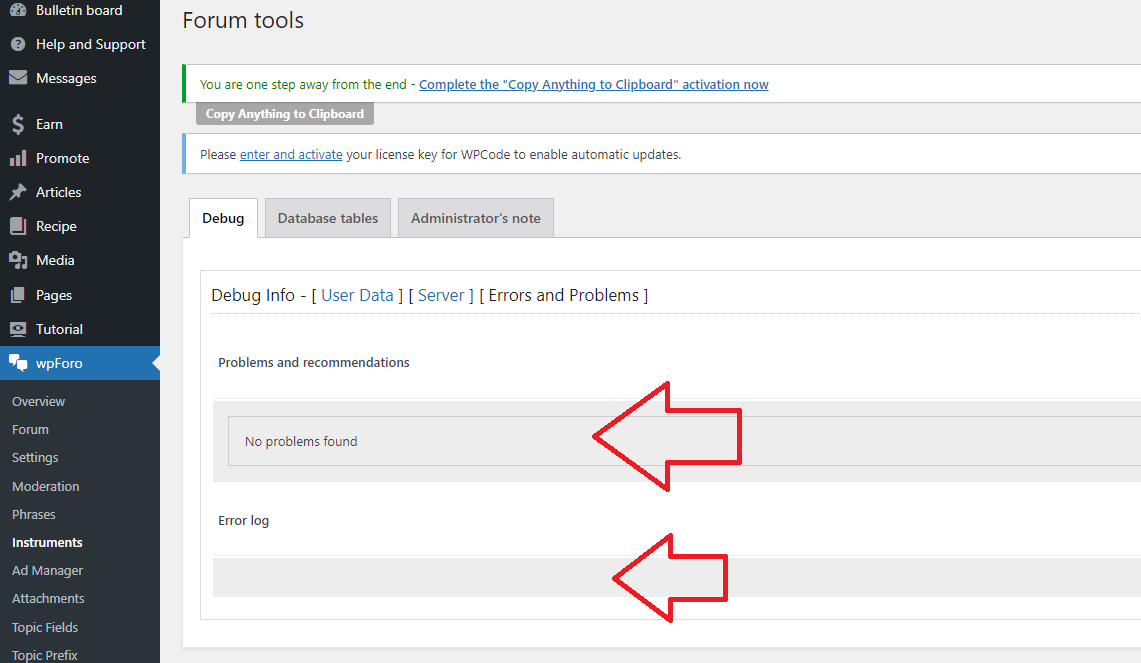
error

While this is what I detect with the developer tool:

error2

Maybe I'm wrong, but it doesn't seem to me that this is related to these errors. What do you think about it?


2 Replies
Kyle
 Kyle
(@kylew)
Joined: 4 years ago

Prominent Member
Posts: 728

@marco-rosini,

Those are the reason, I guess you have minified JS, wpForo's JS codes are not called because of that.


Marco Rosini
Customer
(@marco-rosini)
Joined: 3 years ago

Member
Posts: 24

@kylew I found the cause of the problem: it's a conflict with the Redirect Redirection plugin


Marco Rosini
Posts: 24
Customer
Topic starter
(@marco-rosini)
Member
Joined: 3 years ago

OK, I'll do some tests and let you know


Posts: 39
(@amitkool21)
Trusted Member
Joined: 3 years ago

I'm also having this same issue and I don't have any JS error in console. please take a look.

https://yatrahelpline.com/community/difference-between-passport-and-visa/how-to-apply-for-passport-in-india/#post-125

Screenshot 2024 08 19 at 18.03.45

4 Replies
 Tom
Admin
(@tomson)
Joined: 11 years ago

Famed Member
Posts: 4234

Hi @amitkool21 ,

We've just released version 3.2.5 of the wpForo Topic Prefix and Tags Manager addon, please update, then delete all caches and check it again.

If you don't see the update information in your Dashboard > Plugins admin page, please go to Dashboard > Updates and click the Check again link, then go back to the plugins page and update the addon.


(@amitkool21)
Joined: 3 years ago

Trusted Member
Posts: 39

@tomson

Thank you, but I can't update as my license is expired. 🙁


 Tom
Admin
(@tomson)
Joined: 11 years ago

Famed Member
Posts: 4234

@amitkool21,

Please check your PMs.


(@amitkool21)
Joined: 3 years ago

Trusted Member
Posts: 39

@tomson 

Thank You


Share:
Scroll to top